

Defining Functions
What you'll learn
- Why functions make programs shorter, clearer, and easier to fix
- How to define a function with
defand call it - How to give a function input with parameters
- How to document a function with a docstring
- How Python moves through your code when a function is called
Why it matters
You've been using functions since your first lesson: print(), len(), input(), sorted(). Each one hides a chunk of work behind a simple name. Now you'll write your own.
Without functions, programs repeat themselves. If the same ten lines appear in five places and there's a bug, you have to find and fix it five times. With a function, you write the code once, give it a name, and use it wherever you need it.
Your first function
def greet():
    print("Hello!")
    print("Welcome to the course.")

greet()
greet()Hello!
Welcome to the course.
Hello!
Welcome to the course.There are two separate steps:
- Defining with
defteaches Python a new command. Nothing is printed yet. - Calling with
greet()runs the code inside. You can call it as many times as you like.
The structure:
def function_name():
body (indented)defis short for define.- The name follows the same rules as variable names. Use
snake_case, and usually a verb, because functions do things:greet,print_receipt,calculate_total. - The parentheses
()and the colon:are required. - The body is indented, just like an
ifor a loop.
Parameters: giving a function input
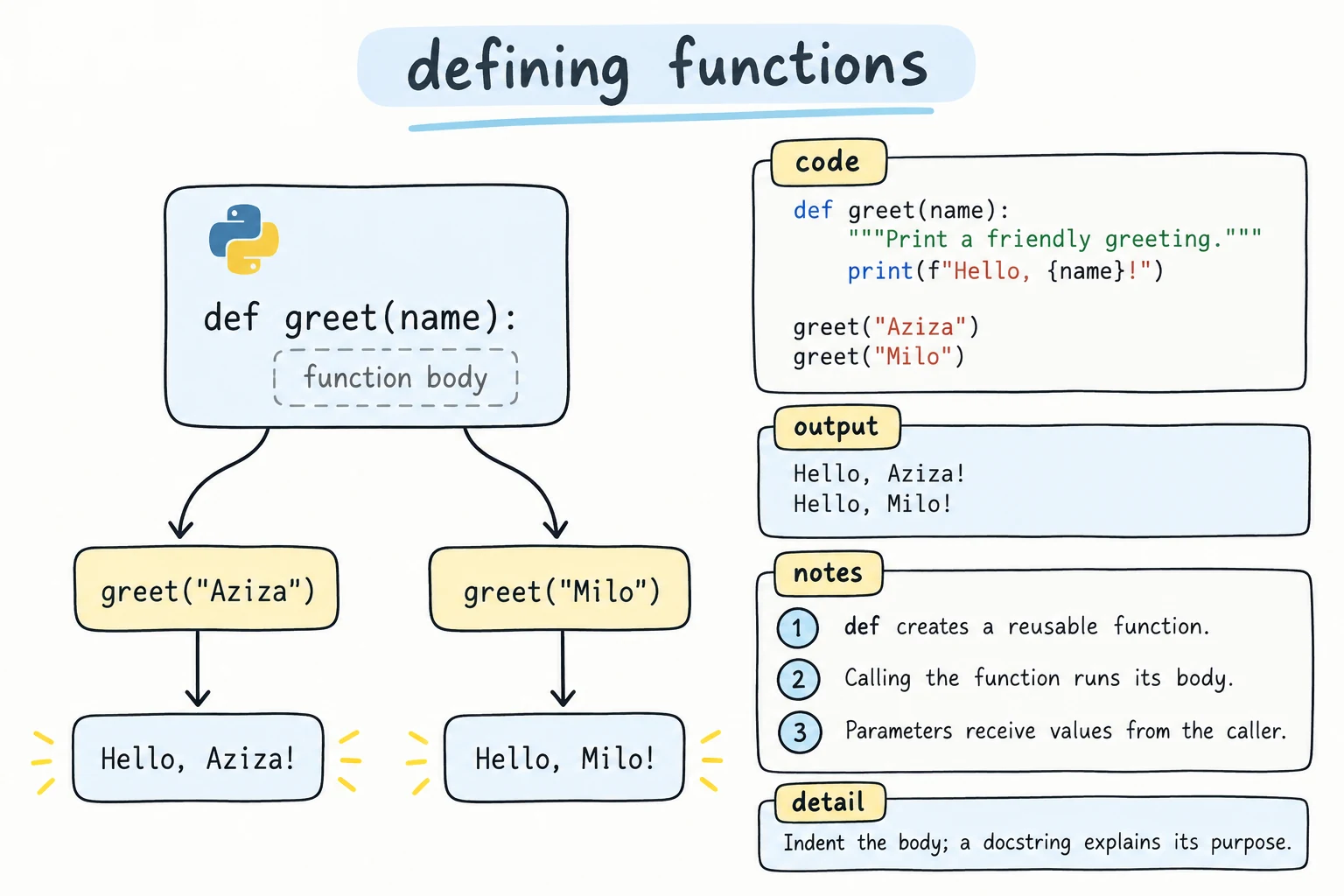
A function becomes much more useful when it can work with different values. Parameters are variables listed in the parentheses. They receive the values you pass when calling:
def greet(name):
    print(f"Hello, {name}!")

greet("Aziza")
greet("Bekzod")Hello, Aziza!
Hello, Bekzod!When you call greet("Aziza"), Python sets name = "Aziza" and then runs the body.
- A parameter is the name in the definition:
name. - An argument is the value in the call:
"Aziza".
A function can take several parameters, separated by commas. Arguments are matched in order:
def print_receipt_line(item, quantity, price):
    total = quantity * price
    print(f"{item:<10} {quantity} x {price:>6,} = {total:>8,}")

print_receipt_line("Tea", 2, 15000)
print_receipt_line("Samsa", 4, 8000)Tea 2 x 15,000 = 30,000
Samsa 4 x 8,000 = 32,000The next lesson, Parameters and Arguments, covers default values, keyword arguments, and more.
Documenting with docstrings
A docstring is a string written as the first line of the function body. It describes what the function does:
def print_banner(title):
    """Print the title framed by a line of = signs."""
    line = "=" * (len(title) + 4)
    print(line)
    print(f"  {title}")
    print(line)

print_banner("Monthly Report")
help(print_banner)==================
Monthly Report
==================
Help on function print_banner in module __main__:
print_banner(title)
Print the title framed by a line of = signs.Python stores the docstring, so help() and code editors can show it. Write docstrings as a short command ("Print…", "Return…"). For larger functions, add details on the following lines.
How Python runs a function call
When Python reaches a function call, it jumps into the function, runs the body, and then returns to where it left off:
def show_step(number):
    print(f"  inside the function: step {number}")

print("1. before")
show_step(2)
print("3. after")1. before
inside the function: step 2
3. afterDefine before you call
Python reads your file from top to bottom. A function has to be defined before the line that calls it runs:
say_hi()

def say_hi():
print("Hi")NameError: name 'say_hi' is not definedA common layout is: imports at the top, then function definitions, then the code that uses them at the bottom.
However, a function body can mention another function that's defined later, as long as that function exists by the time the call actually runs:
def main():
    print_header()      # fine: called only when main() runs
    print("Body text")

def print_header():
    print("== Header ==")

main()== Header ==
Body textFunctions calling functions
Big tasks become manageable when you split them into small functions, each doing one job:
def print_line():
    print("-" * 30)

def print_title(text):
    print_line()
    print(text.center(30))
    print_line()

def print_menu():
    print_title("CAFE MENU")
    print("Tea ................ 15,000")
    print("Coffee ............. 45,000")
    print_line()

print_menu()------------------------------
CAFE MENU
------------------------------
Tea ................ 15,000
Coffee ............. 45,000
------------------------------Changing the line style now means editing one function.
An empty function body
Just like if, a function body can't be empty. Use pass while you're still planning:
def send_report():
    pass   # TODO: write this later

send_report()   # runs, does nothing
Functions are values
A function's name refers to a function object, just as a variable name refers to a number. Without parentheses, you're talking about the function. With parentheses, you call it:
def greet():
    print("Hello!")

print(greet)     # the function itself
greet() # calling it<function greet at 0x...>
Hello!You used this idea when passing key=str.lower to sorted(). The Lambdas and Higher-Order Functions lesson goes further.
The functions in this lesson print their results. Often you want a function to give back a value that other code can use, the way len() does. That's what return does, in Return Values.
Try it
Write a function that prints a box around any text. Try calling it with different words, then add a parameter for the border character.
Common mistakes
1. Forgetting the parentheses when calling
def greet():
    print("Hello!")

greet        # does nothing: just refers to the function
The program prints nothing and raises no error, which is what makes this mistake hard to spot. Fix: greet().
2. Wrong number of arguments
def greet(name):
    print(f"Hello, {name}!")

greet()TypeError: greet() missing 1 required positional argument: 'name'def greet(name):
print(f"Hello, {name}!")
greet("Aziza", "Bekzod")TypeError: greet() takes 1 positional argument but 2 were givenPass exactly one argument for each parameter. (Default values, in the next lesson, make some of them optional.)
3. Missing colon or indentation
def greet(name)
print(f"Hello, {name}!")SyntaxError: expected ':'def greet(name):
print(f"Hello, {name}!")IndentationError: expected an indented block after function definition on line 1Fix: end the def line with : and indent the body by 4 spaces, exactly as with if and loops.
Practice
1. Birthday song
Write sing_birthday(name) that prints a short birthday song with the name, and call it for two people.
Solution
def sing_birthday(name):
    print("Happy birthday to you,")
    print("Happy birthday to you,")
    print(f"Happy birthday, dear {name},")
    print("Happy birthday to you!")
    print()

sing_birthday("Aziza")
sing_birthday("Bekzod")
2. Square of stars
Write draw_square(size) that prints a filled square of * characters, size stars wide and size rows tall. Call it with 3 and 5.
Solution
def draw_square(size):
    for _ in range(size):
        print("* " * size)

draw_square(3)
print()
draw_square(5)
3. Unit conversion table
Write print_conversion(km) that prints a line like 5 km = 3.11 miles. Then use a loop to call it for 1, 5, 10, 21.1, and 42.2 km.
Solution
def print_conversion(km):
    """Print a distance in kilometers and miles."""
    miles = km * 0.621371
    print(f"{km:>5} km = {miles:6.2f} miles")

for distance in [1, 5, 10, 21.1, 42.2]:
    print_conversion(distance)
4. Order of calls
Without running it, write down the exact output. Then run it to check.
def a():
    print("A start")
    b()
    print("A end")

def b():
    print("B")

print("main start")
a()
b()
print("main end")
Solution
main start
A start
B
A end
B
main end
When a() calls b(), Python finishes all of b and then returns to the next line inside a.
5. Report card
Write three functions:
print_header(school)prints the school name between two lines of=.print_student(name, scores)prints the name, the scores separated by commas, and the average with 1 decimal.print_report(school, students)uses the other two to print a full report for a dictionary ofname → list of scores.
Call print_report("School No. 7", {"Aziza": [5, 4, 5], "Bekzod": [3, 4, 4], "Dilnoza": [5, 5, 4]}).
Solution
def print_header(school):
    line = "=" * 32
    print(line)
    print(school.center(32))
    print(line)

def print_student(name, scores):
    scores_text = ", ".join(str(s) for s in scores)
    average = sum(scores) / len(scores)
    print(f"{name:<10} {scores_text:<12} avg {average:.1f}")

def print_report(school, students):
    print_header(school)
    for name, scores in students.items():
        print_student(name, scores)

print_report("School No. 7", {"Aziza": [5, 4, 5], "Bekzod": [3, 4, 4], "Dilnoza": [5, 5, 4]})================================
School No. 7
================================
Aziza 5, 4, 5 avg 4.7
Bekzod 3, 4, 4 avg 3.7
Dilnoza 5, 5, 4 avg 4.7Recap
def name(parameters):defines a function.name(arguments)calls it.- Parameters are the names in the definition, and arguments are the values you pass. They're matched in order.
- A docstring (
"""…""") on the first line of the body documents the function, andhelp()shows it. - A function must be defined before the line that calls it runs.
- Split big tasks into small functions that call each other.
namerefers to the function, andname()calls it.