

Booleans and Comparisons
What you'll learn
- The
booltype and its two values,TrueandFalse - The six comparison operators, and chains like
0 <= score <= 100 - How strings compare, and why
"Z" < "a" - Which values count as "truthy" and "falsy"
- How to compare floats safely, and why
isisn't==
Why it matters
Programs make decisions: Is the password correct? Is the cart empty? Is the user over 18? Every decision starts with a question whose answer is yes or no. In Python, those answers are booleans. This lesson is the foundation for if statements in the next lesson.
True and False
Python has a type with exactly two values:
is_raining = True
has_ticket = False

print(is_raining)
print(type(has_ticket))True
<class 'bool'>TrueandFalsemust be written with a capital first letter.trueis just an undefined name.- They're not strings:
Truehas no quotes, and"True"is a string. - A good name for a boolean variable reads like a yes/no question:
is_valid,has_discount,can_vote.
Comparison operators
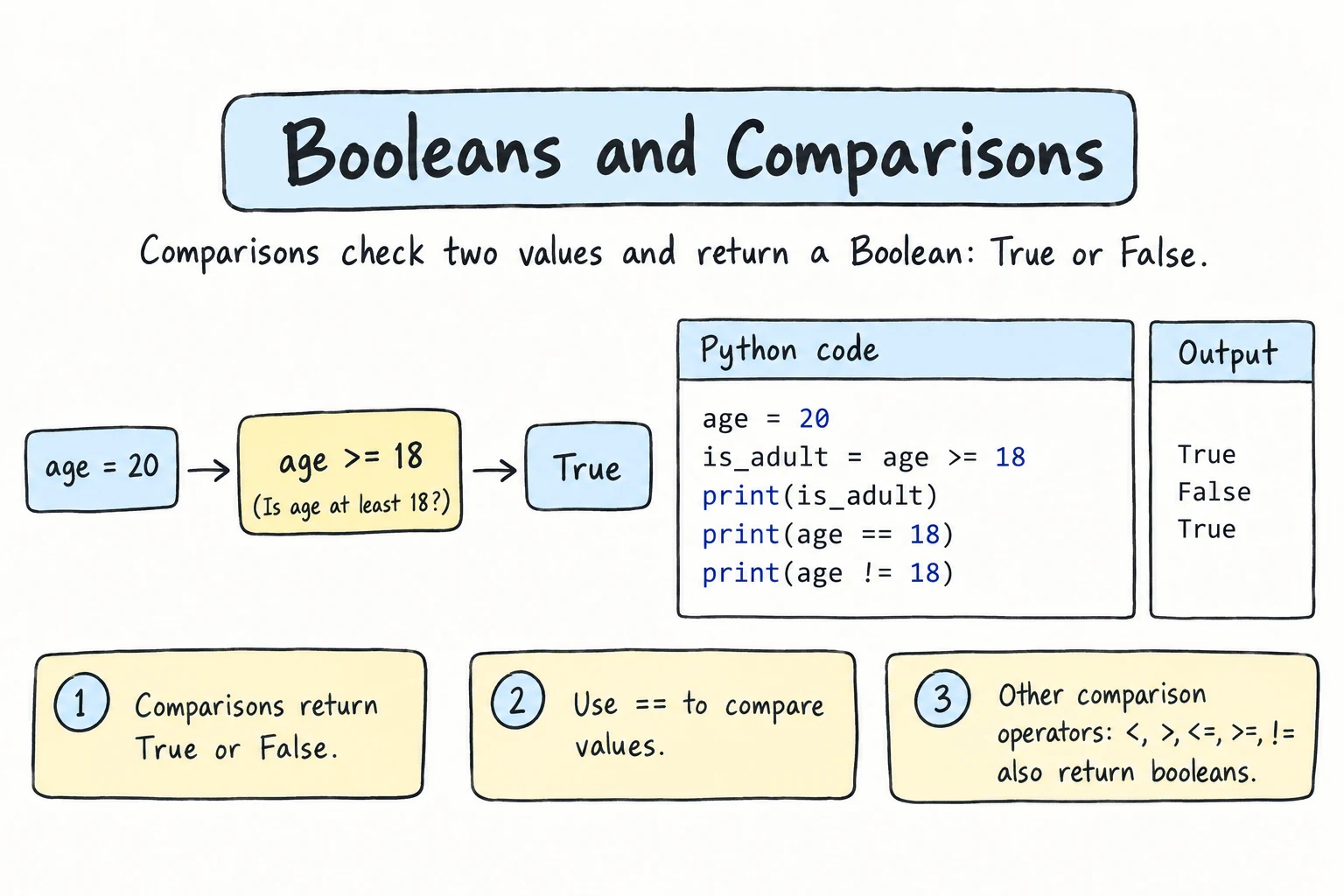
A comparison asks a question about two values and produces a boolean:
| Operator | Question | Example | Result |
|---|---|---|---|
== | equal? | 5 == 5 | True |
!= | not equal? | 5 != 3 | True |
< | less than? | 3 < 5 | True |
> | greater than? | 3 > 5 | False |
<= | less than or equal? | 5 <= 5 | True |
>= | greater than or equal? | 4 >= 5 | False |
age = 17
print(age >= 18)
print(age == 17)
print(age != 17)False
True
FalseYou can store the result like any other value:
balance = 50000
price = 32000

can_afford = balance >= price
print(f"Can afford: {can_afford}")Can afford: True= vs ==
= assigns a value (x = 5). == compares two values (x == 5). Mixing them up is one of the most common beginner mistakes.
Comparing different types
Numbers compare by value, even across int and float:
print(3 == 3.0)
print(2 < 2.5)True
TrueBut a number and a string are never equal, and they can't be ordered:
print(5 == "5")Falseprint(5 < "10")TypeError: '<' not supported between instances of 'int' and 'str'This matters with input(), which returns strings. input() == 5 is always False. Convert first: int(input()) == 5.
Comparing strings
== checks whether two strings are exactly the same, including capitalization and spaces:
print("tea" == "tea")
print("tea" == "Tea")
print("tea" == "tea ")True
False
FalseTo compare without caring about case or extra spaces, clean up both sides first:
answer = " YES "
print(answer.strip().lower() == "yes")TrueOrdering strings
< and > compare strings character by character, using each character's code point (see Strings). For plain lowercase words, that's alphabetical order:
print("apple" < "banana")
print("cat" < "car") # 't' comes after 'r'
print("app" < "apple") # a shorter prefix comes firstTrue
False
TrueTwo surprises:
print("Z" < "a") # all uppercase letters come before lowercase
print("10" < "9") # compares "1" with "9", not the numbersTrue
TrueTo compare text alphabetically regardless of case, lower both sides. To compare numbers, convert them to numbers first.
Chaining comparisons
Python lets you chain comparisons the way you'd write them in math:
score = 85
print(0 <= score <= 100) # is score between 0 and 100?
print(80 <= score < 90) # is score in the 80s?True
True0 <= score <= 100 means 0 <= score and score <= 100. Many other languages can't do this.
A chain doesn't have to be a range. Each link is its own comparison between neighbors, and the whole chain is True only if every link is:
a = 5
b = 5.0
c = 5
print(a == b == c) # a == b and b == c
print(1 < 3 > 2) # 1 < 3 and 3 > 2True
True1 < 3 > 2 is legal but hard to read. It says nothing about how 1 compares with 2. Keep chains for ranges and for "all equal" checks.
Truthy and falsy values
Every value in Python can be treated as a boolean. The built-in bool() shows how:
print(bool(0), bool(0.0), bool("")) # "empty" or zero values
print(bool(42), bool(-1), bool("hi"), bool(" "))False False False
True True True True- Falsy values act like
False:0,0.0,""(empty string),None, and empty collections such as[]. - Everything else is truthy and acts like
True, including" "(a space) and"False"(a non-empty string!).
You'll use this in the next lesson to write checks like "if the user typed something".
Booleans are numbers, too
True behaves like 1 and False like 0 in arithmetic. It's occasionally handy for counting:
passed_math = True
passed_physics = False
passed_english = True
print(passed_math + passed_physics + passed_english) # how many passed2Comparing floats safely
From Numbers and Math, you know floats can be slightly inexact:
print(0.1 + 0.2 == 0.3)FalseDon't use == on floats that come out of arithmetic. (Comparing with an exact value you wrote yourself, like x == 0.0, is fine.) Use math.isclose(), which allows a tiny difference:
import math
print(math.isclose(0.1 + 0.2, 0.3))TrueComparisons with < and > are usually fine. The problem is == and !=.
is isn't ==
You may see x is None in code. is checks whether two names refer to the same object, not whether the values are equal. Two strings can hold the same text and still be different objects:
first = "Al"
name = first + "i"
other = "Ali"
print(name == other) # same text?
print(name is other) # same object?
result = None
print(result is None)True
False
Truefirst + "i" built a new string, so name and other are equal but not the same object. Whether two equal strings or numbers happen to share one object is up to Python, so is on them sometimes seems to work and sometimes doesn't.
None is Python's "no value here" value, and there is only ever one None object. That makes is None the one place beginners should use is. For everything else, use ==. The opposite forms are is not and !=.
Try it
Change the values and predict each result before running.
Common mistakes
1. Using = instead of ==
print(age = 18)TypeError: print() got an unexpected keyword argument 'age'Inside print(), age = 18 looks like a keyword argument, like sep=. Fix: print(age == 18).
2. Comparing input to a number
answer = "7" # what input() would return
print(answer == 7) # a string is never equal to a number
print(int(answer) == 7)False
True3. Lowercase true
is_open = trueNameError: name 'true' is not defined. Did you mean: 'True'?4. Using is to compare with a value
name = input("Name: ") # the user types Ali
if name is "Ali":
print("Salom, Ali!")SyntaxWarning: "is" with 'str' literal. Did you mean "=="?
Name: AliPython warns before the program even starts, and then nothing is printed: the text you typed is a new string object, not the "Ali" in the code. Fix: if name == "Ali":.
Practice
1. Predict
Predict each result, then run to check.
print(10 == 10.0)
print("10" == 10)
print(7 != 8)
print("abc" < "abd")
print(3 <= 3 < 4)Solution
True
False
True
True
True"abc" < "abd" compares the third characters, and c comes before d.
2. Voting age
Given age = 19, create a variable can_vote that is True if the age is 18 or more, and print it.
Solution
age = 19
can_vote = age >= 18
print(can_vote)3. Same word?
Print True if word1 = " Toshkent" and word2 = "TOSHKENT " are the same word, ignoring case and surrounding spaces.
Solution
word1 = " Toshkent"
word2 = "TOSHKENT "
print(word1.strip().lower() == word2.strip().lower())4. Truthy or falsy?
For each value, decide whether bool() gives True or False: 0, "0", "", " ", 0.0, -0.5, "False".
Solution
| Value | bool() |
|---|---|
0 | False |
"0" | True: a non-empty string |
"" | False |
" " | True: a space is a character |
0.0 | False |
-0.5 | True: non-zero |
"False" | True: a non-empty string |
Check it:
print(bool(0), bool("0"), bool(""), bool(" "))
print(bool(0.0), bool(-0.5), bool("False"))False True False True
False True True5. Valid time
A time is given as text: time_text = "23:59". Split it into hours and minutes, convert them to numbers, and print True if it's a valid 24-hour time (hours 0-23, minutes 0-59). Test with "23:59" (True), "24:00" (False), and "07:60" (False).
Solution
time_text = "23:59"

parts = time_text.split(":")
hours = int(parts[0])
minutes = int(parts[1])

hours_ok = 0 <= hours <= 23
minutes_ok = 0 <= minutes <= 59

print(hours_ok and minutes_ok)
and combines two booleans into one. It's the topic of the Logical Operators lesson. Without it, you could print hours_ok and minutes_ok separately and check that both are True.
Recap
boolhas two values,TrueandFalse, with capital letters and no quotes.- Comparisons
== != < > <= >=produce booleans.=assigns and==compares. - String comparison is exact and case-sensitive, so
"Z" < "a". A number never equals a string: convertinput()first. - Chains like
0 <= x <= 100test each pair of neighbors. - Falsy values are
0,0.0,"",None, and empty collections. Everything else is truthy. - Compare floats from arithmetic with
math.isclose(). Useisonly forNone.