

collections and itertools
What you'll learn
- How
Counterreplaces the counting pattern you wrote by hand - How
defaultdictmakes grouping data shorter - How
namedtuplegives tuple fields readable names - How
dequeworks as a fast queue and a "last N items" buffer - The most useful
itertoolstools:chain,islice,combinations,groupby,batched, and more
Why it matters
You keep writing the same loops: count words, group orders by customer, keep a running total. Python has ready-made tools for these patterns, so your code gets shorter and clearer.
Counter: counting made easy
Instead of the counts.get(name, 0) + 1 loop from Dictionaries, pass the items to Counter:
from collections import Counter

votes = ["Aziza", "Bekzod", "Aziza", "Dilnoza", "Aziza", "Bekzod"]
counts = Counter(votes)

print(counts)
print(counts["Aziza"])
print(counts["Farrukh"]) # missing names count as 0, no KeyErrorCounter({'Aziza': 3, 'Bekzod': 2, 'Dilnoza': 1})
3
0A Counter is a dictionary of counts, built from any iterable.
most_common
from collections import Counter

text = "the tea in tashkent is hot and the bread is fresh"
print(Counter(text.split()).most_common(2))
print(Counter("samarkand").most_common(1))[('the', 2), ('is', 2)]
[('a', 3)]It returns (item, count) pairs, highest first.
Updating and combining counters
from collections import Counter

stock = Counter({"tea": 10, "sugar": 4})
sold = Counter({"tea": 12, "sugar": 1})

stock.update({"tea": 5, "coffee": 8})   # add a delivery
print(stock)
print(stock - sold)          # zero and negative counts disappear
print(stock.total())Counter({'tea': 15, 'coffee': 8, 'sugar': 4})
Counter({'coffee': 8, 'tea': 3, 'sugar': 3})
27+ and - combine counters, and total() sums all counts.
defaultdict: automatic default values
Grouping orders by customer, as in Nested Data, needs setdefault() or an if customer not in by_customer: check before every append. A defaultdict creates a missing value automatically, using the function you pass, such as list or int:
from collections import defaultdict

orders = [("Aziza", "tea"), ("Bekzod", "coffee"), ("Aziza", "samsa"), ("Bekzod", "juice")]

by_customer = defaultdict(list)
for customer, item in orders:
    by_customer[customer].append(item)     # a new [] appears when needed

print(dict(by_customer)){'Aziza': ['tea', 'samsa'], 'Bekzod': ['coffee', 'juice']}defaultdict(list) calls list() to make an empty list for each new key; dict() just makes the printout cleaner.
With int, missing values start at 0, so totals[city] += amount works even for a city seen for the first time.
Counter or defaultdict(int)?
Count how many times with Counter; add up amounts per key with defaultdict(int).
namedtuple: tuples with field names
In ("Aziza", 20, "Tashkent"), student[2] does not say what the third item is. A namedtuple creates a tuple type with named fields:
from collections import namedtuple

Student = namedtuple("Student", ["name", "age", "city"])

aziza = Student("Aziza", 20, "Tashkent")
print(aziza)
print(aziza.name, aziza.city)
print(aziza[1])                    # still works like a normal tuple
print(aziza._replace(age=21)) # immutable: _replace makes a changed copyStudent(name='Aziza', age=20, city='Tashkent')
Aziza Tashkent
20
Student(name='Aziza', age=21, city='Tashkent')The Dataclasses lesson later shows a more flexible way to create record types.
deque: a fast double-ended queue
Removing items from the front of a list is slow. A deque ("deck") adds and removes quickly at both ends, and with maxlen it keeps only the newest items:
from collections import deque

queue = deque(["Aziza", "Bekzod"])
queue.append("Dilnoza")        # joins at the back
queue.appendleft("Farrukh")    # jumps to the front
print(queue.popleft())         # served first
print(queue)

recent = deque(maxlen=3)
for page in ["home", "menu", "tea", "cart"]:
    recent.append(page)
print(list(recent))Farrukh
deque(['Aziza', 'Bekzod', 'Dilnoza'])
['menu', 'tea', 'cart']When a maxlen deque is full, adding an item drops the oldest, which is ideal for "last 5 messages".
itertools: tools for loops
itertools functions return iterators that produce values one at a time and can be used only once; wrap them in list() to see or keep them.
count, cycle, islice, and chain
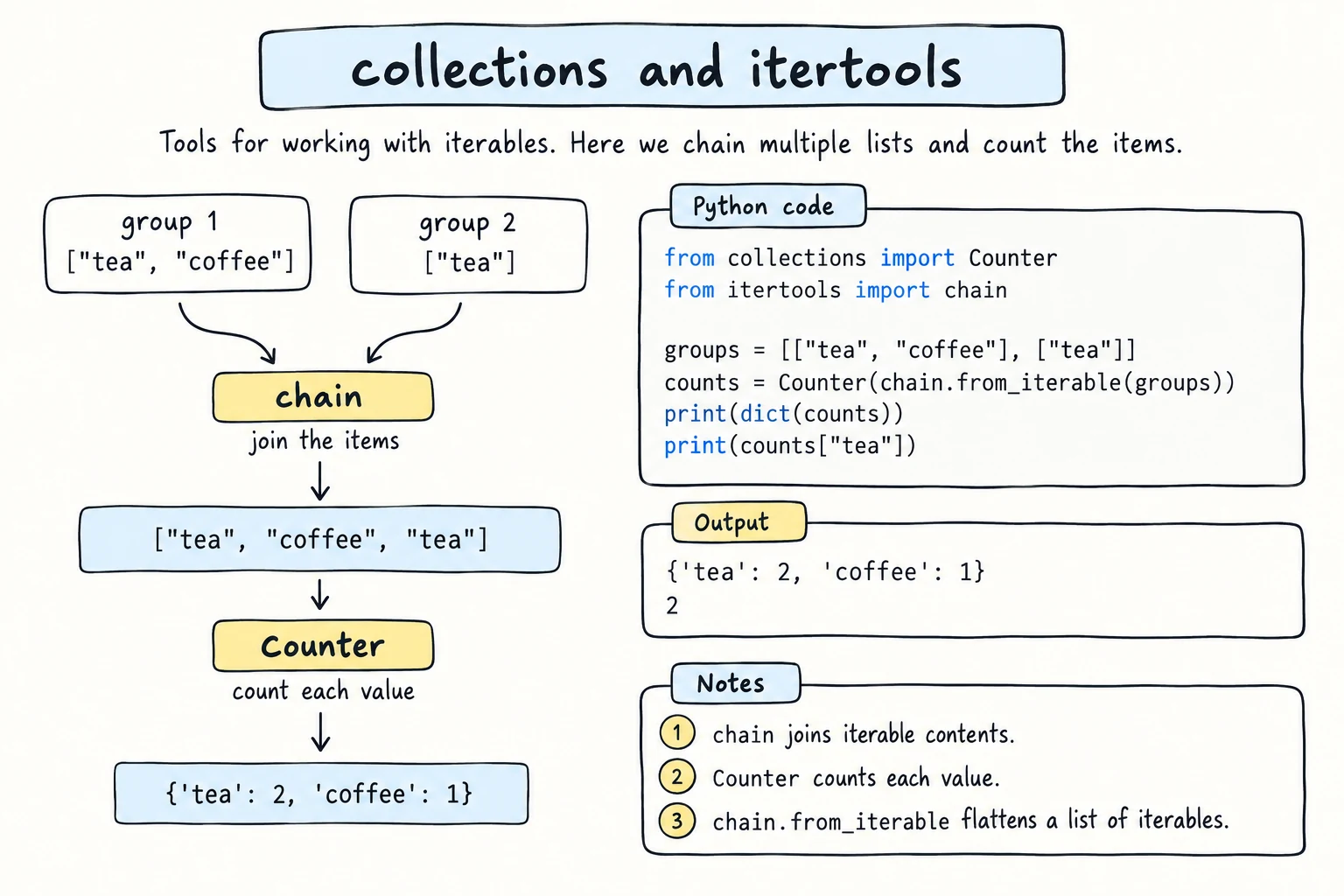
count(start) counts up forever and cycle(items) repeats items forever, so combine them with zip, break, or islice, which takes the first items of any iterator. chain loops over several lists as one:
from itertools import chain, count, cycle, islice

for number, name in zip(count(1), ["Aziza", "Bekzod"]):
    print(number, name)

shifts = cycle(["morning", "evening"])
print(list(islice(shifts, 3)))

print(list(chain(["tea", "samsa"], ["plov"])))1 Aziza
2 Bekzod
['morning', 'evening', 'morning']
['tea', 'samsa', 'plov']product, permutations, combinations
These build every possible arrangement, replacing nested loops:
from itertools import product, combinations

sizes = ["S", "M"]
colors = ["red", "blue"]
print(list(product(sizes, colors)))          # every size with every color

players = ["Aziza", "Bekzod", "Dilnoza"]
print(list(combinations(players, 2))) # pairs, order does not matter[('S', 'red'), ('S', 'blue'), ('M', 'red'), ('M', 'blue')]
[('Aziza', 'Bekzod'), ('Aziza', 'Dilnoza'), ('Bekzod', 'Dilnoza')]product replaces a nested loop, and combinations gives every pair once, like the matches in a tournament. permutations works like combinations, but ('Aziza', 'Bekzod') and ('Bekzod', 'Aziza') count as different.
accumulate: running totals
from itertools import accumulate

deposits = [100000, 250000, -50000, 300000]
print(list(accumulate(deposits)))[100000, 350000, 300000, 600000]Each value is the account balance after that deposit.
zip_longest, pairwise, and batched
zip_longest keeps going after the shortest input and fills the gaps, pairwise gives each item with the next one, and batched (Python 3.12+) cuts data into groups of n:
from itertools import batched, pairwise, zip_longest

names = ["Aziza", "Bekzod", "Dilnoza"]
scores = [95, 88]
print(list(zip_longest(names, scores, fillvalue="absent")))

temperatures = [18, 22, 21, 27]
print([after - before for before, after in pairwise(temperatures)])

seats = ["A1", "A2", "A3", "A4", "A5"]
print(list(batched(seats, 2)))[('Aziza', 95), ('Bekzod', 88), ('Dilnoza', 'absent')]
[4, -1, 6]
[('A1', 'A2'), ('A3', 'A4'), ('A5',)]groupby: grouping consecutive items
groupby(items, key) collects consecutive items with the same key into groups:
from itertools import groupby

students = [
    ("Aziza", "Tashkent"),
    ("Dilnoza", "Tashkent"),
    ("Bekzod", "Samarkand"),
    ("Farrukh", "Bukhara"),
]

for city, group in groupby(students, key=lambda s: s[1]):
    names = [name for name, _ in group]
print(city, names)Tashkent ['Aziza', 'Dilnoza']
Samarkand ['Bekzod']
Bukhara ['Farrukh']The key word is consecutive: a new group starts whenever the key changes, so this works only because the data is ordered by city. For unsorted data, defaultdict(list) is often simpler.
Try it
Count words, group items, and experiment with itertools. Try changing the text or the players.
Common mistakes
1. Using groupby on unsorted data
from itertools import groupby

fruits = ["apple", "banana", "avocado", "blueberry", "apricot"]

for letter, group in groupby(fruits, key=lambda w: w[0]):
print(letter, list(group))a ['apple']
b ['banana']
a ['avocado']
b ['blueberry']
a ['apricot']The letter a appears in three separate groups because the a words are not next to each other. Fix: sort first, with the same key, so equal keys become neighbors: groupby(sorted(fruits, key=lambda w: w[0]), key=lambda w: w[0]) gives a ['apple', 'avocado', 'apricot'] and b ['banana', 'blueberry'].
2. Calling the default factory
from collections import defaultdict

groups = defaultdict(list())TypeError: first argument must be callable or Nonedefaultdict needs the function list, not an already-made list list(); it calls the function for each new key.
3. Reading a missing key adds it to a defaultdict
from collections import defaultdict

totals = defaultdict(int)
totals["Tashkent"] += 165000

if totals["Nukus"] > 0:          # only reading...
    print("Nukus has sales")

print(dict(totals))
print(len(totals)){'Tashkent': 165000, 'Nukus': 0}
2Just reading totals["Nukus"] created the key, so len() and loops now include a city with no sales. Fix: check with "Nukus" in totals or read with totals.get("Nukus", 0), which never insert.
Practice
1. Letter frequency
Use Counter to find the three most common letters in "mississippi river", ignoring the space.
Solution
from collections import Counter

text = "mississippi river"
letters = Counter(ch for ch in text if ch != " ")
print(letters.most_common(3))[('i', 5), ('s', 4), ('p', 2)]2. Books by genre
Group these books by genre with defaultdict(list) and print each genre with its titles.
books = [("Python Basics", "tech"), ("Silk Road", "history"), ("Data Science", "tech"), ("Timur", "history"), ("Poems", "poetry")]Solution
from collections import defaultdict

books = [("Python Basics", "tech"), ("Silk Road", "history"), ("Data Science", "tech"), ("Timur", "history"), ("Poems", "poetry")]

by_genre = defaultdict(list)
for title, genre in books:
    by_genre[genre].append(title)

for genre, titles in by_genre.items():
print(f"{genre}: {', '.join(titles)}")tech: Python Basics, Data Science
history: Silk Road, Timur
poetry: Poems3. Tournament schedule
Four teams (Paxtakor, Navbahor, Bunyodkor, Nasaf) each play every other team once. Use combinations to print numbered matches, like 1. Paxtakor vs Navbahor, and the total.
Solution
from itertools import combinations

teams = ["Paxtakor", "Navbahor", "Bunyodkor", "Nasaf"]
matches = list(combinations(teams, 2))

for number, (home, away) in enumerate(matches, start=1):
    print(f"{number}. {home} vs {away}")

print(f"Total: {len(matches)} matches")1. Paxtakor vs Navbahor
2. Paxtakor vs Bunyodkor
3. Paxtakor vs Nasaf
4. Navbahor vs Bunyodkor
5. Navbahor vs Nasaf
6. Bunyodkor vs Nasaf
Total: 6 matchesThe result is stored in a list because it is used twice.
4. Moving average
Use a deque(maxlen=3) to print the average of the last 3 days (1 decimal) from day 3 on.
temps = [21, 24, 19, 26, 30, 28]Solution
from collections import deque

temps = [21, 24, 19, 26, 30, 28]
window = deque(maxlen=3)

for day, t in enumerate(temps, start=1):
    window.append(t)
    if len(window) == 3:
print(f"Day {day}: {sum(window) / 3:.1f}")Day 3: 21.3
Day 4: 23.0
Day 5: 25.0
Day 6: 28.05. Sales report
Using the sales list below:
- With
namedtuple, turn each tuple into aSalewith fieldsday,city,amount. - With
defaultdict(int), find the total amount per city. - With
groupby(after sorting by day) andaccumulate, print each day's total and the running total.
data = [
    ("Mon", "Tashkent", 120000), ("Mon", "Bukhara", 80000),
    ("Tue", "Tashkent", 50000), ("Mon", "Tashkent", 30000),
    ("Wed", "Samarkand", 200000), ("Tue", "Tashkent", 70000),
]
Solution
from collections import defaultdict, namedtuple
from itertools import accumulate, groupby

data = [
    ("Mon", "Tashkent", 120000), ("Mon", "Bukhara", 80000),
    ("Tue", "Tashkent", 50000), ("Mon", "Tashkent", 30000),
    ("Wed", "Samarkand", 200000), ("Tue", "Tashkent", 70000),
]

Sale = namedtuple("Sale", ["day", "city", "amount"])
sales = [Sale(*row) for row in data]

totals = defaultdict(int)
for s in sales:
    totals[s.city] += s.amount
print(dict(totals))

day_order = {"Mon": 0, "Tue": 1, "Wed": 2}
by_day = sorted(sales, key=lambda s: day_order[s.day])

days = []
day_totals = []
for day, group in groupby(by_day, key=lambda s: s.day):
    days.append(day)
    day_totals.append(sum(s.amount for s in group))

for day, total, running in zip(days, day_totals, accumulate(day_totals)):
print(f"{day}: {total:>7,} running {running:>7,}"){'Tashkent': 270000, 'Bukhara': 80000, 'Samarkand': 200000}
Mon: 230,000 running 230,000
Tue: 120,000 running 350,000
Wed: 200,000 running 550,000Sorting alphabetically would put Wed before Tue, so day_order gives the real order.
Recap
Counter(items)counts in one line, withmost_common(n)for the top items.defaultdict(list)groups anddefaultdict(int)totals, but even reading a missing key inserts it.namedtuplegives tuple items names (student.city), anddeque(maxlen=n)keeps only the lastnitems.itertoolsresults work only once; wrap them inlist()to keep them.groupbyonly groups consecutive items: sort by the same key first.