

Properties and Encapsulation
What you'll learn
- What encapsulation means, and the difference between
name,_name, and__name - How
@propertycreates attributes that run code when you read them - How setters validate new values, and how to make read-only and computed attributes
- How to turn a plain attribute into a property without changing any calling code
- When a property is the wrong tool
Why it matters
Methods can check every change, but nothing stops code from writing account.balance = -5000000 directly. Encapsulation means an object controls access to its own data, so the data stays valid. Python uses simple naming conventions plus properties, which run your validation code while still looking like account.balance.
Public, _internal, and __mangled names
Like an ATM, a class has a public interface (the buttons) and internal state (the cash drawer). Python has no private keyword; it uses naming conventions:
balanceis public._balanceis internal: one leading underscore means "please don't use this from outside the class". Python doesn't enforce it, but developers respect it.__balancetriggers name mangling: with two leading underscores (and at most one trailing one), Python renames it to_ClassName__balance.
class SafeBox:
    def __init__(self, pin):
        self.__pin = pin              # inside the class, the name works normally

box = SafeBox("4321")
print(box.__pin)AttributeError: 'SafeBox' object has no attribute '__pin'The value is still reachable as box._SafeBox__pin: mangling exists to avoid name clashes with inheritance (see Inheritance and super()), not to keep secrets. For everyday code, a single underscore is the Python way. (__len__, with underscores on both sides, is a special method, not private.)
@property: attributes that run code
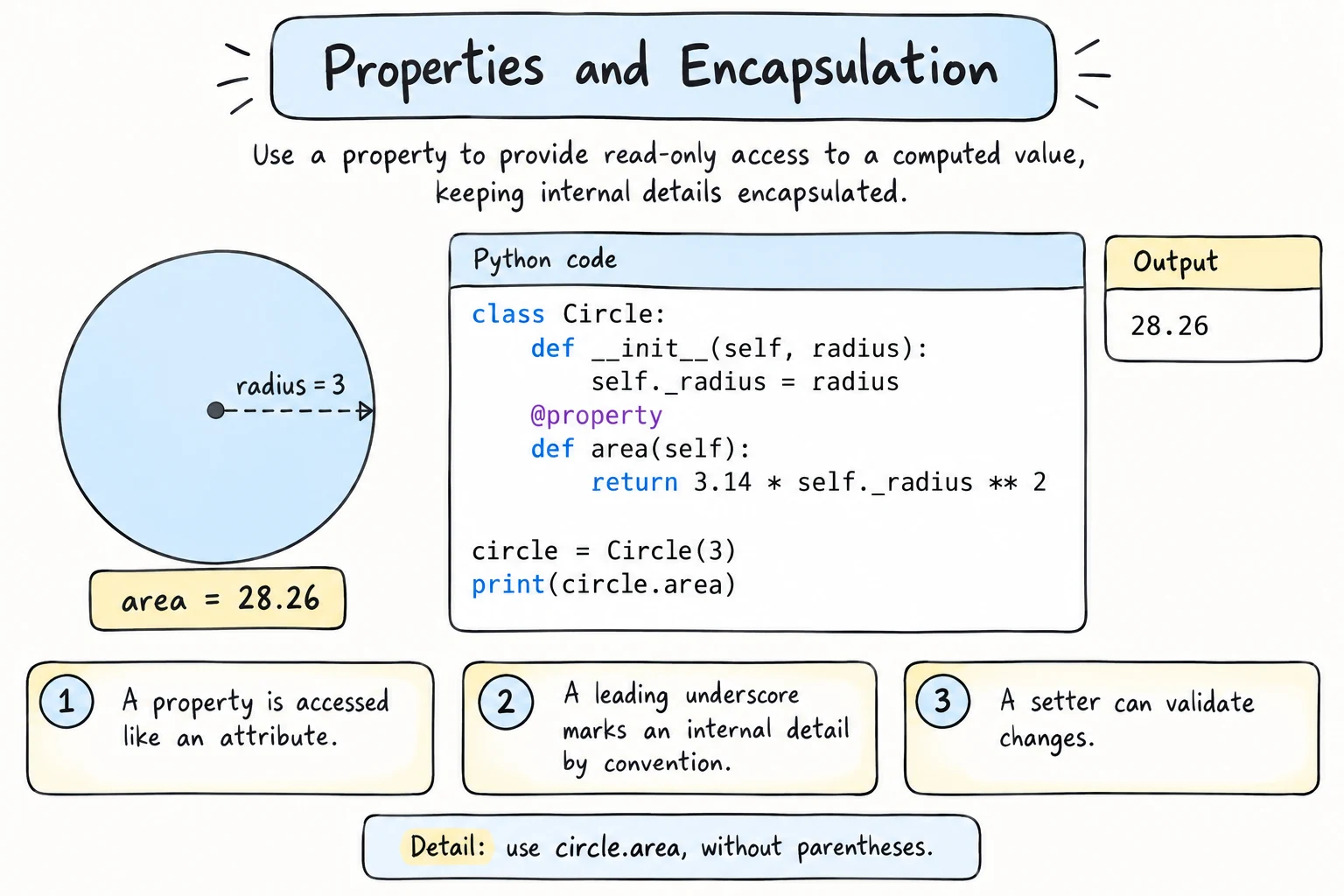
With _balance, callers lose the simple account.balance syntax. A property gives it back: a method you read like an attribute. With only a getter, it's read-only:
class BankAccount:
    def __init__(self, owner, balance):
        self.owner = owner
        self._balance = balance

    @property
    def balance(self):
        return self._balance

    def deposit(self, amount):
        self._balance += amount

account = BankAccount("Bekzod", 200000)
account.deposit(50000)
print(account.balance)          # no parentheses: looks like an attribute

try:
    account.balance = 999999999
except AttributeError as error:
print("Refused:", error)250000
Refused: property 'balance' of 'BankAccount' object has no setter@property turns balance into a getter that runs whenever someone reads account.balance. The value lives in _balance, and only deposit() changes it.
Setters: validation on assignment
When direct assignment is fine as long as the value is valid, add a setter with @name.setter:
class Product:
    def __init__(self, name, price):
        self.name = name
        self.price = price              # goes through the setter below

    @property
    def price(self):
        return self._price

    @price.setter
    def price(self, value):
        if not isinstance(value, (int, float)):
            raise TypeError(f"Price must be a number, got {value!r}")
        if value <= 0:
            raise ValueError(f"Price must be positive, got {value}")
        self._price = value

tea = Product("Green tea", 15000)
tea.price = 17000                        # looks like a normal assignment...
print(tea.price)

for bad in [-500, "cheap"]:
    try:
        tea.price = bad                  # ...but runs the validation
    except (TypeError, ValueError) as error:
        print("Refused:", error)

print(tea.price)17000
Refused: Price must be positive, got -500
Refused: Price must be a number, got 'cheap'
17000The getter and setter share the same name, the value is stored under a different name (_price), and __init__ assigns self.price, so the starting price is validated too.
One gap: True and False count as integers, so tea.price = True is accepted as 1. If that matters, also reject isinstance(value, bool). There's also a rarely needed @price.deleter, which runs on del tea.price.
Computed properties
A property can also calculate its result from other attributes each time it's read, so it's never out of date:
class Rectangle:
    def __init__(self, width, height):
        self.width = width
        self.height = height

    @property
    def area(self):
        return self.width * self.height

room = Rectangle(4, 5)
print(room.area)
room.width = 6                  # change the data...
print(room.area) # ...and the computed value follows20
30A normal attribute set in __init__ would still say 20. (A computed property can have a setter too, like a full_name setter that splits the name.)
Converting an attribute into a property
The biggest practical advantage of properties: start with plain attributes, and switch to a property only when you need one. Suppose code everywhere writes sensor.celsius = 26.5 to a plain attribute, and then a faulty device sends -999. Replace self.celsius with a celsius property and setter, exactly like price above. Every existing sensor.celsius = ... line keeps working unchanged, and now -999 is refused. So unlike in some languages, you never need get_celsius()/set_celsius() methods "just in case".
When not to use properties
- Don't write getters and setters that do nothing. A plain
self.namedoes the same job, and you can add a property later. - Don't hide slow or surprising work in a property.
report.totallooks as cheap as a variable. If it downloads a file or changes other state, make it a method:report.calculate_total().
Try it
This setter clamps health to 0-100 instead of raising. Try other values.
Common mistakes
1. Storing the value under the property's own name
class Product:
    def __init__(self, price):
        self.price = price

    @property
    def price(self):
        return self.price

    @price.setter
    def price(self, value):
        self.price = value         # runs this setter again, forever

item = Product(15000)RecursionError: maximum recursion depth exceededInside the property, self.price is the property itself, so it calls itself forever. Fix: store the data in self._price.
2. Calling a property with parentheses
class Rectangle:
    def __init__(self, width, height):
        self.width = width
        self.height = height

    @property
    def area(self):
        return self.width * self.height

print(Rectangle(4, 5).area())TypeError: 'int' object is not callableRectangle(4, 5).area is already the number 20, and a number can't be called. Fix: remove the parentheses.
3. Naming the setter function differently
class Product:
    def __init__(self, price):
        self._price = price

    @property
    def price(self):
        return self._price

    @price.setter
    def set_price(self, value):     # different name
        self._price = value

item = Product(15000)
item.price = 17000AttributeError: property 'price' of 'Product' object has no setter@price.setter stores the new property under the function's name, set_price, so price stays read-only. Fix: name both functions price.
Practice
1. Circle
Write a Circle class with a radius attribute and read-only computed properties diameter and area (use math.pi). For radius 3, print both on one line (area rounded to 2 decimals). Change the radius to 5 and print the rounded area again.
Solution
import math

class Circle:
    def __init__(self, radius):
        self.radius = radius

    @property
    def diameter(self):
        return self.radius * 2

    @property
    def area(self):
        return math.pi * self.radius ** 2

c = Circle(3)
print(c.diameter, round(c.area, 2))
c.radius = 5
print(round(c.area, 2))6 28.27
78.542. Validated age
Write a Member class with name and an age property whose setter raises ValueError(f"Invalid age: {value!r}") unless the age is an integer from 5 to 120. Create Bekzod (15), set his age to 16, print Bekzod 16, then try the ages 3 and "20", printing Refused: and each error.
Solution
class Member:
    def __init__(self, name, age):
        self.name = name
        self.age = age

    @property
    def age(self):
        return self._age

    @age.setter
    def age(self, value):
        if not isinstance(value, int) or not 5 <= value <= 120:
            raise ValueError(f"Invalid age: {value!r}")
        self._age = value

bekzod = Member("Bekzod", 15)
bekzod.age = 16
print(bekzod.name, bekzod.age)

for bad in [3, "20"]:
    try:
        bekzod.age = bad
    except ValueError as error:
print("Refused:", error)Bekzod 16
Refused: Invalid age: 3
Refused: Invalid age: '20'3. Two temperature scales
Write a Temperature class that stores only _celsius, with properties celsius and fahrenheit that can both be read and set. Below -273.15 C, raise ValueError(f"Below absolute zero: {value} C"). Set a day to 104 F and print 40.0 C = 104.0 F. Then set celsius = -300 and print Refused: with the error.
Solution
class Temperature:
    def __init__(self, celsius=0.0):
        self.celsius = celsius

    @property
    def celsius(self):
        return self._celsius

    @celsius.setter
    def celsius(self, value):
        if value < -273.15:
            raise ValueError(f"Below absolute zero: {value} C")
        self._celsius = value

    @property
    def fahrenheit(self):
        return self._celsius * 9 / 5 + 32

    @fahrenheit.setter
    def fahrenheit(self, value):
        self.celsius = (value - 32) * 5 / 9      # reuse the Celsius validation


day = Temperature()
day.fahrenheit = 104
print(f"{day.celsius:.1f} C = {day.fahrenheit:.1f} F")

try:
    day.celsius = -300
except ValueError as error:
print("Refused:", error)40.0 C = 104.0 F
Refused: Below absolute zero: -300 CThe fahrenheit setter reuses the celsius setter's check.
4. Design a class: a hotel room
Design a HotelRoom(number, price) class, deciding which attributes should be plain, validated, or read-only:
A room's number can't be changed once created. The manager may change the nightly price, but it must stay positive (
ValueError("Price must be positive")).
It must work with this driver code and print exactly this output:
room = HotelRoom(204, 650000)
room.price = 700000
print(room.number, room.price)
try:
    room.price = 0
except ValueError as error:
    print("Refused:", error)
try:
    room.number = 305
except AttributeError as error:
print("Refused:", error)204 700000
Refused: Price must be positive
Refused: property 'number' of 'HotelRoom' object has no setterSolution
class HotelRoom:
    def __init__(self, number, price):
        self._number = number
        self.price = price

    @property
    def number(self):                 # read-only
        return self._number

    @property
    def price(self):
        return self._price

    @price.setter
    def price(self, value):           # validated
        if value <= 0:
            raise ValueError("Price must be positive")
        self._price = value

room = HotelRoom(204, 650000)
room.price = 700000
print(room.number, room.price)
try:
    room.price = 0
except ValueError as error:
    print("Refused:", error)
try:
    room.number = 305
except AttributeError as error:
    print("Refused:", error)
5. Refactor to encapsulation
A Library with a plain self.books = {} (title to copies) lets anyone write library.books["Python Basics"] = -4. Encapsulate it: books change only through add_copies(title, count) (raises ValueError("Count must be positive")), the books property returns a copy, and total_copies is computed. Test it: add 2 copies of Python Basics, set library.books["Python Basics"] = -4, print library.books and library.total_copies, then try add_copies("Poems of Navoi", -1) and library.books = {}, printing Refused: and each error.
Solution
class Library:
    def __init__(self):
        self._books = {}

    @property
    def books(self):
        return dict(self._books)              # a copy: outside changes do nothing

    @property
    def total_copies(self):
        return sum(self._books.values())

    def add_copies(self, title, count=1):
        if count <= 0:
            raise ValueError("Count must be positive")
        self._books[title] = self._books.get(title, 0) + count

library = Library()
library.add_copies("Python Basics", 2)
library.books["Python Basics"] = -4            # changes only a copy
print(library.books, library.total_copies)

try:
    library.add_copies("Poems of Navoi", -1)
except ValueError as error:
    print("Refused:", error)
try:
    library.books = {}
except AttributeError as error:
print("Refused:", error){'Python Basics': 2} 2
Refused: Count must be positive
Refused: property 'books' of 'Library' object has no setterRecap
_namemarks something as internal by convention;__nameis renamed to_ClassName__name, which avoids clashes but isn't security.@propertyturns a method into a getter that is read like an attribute. Without a setter, the property is read-only.@name.settervalidates on assignment; store the value under another name, like_name. A computed property is never stale.- Start with plain attributes and switch to a property when needed; callers won't change.