

Enums
What you'll learn
- Why "magic strings" like
"pending"cause quiet bugs - How to define an
Enum, usenameandvalue, loop over it, and look up members - How to use
auto(),IntEnum, andStrEnum - How to add methods to enums, use them in
match, and store them in JSON
Why it matters
An online shop stores each order's status as a string like "shipped". Then someone types "Shipped", if status == "shipped" quietly becomes False, and the customer never gets an SMS. An enum (enumeration) is a fixed set of named values: you write Status.SHIPPED, a typo like Status.SHIPED crashes immediately, and the allowed values are listed in one place.
From magic strings to an enum
from enum import Enum


class Status(Enum):
    PENDING = "pending"
    PAID = "paid"
    SHIPPED = "shipped"


order = {"id": 102, "status": "Shipped"}        # a magic string with a capital S
print(order["status"] == "shipped")             # silently False

status = Status.SHIPPED
print(repr(status), status.name, status.value)
print(status is Status.SHIPPED, status == "shipped")

try:
    Status.SHIPED
except AttributeError as error:
print("Caught immediately:", error)False
<Status.SHIPPED: 'shipped'> SHIPPED shipped
True False
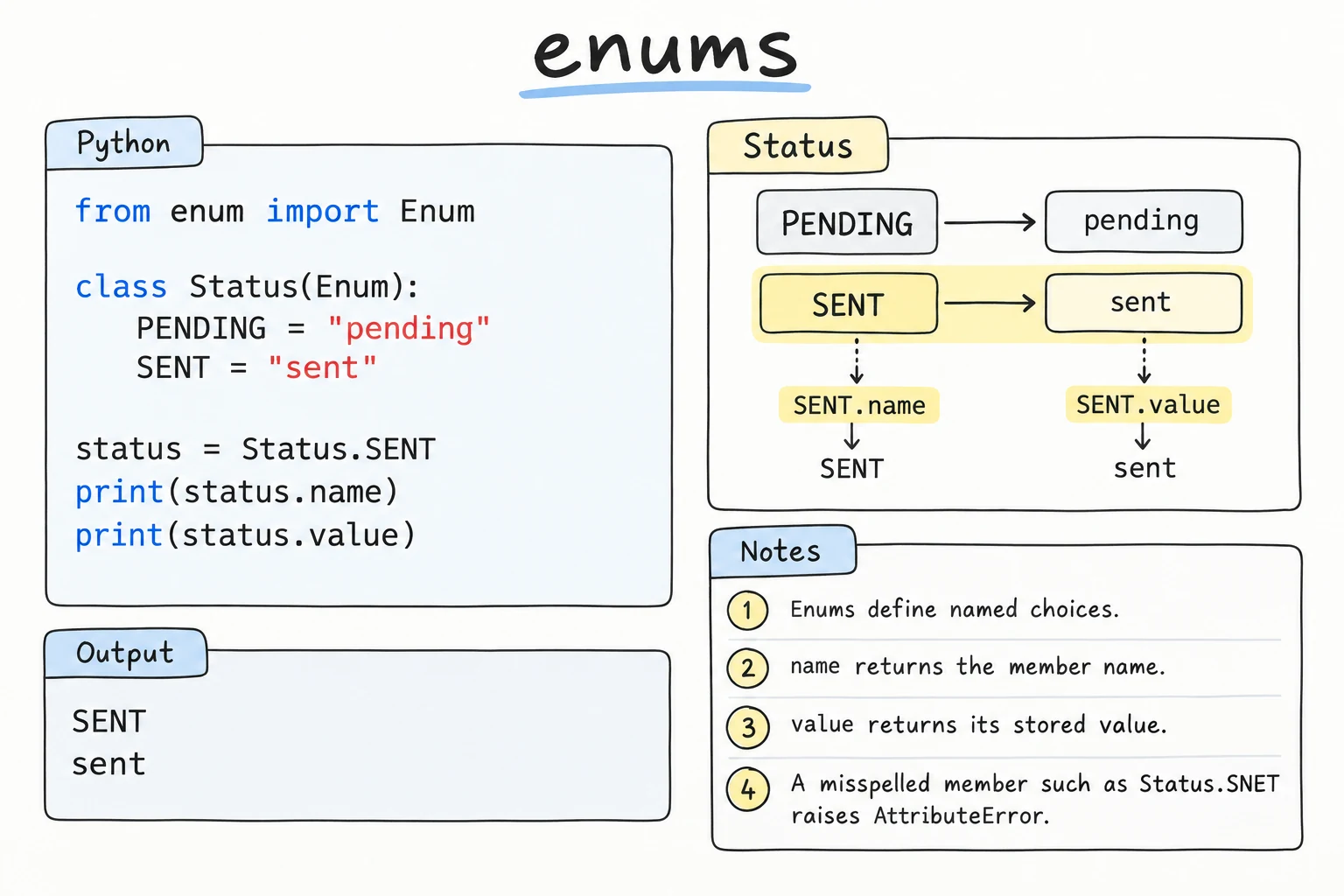
Caught immediately: type object 'Status' has no attribute 'SHIPED'Each class attribute of an Enum becomes a member with a .name and a .value. Each member exists once, so compare with is or ==. A member is not equal to its value, so raw strings and members cannot mix by accident. Use members inside your program and .value only for files and forms. Plain members have no order: Status.PAID < Status.SHIPPED raises TypeError.
Iterating, counting, and aliases
An enum is iterable in definition order, and len() counts members. A member with an already used value becomes an alias, not a new member:
from enum import Enum, unique


class Size(Enum):
    SMALL = "S"
    MEDIUM = "M"
    MIDDLE = "M"        # same value: an alias, not a new member
    LARGE = "L"


print(len(Size), [s.name for s in Size])
print(Size.MIDDLE, Size.MIDDLE is Size.MEDIUM)

try:
    @unique
    class Grade(Enum):
        GOOD = 4
        OK = 3
        FINE = 4
except ValueError as error:
print("Error:", error)3 ['SMALL', 'MEDIUM', 'LARGE']
Size.MEDIUM True
Error: duplicate values found in <enum 'Grade'>: FINE -> GOODMIDDLE silently vanished from the loop. If duplicates would be a mistake, @unique makes Python refuse them.
Looking up members
Input arrives as plain strings. Status("paid") looks up by value (a bad one raises ValueError), Status["PAID"] by name (KeyError). A typical parser cleans the input first:
from enum import Enum


class Status(Enum):
    PENDING = "pending"
    PAID = "paid"
    SHIPPED = "shipped"


def parse_status(text):
    try:
        return Status(text.strip().lower())
    except ValueError:
        allowed = ", ".join(s.value for s in Status)
        raise ValueError(f"Unknown status {text!r}. Allowed: {allowed}") from None


print(Status["PAID"])
for raw in ["  Shipped ", "shiped"]:
    try:
        print(repr(raw), "->", parse_status(raw))
    except ValueError as error:
print(error)Status.PAID
' Shipped ' -> Status.SHIPPED
Unknown status 'shiped'. Allowed: pending, paid, shippedThe pattern: convert strings to members at the edge of your program, and back to .value only for output.
Worked example: enum methods for order rules
An enum is a class, so members can have methods and properties, keeping knowledge about each choice next to it. A shipped order cannot be cancelled, and a delivered one cannot change:
from enum import Enum


class OrderStatus(Enum):
    PENDING = "pending"
    PAID = "paid"
    SHIPPED = "shipped"
    DELIVERED = "delivered"
    CANCELLED = "cancelled"

    def allowed_next(self):
        rules = {
            OrderStatus.PENDING: {OrderStatus.PAID, OrderStatus.CANCELLED},
            OrderStatus.PAID: {OrderStatus.SHIPPED, OrderStatus.CANCELLED},
            OrderStatus.SHIPPED: {OrderStatus.DELIVERED},
        }
        return rules.get(self, set())


status = OrderStatus.PENDING
for step in [OrderStatus.PAID, OrderStatus.SHIPPED, OrderStatus.CANCELLED, OrderStatus.DELIVERED]:
    if step in status.allowed_next():
        status = step
        print("Now:", status.value)
    else:
print(f"Refused: {status.value} -> {step.value}")Now: paid
Now: shipped
Refused: shipped -> cancelled
Now: deliveredAll status rules live in one place.
Enums in match statements
Enums and match (from The match Statement) fit together naturally. Use the dotted name in each case:
from enum import Enum


class TrafficLight(Enum):
    RED = "red"
    GREEN = "green"


def action(light):
    match light:
        case TrafficLight.RED:
            return "Stop"
        case TrafficLight.GREEN:
            return "Go"


for light in TrafficLight:
print(light.value, "->", action(light))red -> Stop
green -> Goauto(), IntEnum, and StrEnum
auto() picks values for you; use explicit values when members are stored, so reordering never changes saved data. IntEnum members are integers, and StrEnum members are strings (auto() gives the lowercase name):
from enum import IntEnum, StrEnum, auto


class Priority(IntEnum):
    LOW = auto()
    NORMAL = auto()
    HIGH = auto()


class Color(StrEnum):
    RED = auto()
    GREEN = auto()


print(Priority.HIGH > Priority.LOW, Priority.HIGH == 3, Priority.NORMAL + 10)
print(max([Priority.LOW, Priority.HIGH, Priority.NORMAL]).name)
print(Color.RED == "red", f"css: {Color.GREEN}", Color.RED.upper())True True 12
HIGH
True css: green REDThis brings back some looseness (Priority.HIGH == 3), so use them only when members must act as numbers or strings. (StrEnum arrived in 3.11. Older code uses class Color(str, Enum):, whose f-string shows Color.GREEN.)
Going further: tuple values and Flag
A member's value can be a tuple. Define __init__ to unpack it into attributes:
from enum import Enum, Flag, auto


class Coin(Enum):
    SOM_1000 = (1000, "bronze")
    SOM_5000 = (5000, "silver")

    def __init__(self, amount, color):
        self.amount = amount
        self.color = color


class Permission(Flag):
    READ = auto()
    WRITE = auto()
    DELETE = auto()


print(Coin.SOM_5000.amount, Coin.SOM_5000.color)
editor = Permission.READ | Permission.WRITE
print(Permission.WRITE in editor, Permission.DELETE in editor)5000 silver
True FalseFlag members combine with | for options that can be on together.
Try it
Add a SENIOR member (value "senior") with a multiplier of 0.4, add a few "senior" tickets to sold, and check how the total changes.
Common mistakes
1. Comparing a member with a raw value
from enum import Enum

class Status(Enum):
    PAID = "paid"

status = Status.PAID
if status == "paid":
    print("Send receipt")
else:
print("No receipt sent") # this runsNo receipt sentFix: compare members (status is Status.PAID), or convert strings first with Status(text).
2. Forgetting the dot in match
from enum import Enum

class TrafficLight(Enum):
    RED = "red"
    GREEN = "green"

def action(light):
    match light:
        case RED:              # Bad: captures anything into a variable named RED
            return "Stop"
        case TrafficLight.GREEN:
return "Go"SyntaxError: name capture 'RED' makes remaining patterns unreachableFix: case TrafficLight.RED:. A bare name is a capture pattern that matches anything.
3. Saving members straight to JSON
import json
from enum import Enum

class Status(Enum):
    PAID = "paid"

json.dumps(Status.PAID)TypeError: Object of type Status is not JSON serializableFix: save .value ({**order, "status": order["status"].value}), and rebuild the member with Status(value) when loading. Keep a member's value when renaming it, and old files still load.
Practice
1. Coffee sizes
Create an enum CupSize with SMALL = 250, MEDIUM = 350, and LARGE = 450 (milliliters). Loop over it and print lines like SMALL: 250 ml. Then look up the member with value 350 and print its name.
Solution
from enum import Enum


class CupSize(Enum):
    SMALL = 250
    MEDIUM = 350
    LARGE = 450


for size in CupSize:
    print(f"{size.name}: {size.value} ml")

print(CupSize(350).name)SMALL: 250 ml
MEDIUM: 350 ml
LARGE: 450 ml
MEDIUM2. Safe parsing
Create an enum Language with values "uz", "ru", and "en". Write parse_language(text) that returns the member, or Language.EN for invalid text. Test "UZ", "ru ", and "fr".
Solution
from enum import Enum


class Language(Enum):
    UZ = "uz"
    RU = "ru"
    EN = "en"


def parse_language(text):
    try:
        return Language(text.strip().lower())
    except ValueError:
        return Language.EN


for raw in ["UZ", "ru ", "fr"]:
print(repr(raw), "->", parse_language(raw).name)'UZ' -> UZ
'ru ' -> RU
'fr' -> EN3. Grade letters
Create an enum Grade with A, B, C, D, F, each valued at its minimum score (90, 80, 70, 60, 0). Add a @classmethod from_score(score) and a property passed (False only for F). Print the grade and pass status for 95, 72, and 41.
Solution
from enum import Enum


class Grade(Enum):
    A = 90
    B = 80
    C = 70
    D = 60
    F = 0

    @classmethod
    def from_score(cls, score):
        for grade in cls:                 # definition order: highest first
            if score >= grade.value:
                return grade
        raise ValueError(f"Invalid score: {score}")

    @property
    def passed(self):
        return self is not Grade.F


for score in [95, 72, 41]:
    g = Grade.from_score(score)
print(score, g.name, "passed" if g.passed else "failed")95 A passed
72 C passed
41 F failedMembers are iterated in definition order, so listing them highest first keeps the search simple.
4. Design from a description: taxi fares
A Tashkent taxi app has Economy (7,000 som plus 2,500 per km), Comfort (10,000 plus 3,500), and Business (20,000 plus 6,000) cars. Night fares (23:00 to 06:00) are 20% higher. Design an enum with tuple values and __init__ (see "Going further") and a method fare(km, hour) returning the rounded fare. Print fares for a 12 km trip at 14:00 and 23:00.
Solution
from enum import Enum


class CarClass(Enum):
    ECONOMY = (7_000, 2_500)
    COMFORT = (10_000, 3_500)
    BUSINESS = (20_000, 6_000)

    def __init__(self, start_price, per_km):
        self.start_price = start_price
        self.per_km = per_km

    def fare(self, km, hour):
        price = self.start_price + self.per_km * km
        if hour >= 23 or hour < 6:
            price *= 1.2
        return round(price)


print(f"{'Class':<9} {'14:00':>8} {'23:00':>8}")
for car in CarClass:
print(f"{car.name.title():<9} {car.fare(12, 14):>8,} {car.fare(12, 23):>8,}")Class 14:00 23:00
Economy 37,000 44,400
Comfort 52,000 62,400
Business 92,000 110,4005. Task board with JSON
Create TaskState (TODO, IN_PROGRESS, DONE with string values). Tasks are dictionaries with a title and a state. Convert a task list to JSON text (storing values), load it back (rebuilding members), and print titles grouped by state in enum order, including empty states.
Solution
import json
from enum import Enum


class TaskState(Enum):
    TODO = "todo"
    IN_PROGRESS = "in_progress"
    DONE = "done"


tasks = [
    {"title": "Book a hotel in Bukhara", "state": TaskState.TODO},
    {"title": "Exchange money", "state": TaskState.TODO},
    {"title": "Buy train tickets to Khiva", "state": TaskState.DONE},
]
text = json.dumps([{**t, "state": t["state"].value} for t in tasks])
loaded = [{**t, "state": TaskState(t["state"])} for t in json.loads(text)]

board = {state: [] for state in TaskState}
for task in loaded:
    board[task["state"]].append(task["title"])

for state, titles in board.items():
print(f"{state.name} ({len(titles)}): {', '.join(titles) or '-'}")TODO (2): Book a hotel in Bukhara, Exchange money
IN_PROGRESS (0): -
DONE (1): Buy train tickets to Khiva{state: [] for state in TaskState} guarantees every column exists.
Recap
- Magic strings fail silently on typos. Enum members fail loudly:
Status.SHIPEDraisesAttributeError. - Members have
.nameand.valueand are not equal to raw values. Same-value members become aliases unless@uniqueforbids them. - Look up by value with
Status("paid")and by name withStatus["PAID"]. Convert at the edges of your program. auto()picks values.IntEnummembers act like integers andStrEnummembers like strings.- Enums can have methods, work in
matchwith dotted names, and go to JSON as.value.