

Designing Good Functions
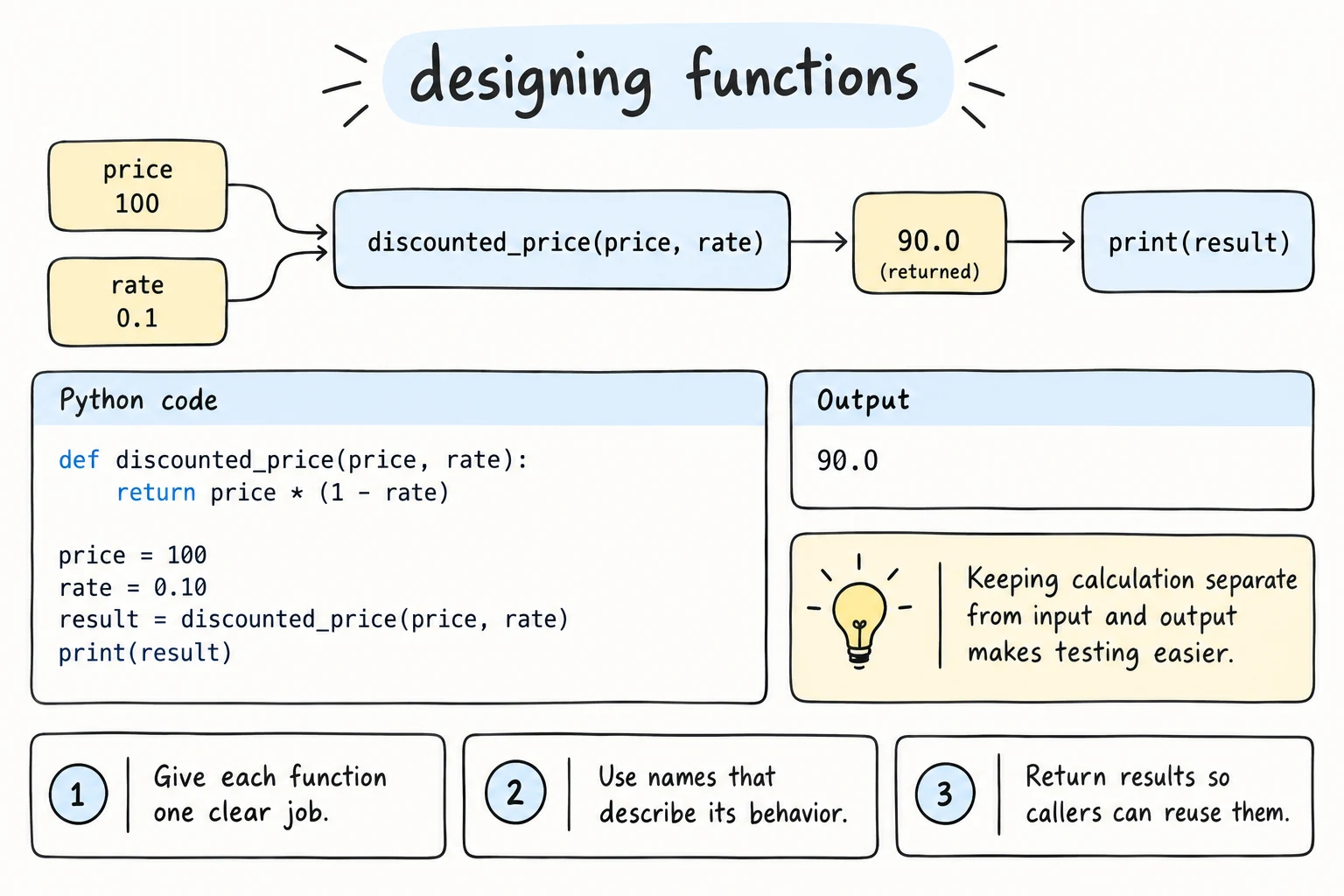
What you'll learn
- What makes a function good: one job, a clear name, and a clear interface
- Why you should separate calculations from input and output
- What pure functions are, and why they're easy to test
- How to spot problems like long functions, magic numbers, and flag arguments
- How to refactor a messy script into clean functions, step by step
Why it matters
You know how to write functions; now write them well. Two programs can print the same output, yet one is easy to change and the other is a nightmare, depending on how the code is split into functions.
1. One function, one job
A function should do one thing, and its name should say what that is. If you need "and" to describe it, it's probably doing too much.
# Bad: reads, checks, calculates, and prints, all in one
def process():
    price = float(input("Price: "))
    if price < 0:
        print("Invalid")
        return
    total = price * 1.12
print(f"Total: {total:,.2f}")# Good: each function has one job
def add_vat(price, rate=0.12):
return price * (1 + rate)
def format_money(amount):
return f"{amount:,.2f} som"
print(format_money(add_vat(250000)))280,000.00 somSmall functions are easier to name, test, and reuse. Keep the interface small too: a few parameters, no True/False "mode" flags (format_name(name, True) says nothing), and one kind of return value.
2. Names that explain
Compare calc(x, y) with calculate_discount(price, percent):
- Functions do things, so start with a verb:
get_,calculate_,print_. - Functions that answer yes/no start with
is_,has_, orcan_and return a boolean. - Name parameters for what they mean, not their type:
pricerather thannumber.
3. Separate logic from input and output
The most useful design habit: keep calculations apart from input() and print().
# Logic: pure calculations, no input or print
def bmi(weight_kg, height_m):
    return weight_kg / height_m ** 2

def bmi_category(value):
    if value < 18.5:
        return "underweight"
    if value < 25:
        return "normal"
    return "overweight"

# Input and output: talks to the user and uses the logic
def main():
    weight = float(input("Weight (kg): "))
    height = float(input("Height (m): "))
    value = bmi(weight, height)
    print(f"BMI {value:.1f}: {bmi_category(value)}")

# The logic can be checked without typing anything
assert round(bmi(70, 1.75), 1) == 22.9
assert bmi_category(18.5) == "normal"     # boundary
assert bmi_category(25) == "overweight"   # boundary
print("All checks passed")All checks passedTo run it as a program, call main() at the bottom. Modules and Imports shows the standard way, if __name__ == "__main__": main().
The logic is testable without typing and reusable without input(), and main() reads like a summary.
4. Prefer pure functions
A pure function:
- returns a result that depends only on its arguments, and
- has no side effects: it doesn't print, read input, change globals, or modify its arguments.
# Pure: same input → same output, nothing else happens
def apply_discount(prices, percent):
    return [p * (1 - percent / 100) for p in prices]

# Impure: changes the caller's list and prints
def apply_discount_in_place(prices, percent):
    prices[:] = apply_discount(prices, percent)
    print("Discount applied")
Programs do need side effects (printing, saving files); keep them in a few places, like main(), and keep the rest pure.
5. No magic numbers
A magic number is an unexplained value in the middle of code. In return subtotal * 1.12 + 20000, what are 1.12 and 20000? Named constants answer that:
VAT_RATE = 0.12
FREE_DELIVERY_FROM = 150_000
DELIVERY_FEE = 20_000

def delivery_total(subtotal):
    total = subtotal * (1 + VAT_RATE)
    if subtotal < FREE_DELIVERY_FROM:
        total += DELIVERY_FEE
    return total

print(round(delivery_total(100_000)))
print(round(delivery_total(200_000)))132000
224000Now the code explains itself, and when the delivery fee changes, you change it in one place.
6. Document the contract
For anything beyond a trivial function, a docstring should say what the function does, what it expects, and what it returns:
def split_bill(total, people, tip_percent=10):
    """Return how much each person pays, including the tip.

    total: the bill before the tip
    people: how many people share it (at least 1)
    """
    with_tip = total * (1 + tip_percent / 100)
    return with_tip / people

print(round(split_bill(300000, 4), 2))82500.0Preview: type hints
In Type Hints you'll learn to write the types in the signature: def split_bill(total: float, people: int, tip_percent: float = 10) -> float:. You don't need them yet.
Refactoring: a worked example
Refactoring means improving the structure of code without changing what it does. Here's a typical first script:
scores_text = "Aziza:92,Bekzod:67,Dilnoza:85,Farrukh:48"
entries = scores_text.split(",")
total = 0
count = 0
print("REPORT")
print("------")
for e in entries:
    parts = e.split(":")
    n = parts[0]
    s = int(parts[1])
    total = total + s
    count = count + 1
    if s >= 60:
        print(n, s, "PASS")
    else:
        print(n, s, "FAIL")
print("------")
print("Average:", total / count)
Parsing, grading, and printing are tangled together. Here it is after three small steps:
PASS_MARK = 60

# Step 1: pull out the parsing
def parse_scores(text):
    result = []
    for entry in text.split(","):
        name, score = entry.split(":")
        result.append((name, int(score)))
    return result

# Step 2: pull out the rules, and name the magic number
def grade(score):
    return "PASS" if score >= PASS_MARK else "FAIL"

def average(numbers):
    return sum(numbers) / len(numbers)

# Step 3: build the report in one function that returns its lines
def report_lines(records):
    lines = ["REPORT", "------"]
    for name, score in records:
        lines.append(f"{name} {score} {grade(score)}")
    lines.append("------")
    lines.append(f"Average: {average([s for _, s in records])}")
    return lines

records = parse_scores("Aziza:92,Bekzod:67,Dilnoza:85,Farrukh:48")
for line in report_lines(records):
    print(line)

# The old script printed exactly these lines
before = [
    "REPORT",
    "------",
    "Aziza 92 PASS",
    "Bekzod 67 PASS",
    "Dilnoza 85 PASS",
    "Farrukh 48 FAIL",
    "------",
    "Average: 73.0",
]
assert report_lines(records) == beforeREPORT
------
Aziza 92 PASS
Bekzod 67 PASS
Dilnoza 85 PASS
Farrukh 48 FAIL
------
Average: 73.0The output is identical, and the assert proves it: before holds the lines the old script printed, so a single changed character would stop the program with an AssertionError. Returning lines instead of printing them makes this check possible, and reading scores from a file would change only parse_scores.
A separate step: improve the formatting. Only after the refactor is checked do you change what the program prints, and update before on purpose. For example, f"{name:<9}{score:>4} {grade(score)}" in report_lines turns the rows into aligned columns such as Aziza 92 PASS.
Refactor safely
Change one thing at a time and rerun your checks after each step. Restructure first; change the output afterwards.
Try it
The function below does too much. Split it into at least three smaller functions: one for parsing, one for calculating, and one for formatting.
Common mistakes
1. Functions that print instead of return
# Bad: prints, so the result can't be used
def average(scores):
    print(sum(scores) / len(scores))

result = average([80, 90])
print(result)85.0
Noneaverage shows the number but gives back None, so the program can't compare, store, or test it. Fix: return sum(scores) / len(scores), and print in one place.
2. Hidden dependencies on globals
discount = 10

# Bad: the result depends on a global that other code can change
def final_price(price):
    return price * (1 - discount / 100)

print(final_price(50000))
discount = 50                  # somewhere else in the program...
print(final_price(50000)) # same call, different answer45000.0
25000.0Fix: pass what the function needs as an argument: def final_price(price, discount):.
3. Over-splitting
# Bad: tiny functions, each used once
def get_name(entry):
    return entry.split(":")[0]

def get_score(entry):
    return int(entry.split(":")[1])
Tiny functions make the reader jump around; one parse_entry(entry) that returns (name, score) is clearer. Split when a piece has a clear name and purpose, or is used in several places.
Practice
1. Name it better
Rename the function and parameters so the code explains itself.
def f(a, b):
    return a * b / 100

print(f(250000, 15))
Solution
def percent_of(amount, percent):
    return amount * percent / 100

print(percent_of(250000, 15))
2. Remove the magic numbers
def shipping_cost(weight):
    if weight <= 2:
        return 25000
    return 25000 + (weight - 2) * 8000
Solution
BASE_WEIGHT_KG = 2
BASE_COST = 25_000
COST_PER_EXTRA_KG = 8_000

def shipping_cost(weight_kg):
    if weight_kg <= BASE_WEIGHT_KG:
        return BASE_COST
    extra_kg = weight_kg - BASE_WEIGHT_KG
    return BASE_COST + extra_kg * COST_PER_EXTRA_KG

assert shipping_cost(1) == 25000
assert shipping_cost(5) == 49000
print("OK")
3. Separate logic from I/O
Split this into a pure function convert_seconds(total) that returns (hours, minutes, seconds), and a separate part that handles input and output. Add assert checks for 3725 → (1, 2, 5) and 59 → (0, 0, 59).
def show_time():
    total = int(input("Seconds: "))
    print(total // 3600, "h", total % 3600 // 60, "min", total % 60, "s")
Solution
def convert_seconds(total):
    hours, rest = divmod(total, 3600)
    minutes, seconds = divmod(rest, 60)
    return hours, minutes, seconds

def show_time():
    total = int(input("Seconds: "))
    h, m, s = convert_seconds(total)
    print(f"{h} h {m} min {s} s")

assert convert_seconds(3725) == (1, 2, 5)
assert convert_seconds(59) == (0, 0, 59)
print("OK")
4. Replace the flag
format_name("aziza", "karimova", True) returns "Karimova, Aziza", and False gives "Aziza Karimova". Redesign it so calls are readable without the definition.
def format_name(first, last, flag):
    if flag:
        return f"{last.title()}, {first.title()}"
    return f"{first.title()} {last.title()}"
Solution
Two clearly named functions (a keyword-only argument such as last_name_first=True also works):
def display_name(first, last):
    return f"{first.title()} {last.title()}"

def sortable_name(first, last):
    return f"{last.title()}, {first.title()}"

print(display_name("aziza", "karimova"))
print(sortable_name("aziza", "karimova"))
5. Refactor the refactor
Refactor the program in Try it above into small functions:
parse_order(text)returns a list of(name, qty, price)tuples with numbers asint,order_total(items, vat_rate=0.12)returns the total including VAT,print_order(text)uses them to print the same output as before.
Add assert checks for the two pure functions.
Solution
VAT_RATE = 0.12

def parse_order(text):
    items = []
    for part in text.split(";"):
        name, qty, price = part.split(",")
        items.append((name, int(qty), int(price)))
    return items

def order_total(items, vat_rate=VAT_RATE):
    return sum(qty * price for _, qty, price in items) * (1 + vat_rate)

def print_order(text):
    items = parse_order(text)
    for name, qty, price in items:
        print(f"{name:<8}{qty:>3} x {price:>7,} = {qty * price:>9,}")
    print(f"TOTAL: {order_total(items):,.0f} som (incl. {VAT_RATE:.0%} VAT)")

assert parse_order("Tea,2,15000") == [("Tea", 2, 15000)]
assert round(order_total([("A", 1, 100)])) == 112

print_order("Tea,2,15000;Samsa,4,8000;Juice,1,12000")Tea 2 x 15,000 = 30,000
Samsa 4 x 8,000 = 32,000
Juice 1 x 12,000 = 12,000
TOTAL: 82,880 som (incl. 12% VAT)Recap
- Give each function one job and a name that says what it does.
- Keep calculations in pure functions and input/output in a few places like
main(). - Pure functions have no side effects, so they're easy to test with
assert. - Replace magic numbers with named constants, avoid mode flags, and document functions with docstrings.
- Refactor in small steps, and check that the output stays the same.