

Return Values
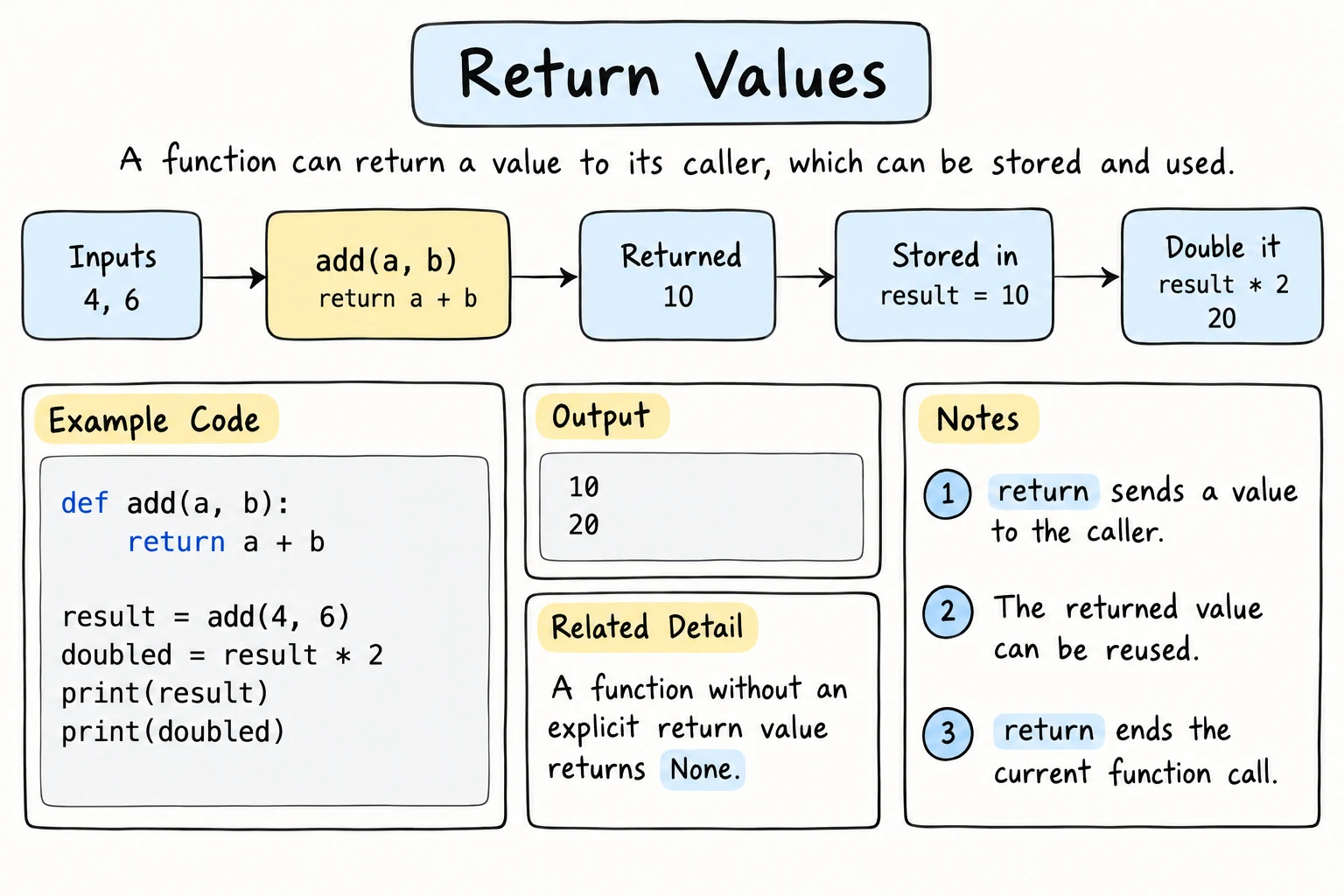
What you'll learn
- How
returnsends a value back to the caller - The difference between returning and printing
- What
Noneis, and when a function returns it - How
returnends a function early, and why that's useful - How to return several values at once
Why it matters
Built-in functions like len(), max(), and input() don't print their results. They give them back, so you can store them, calculate with them, and pass them on: total = len(items) * price. Functions that return values are building blocks you can combine. Functions that only print are dead ends.
return sends a value back
def square(n):
    return n * n

result = square(7)
print(result)
print(square(3) + square(4))49
25When Python reaches return, it:
- evaluates the expression after
return, - leaves the function immediately, and
- puts the value where the function was called.
So square(3) + square(4) becomes 9 + 16.
Return vs. print
This is the most important distinction in the lesson:
def add_print(a, b):
    print(a + b)       # shows the result, gives nothing back

def add_return(a, b):
    return a + b       # gives the result back, shows nothing

x = add_print(2, 3)
y = add_return(2, 3)

print(f"x = {x}")
print(f"y = {y}")5
x = None
y = 5add_print displayed 5 on screen, but the program can't use that value: x is None. add_return printed nothing by itself, but y holds 5, ready to be used.
The interactive shell makes return look like print
If you type the same calls into the interactive >>> shell, both seem to "show" 5:
>>> add_print(2, 3)
5
>>> add_return(2, 3)
5
The shell echoes the value of every expression you type. A script, and the editor on this site, does not: there add_return(2, 3) on its own line shows nothing.
print() inside a function | return |
|---|---|
| shows something to the user | gives a value to the program |
| the value is lost after it's displayed | the value can be stored, combined, and tested |
A good habit: functions calculate and return. The code that calls them decides whether to print.
def calculate_total(prices, tax_rate):
    subtotal = sum(prices)
    return subtotal * (1 + tax_rate)

total = calculate_total([15000, 45000, 8000], 0.12)
print(f"Total: {total:,.0f} som")            # the caller decides how to show it
if total > 50000:
print("You qualify for free delivery!") # ...and can make decisions with itTotal: 76,160 som
You qualify for free delivery!None: the "no value" value
A function without return, or with a bare return, gives back None:
def say_hi():
    print("Hi")

result = say_hi()
print(result)
print(type(result))Hi
None
<class 'NoneType'>None is Python's way of saying "nothing here". It's falsy, and the recommended way to check for it is is None:
def find_first_negative(numbers):
    for n in numbers:
        if n < 0:
            return n
    return None          # nothing found (writing this makes it explicit)

result = find_first_negative([4, 7, 1])
if result is None:
    print("No negative numbers")
else:
print(f"Found {result}")No negative numbersUse is None rather than if not result:, because 0 is also falsy but is a perfectly valid result.
Returning early
return exits the function immediately, even from inside a loop. That makes searches simple, with no break or flag needed:
def contains_digit(text):
    for char in text:
        if char.isdigit():
            return True      # found one: stop right here
    return False             # the loop finished without finding any

print(contains_digit("abc2def"))
print(contains_digit("abcdef"))True
FalseIt's also great for handling special cases at the start. These checks are called guard clauses:
def divide(a, b):
    if b == 0:
        return None          # guard: handle the problem case first
    return a / b

print(divide(10, 4))
print(divide(10, 0))2.5
NoneGuard clauses keep the main logic un-indented and easy to read.
Returning None for a problem is fine for small programs, but the caller can forget to check and later try to do math with None. For real errors you'll raise an exception instead, which stops the program with a clear message. Raising and Custom Exceptions shows how.
Returning several values
Separate values with commas to return a tuple, and unpack it when calling (see Tuples and Unpacking):
def min_max_average(numbers):
    return min(numbers), max(numbers), sum(numbers) / len(numbers)

low, high, avg = min_max_average([72, 95, 58, 88])
print(f"low {low}, high {high}, average {avg:.1f}")low 58, high 95, average 78.2For more than three or four values, returning a dictionary is often clearer, because the caller then uses names instead of positions:
def analyze(text):
    words = text.split()
    return {
        "characters": len(text),
        "words": len(words),
        "longest": max(words, key=len),
    }

stats = analyze("Python functions return useful values")
print(stats["words"], stats["longest"])5 functionsBoolean functions
Functions that answer a yes/no question should return True or False. Name them like questions, is_…, has_…, can_…, so the code reads naturally:
def is_leap_year(year):
    return (year % 4 == 0 and year % 100 != 0) or year % 400 == 0

def can_vote(age):
    return age >= 18

for year in [2024, 2026]:
    if is_leap_year(year):
        print(f"{year} is a leap year")

print(can_vote(17))2024 is a leap year
FalseNotice return age >= 18: the comparison already is a boolean. There's no need for if age >= 18: return True else: return False.
Composing functions
Because returned values can be passed straight into other functions, small functions combine into bigger ones:
def celsius_to_fahrenheit(c):
    return c * 9 / 5 + 32

def describe_temperature(c):
    if c < 0:
        return "freezing"
    if c < 20:
        return "cool"
    if c < 30:
        return "warm"
    return "hot"

def weather_report(city, c):
    f = celsius_to_fahrenheit(c)
    return f"{city}: {c}°C / {f:.0f}°F, {describe_temperature(c)}"

print(weather_report("Tashkent", 34))
print(weather_report("Moscow", -5))Tashkent: 34°C / 93°F, hot
Moscow: -5°C / 23°F, freezingEach function is small, can be tested on its own, and has one clear job. Designing Good Functions develops this idea further. A function can even call itself, which is the idea behind Recursion, the lesson after Variable Scope.
Quick checks with assert
assert stops the program with an error if a condition is false. It's a simple way to check that a function returns what you expect:
def square(n):
    return n * n

assert square(3) == 9
assert square(-2) == 4
print("All checks passed")
Try it
Complete the grading functions and test them with different scores.
Common mistakes
1. Printing instead of returning
def double(n):
    print(n * 2)

result = double(5) + 110
TypeError: unsupported operand type(s) for +: 'NoneType' and 'int'double(5) printed 10 but returned None. Fix: return n * 2.
2. Forgetting return in one branch
def sign(n):
    if n > 0:
        return "positive"
    elif n < 0:
        return "negative"
    # forgot the zero case

print(sign(0))   # None
Make sure every path through the function returns a value.
3. Returning inside the loop too early
def all_positive(numbers):
    for n in numbers:
        if n > 0:
            return True      # decides after looking at only the first item!
        return False

print(all_positive([5, -1, -2]))   # True (wrong)
Fix: return False as soon as you find a non-positive number, and return True only after the loop:
def all_positive(numbers):
    for n in numbers:
        if n <= 0:
            return False
    return True

print(all_positive([5, -1, -2]))   # False
4. Ignoring the returned value
name = "aziza"
name.upper()          # the result is thrown away
print(name)azizaupper() returns a new string; it doesn't change name. The same goes for sorted(items) and your own functions. Fix: store or use the result: name = name.upper().
Practice
1. Area of a circle
Write circle_area(radius) that returns π × r² using math.pi. Print the area for radius 3, rounded to 2 decimals.
Solution
import math

def circle_area(radius):
    return math.pi * radius ** 2

print(round(circle_area(3), 2))28.27import math gives you access to the math module, which holds math.pi. The Modules and Imports lesson explains imports in detail.
2. Is it even?
Write is_even(n) that returns True or False, without an if statement. Use it to build a list of the even numbers from 1 to 10.
Solution
def is_even(n):
    return n % 2 == 0

evens = [n for n in range(1, 11) if is_even(n)]
print(evens)
3. Full name
Write full_name(first, last, middle="") that returns a properly capitalized name, with the middle name included only if it's given. full_name("aziza", "karimova") → "Aziza Karimova", and full_name("bekzod", "tursunov", "alievich") → "Bekzod Alievich Tursunov".
Solution
def full_name(first, last, middle=""):
    if middle:
        return f"{first.title()} {middle.title()} {last.title()}"
    return f"{first.title()} {last.title()}"

assert full_name("aziza", "karimova") == "Aziza Karimova"
assert full_name("bekzod", "tursunov", "alievich") == "Bekzod Alievich Tursunov"
print("OK")
4. Find the index
Write index_of(items, target) that returns the position of the first occurrence of target, or -1 if it's not there. Don't use .index().
Solution
def index_of(items, target):
    for i, item in enumerate(items):
        if item == target:
            return i
    return -1

assert index_of(["a", "b", "c"], "c") == 2
assert index_of(["a", "b", "c"], "z") == -1
assert index_of([], "a") == -1
print("OK")
5. Password strength
Write check_password(password) that returns a tuple (is_strong, problems), where problems is a list of messages for every rule broken:
- at least 8 characters
- at least one digit
- at least one uppercase letter
- at least one lowercase letter
Then write code that calls it for "abc", "password1", and "Tea4Two!" and prints the results nicely.
Solution
def check_password(password):
    problems = []
    if len(password) < 8:
        problems.append("use at least 8 characters")
    if not any(ch.isdigit() for ch in password):
        problems.append("add a digit")
    if not any(ch.isupper() for ch in password):
        problems.append("add an uppercase letter")
    if not any(ch.islower() for ch in password):
        problems.append("add a lowercase letter")
    return len(problems) == 0, problems

for pw in ["abc", "password1", "Tea4Two!"]:
    is_strong, problems = check_password(pw)
    if is_strong:
        print(f"{pw}: strong")
    else:
print(f"{pw}: weak ({'; '.join(problems)})")abc: weak (use at least 8 characters; add a digit; add an uppercase letter)
password1: weak (add an uppercase letter)
Tea4Two!: strongThe function doesn't print anything. The calling code decides how to show the result, so the same function could also power a website form.
Recap
return valueends the function and gives the value to the caller, where it can be stored and used.- Return values for the program to use, and print only for final output to the user.
- Without
return, a function gives backNone. Check for it withis None. returnexits immediately, which is useful for searches and guard clauses.return a, breturns a tuple, so unpack it withx, y = f(). Use a dictionary for many named results.- Name boolean functions like questions, and return the condition directly:
return age >= 18.