

Why Object-Oriented Programming?
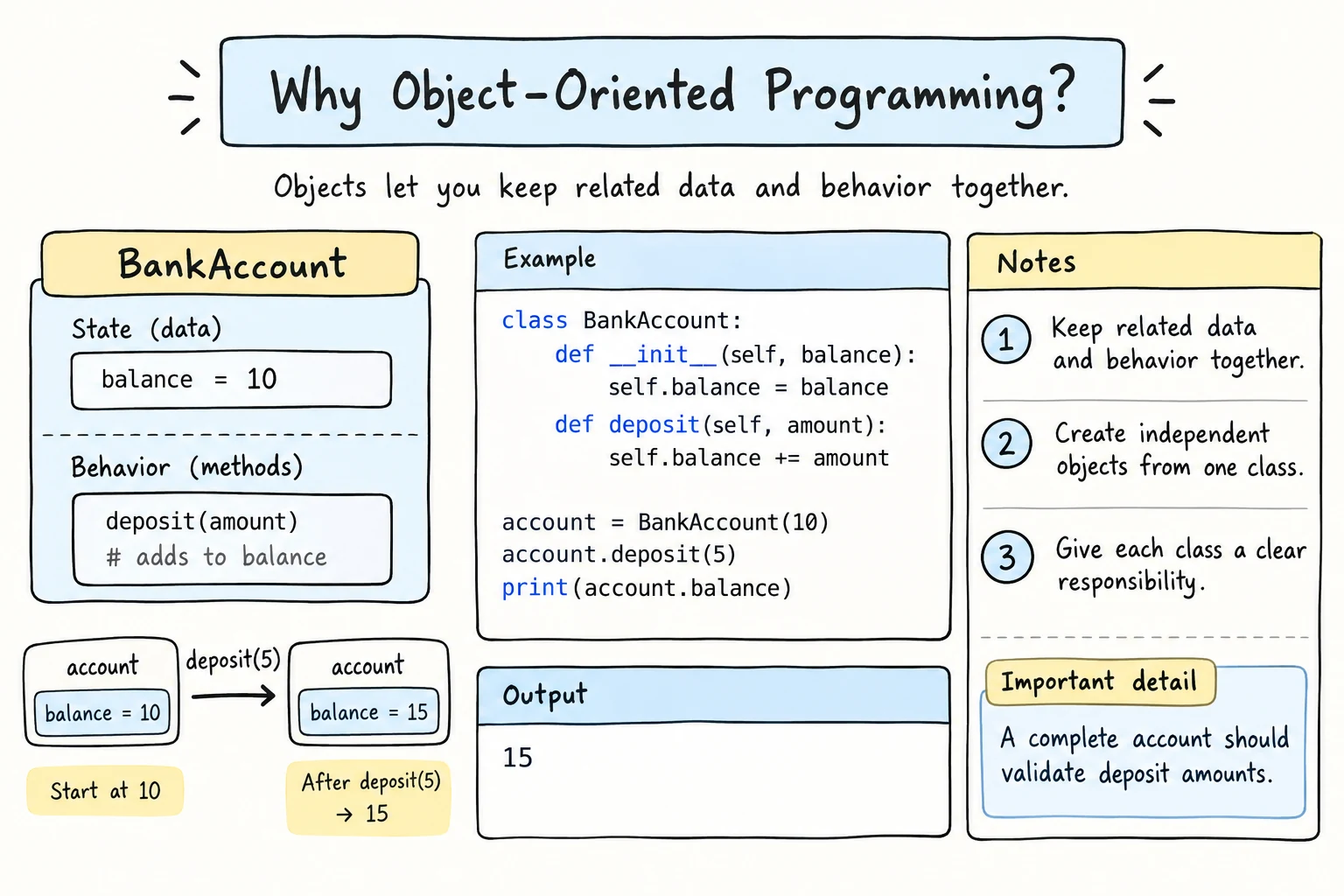
What you'll learn
- The problems with keeping related data in separate variables, parallel lists, and loose dictionaries
- How a dictionary plus functions turns into a class
- The idea behind objects: data (attributes) and behavior (methods) bundled together
- The core vocabulary (class, object, instance, attribute, method), and why every Python value is already an object
- When a class helps, and when plain functions are enough
Why it matters
As programs grow, you end up with dozens of variables and functions, and you must remember which data goes with which function. Object-oriented programming (OOP) lets you package each "thing" in your program (a bank account, a student, a game character) with its data and actions into one unit. Most large Python projects are built this way.
The problem: data that falls apart
Separate variables and parallel lists
With separate variables (owner1, balance1, owner2, ...) nothing in the code says which belong together. The usual next step is one list per field:
owners = ["Aziza", "Bekzod", "Dilnoza"]
balances = [500000, 120000, 75000]

# Bekzod closes his account, but we only remove his name...
owners.remove("Bekzod")

for owner, balance in zip(owners, balances):
print(owner, balance)Aziza 500000
Dilnoza 120000Now Dilnoza shows Bekzod's balance. The lists must always change together, and one forgotten line breaks the link silently, with no error.
Dictionaries plus functions
Dictionaries are better, because each account keeps its fields together:
def deposit(account, amount):
    if amount <= 0:
        raise ValueError("Deposit must be positive")
    account["balance"] += amount

aziza = {"owner": "Aziza", "balance": 500000}
deposit(aziza, 50000)
print(aziza){'owner': 'Aziza', 'balance': 550000}This is a real improvement. Still, some problems remain:
- The functions float around separately.
deposit()only works with account dictionaries, but nothing connects it to them. Anotherdeposit()for a piggy bank might mean something else. - The shape is a convention. Every piece of code that creates an account must remember the exact keys, and a typo such as
aziza["balanse"] = 0quietly adds a wrong key.
The same account as a class
A class is a blueprint: "every account has an owner and a balance, and can deposit and withdraw". The next lesson, Classes and Objects, explains the syntax. For now, compare the shapes:
| Before (dictionary + function) | After (class + method) |
|---|---|
{"owner": "Aziza", "balance": 500000} | BankAccount("Aziza", 500000) |
def deposit(account, amount): | def deposit(self, amount): inside the class |
account["balance"] += amount | self.balance += amount |
deposit(aziza, 50000) | aziza.deposit(50000) |
class BankAccount:
    def __init__(self, owner, balance):
        self.owner = owner
        self.balance = balance

    def deposit(self, amount):
        if amount <= 0:
            raise ValueError("Deposit must be positive")
        self.balance += amount

    def withdraw(self, amount):
        if amount > self.balance:
            raise ValueError("Not enough money")
        self.balance -= amount

accounts = [
    BankAccount("Aziza", 500000),
    BankAccount("Bekzod", 120000),
    BankAccount("Dilnoza", 75000),
]

accounts[1].withdraw(20000)
accounts[2].deposit(25000)

for account in accounts:
    print(f"{account.owner:<8} {account.balance:>9,} som")

try:
    accounts[2].withdraw(1000000)
except ValueError as error:
print("Refused:", error)Aziza 500,000 som
Bekzod 100,000 som
Dilnoza 100,000 som
Refused: Not enough moneyUnlike the parallel lists, Dilnoza's name can't drift away from her balance: both live inside the same object, together with the rules for changing it.
A plain class doesn't fix everything, though. Code outside the class can still write aziza.balance = -999999, and a typo such as aziza.balanse = 0 silently adds a new attribute, with no error. The Properties and Encapsulation lesson shows how to guard attributes like this.
Objects bundle data and behavior
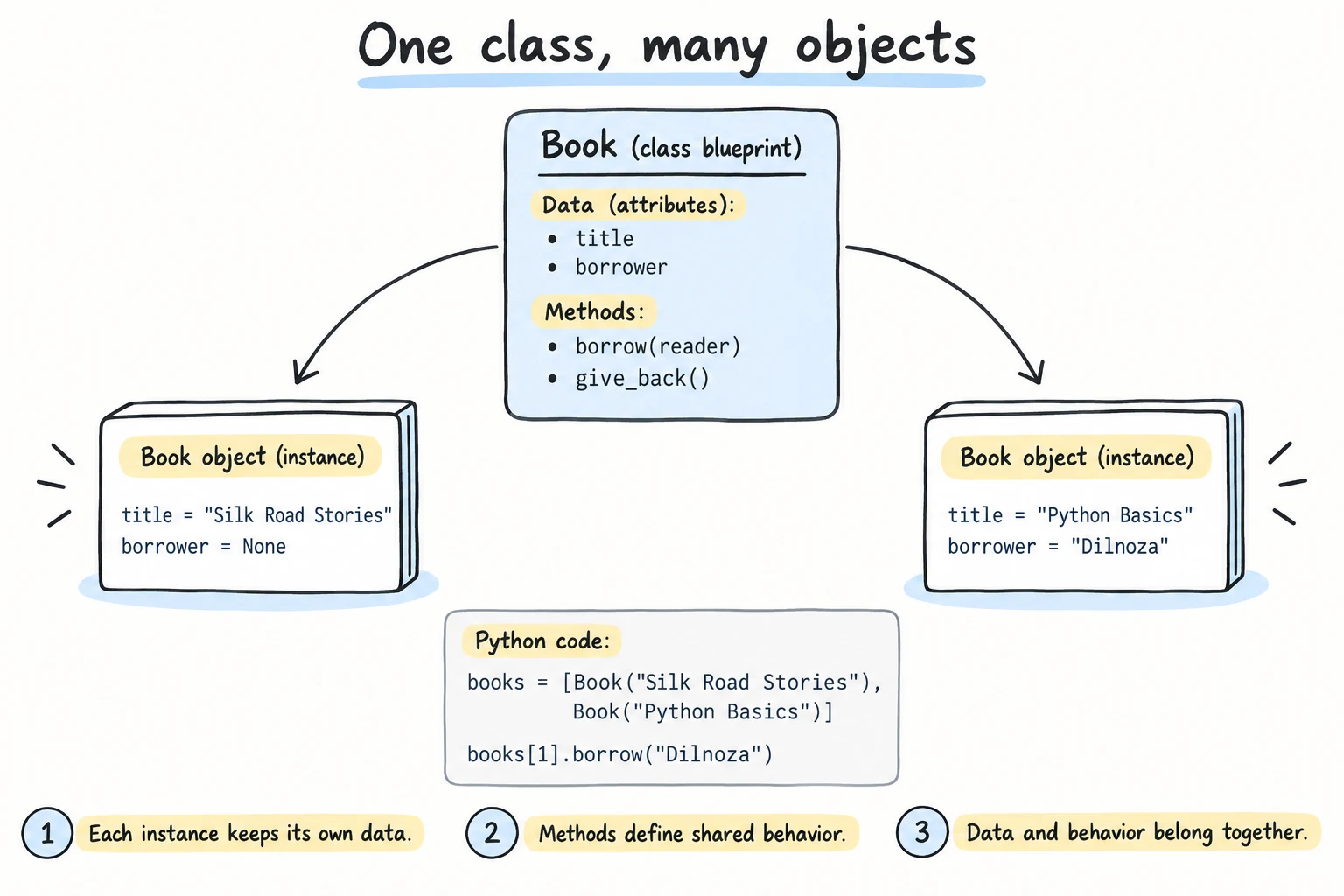
That's the central idea of OOP. An object combines attributes, the data it knows (owner, balance), and methods, the actions it can perform (deposit(), withdraw()).
- class
BankAccountthe blueprint
- data:
owner,balance - actions:
deposit(),withdraw()
objects / instances
- Aziza
500000
- Bekzod
100000
- Dilnoza
100000
Think of a cookie cutter: the class is the cutter, and each object is a separate cookie of the same shape.
Everything in Python is already an object
You've used objects since your first lesson. Every value in Python is an object, and type() tells you its class:
print(type(42))
print(type("Samarkand"))
print("tashkent".upper()) # data (the text) + behavior (.upper())<class 'int'>
<class 'str'>
TASHKENTNotice the word class in each result. int and str are classes, each value is an instance of one, and string methods are OOP in action.
Vocabulary
| Term | Meaning, with the bank example |
|---|---|
| class | a blueprint for objects: BankAccount |
| object / instance | one concrete thing built from a class: Aziza's account, "an instance of BankAccount" |
| attribute | a value stored in an object, read with a dot: aziza.balance |
| method | a function defined in a class, called on an object: aziza.deposit(50000) |
When OOP helps, and when functions are enough
| Situation | Better choice |
|---|---|
| Data that belongs together and changes by rules (a balance that can't go negative) | class |
| Many similar things (100 accounts, 30 students) | class |
| Input in, output out (Celsius to Fahrenheit) | function |
| A short script that runs once from top to bottom | functions |
A quick test: if you keep passing the same dictionary to a group of functions that check or change it, that's a class waiting to be written. A class with one method and no data, like class Adder with just add(a, b), is a function in disguise.
Try it
Here is a small game character. Add a describe() method, create a third character, and let them fight.
Common mistakes
1. Forgetting the parentheses when calling a method
class Account:
    def __init__(self, balance):
        self.balance = balance

    def is_empty(self):
        return self.balance == 0

account = Account(500000)
if account.is_empty:              # no (): the method itself, not its result
print("Account is empty!")Account is empty!A method without () is a method object, and objects are truthy, so the if always passes. Fix: account.is_empty().
2. Using dictionary syntax on an object
class Account:
    def __init__(self, balance):
        self.balance = balance

aziza = Account(500000)
print(aziza["balance"])TypeError: 'Account' object is not subscriptableObjects use dots for attributes: aziza.balance.
Practice
1. Spot the objects
For each value 3.5, "Bukhara", [10, 20], and (1, 2), print the value and its type on one line, such as 3.5 <class 'float'>. Then print "Bukhara".lower().
Solution
values = [3.5, "Bukhara", [10, 20], (1, 2)]
for value in values:
    print(value, type(value))

print("Bukhara".lower())3.5 <class 'float'>
Bukhara <class 'str'>
[10, 20] <class 'list'>
(1, 2) <class 'tuple'>
bukharaEvery value is an instance of some class, and methods like .lower() belong to those classes.
2. From dictionary to class
Rewrite this code as a Rectangle class with an area() method. The output must stay the same.
def area(rect):
    return rect["width"] * rect["height"]

room = {"width": 4, "height": 5}
print(area(room))
Solution
class Rectangle:
    def __init__(self, width, height):
        self.width = width
        self.height = height

    def area(self):
        return self.width * self.height

room = Rectangle(4, 5)
print(room.area())20rect became self, rect["width"] became self.width, and area(room) became room.area().
3. Fix the parallel lists
A shop keeps names = ["Tea", "Samsa", "Juice"] and prices = [15000, 8000, 12000]. Write a Product class with name and price, build a list of products, and print them sorted by price, cheapest first, using f"{product.name:<6} {product.price:>6,} som".
Solution
class Product:
    def __init__(self, name, price):
        self.name = name
        self.price = price

names = ["Tea", "Samsa", "Juice"]
prices = [15000, 8000, 12000]
products = [Product(name, price) for name, price in zip(names, prices)]

for product in sorted(products, key=lambda p: p.price):
print(f"{product.name:<6} {product.price:>6,} som")Samsa 8,000 som
Juice 12,000 som
Tea 15,000 som4. Design a class: a student record
Design a class from this description:
A school tracks students. Each student has a name and a list of grades that starts empty.
add_grade(grade)adds a grade (it must be between 0 and 100, otherwise raiseValueErrorwith the messageGrade must be 0-100, got 120).average()returns the average grade, orNoneif there are no grades yet.
Your class must work with this driver code:
bekzod = Student("Bekzod")
print(bekzod.average())
for grade in [90, 76, 83]:
    bekzod.add_grade(grade)

try:
    bekzod.add_grade(120)
except ValueError as error:
    print("Error:", error)

print(f"{bekzod.name}: {bekzod.average():.1f}")
Expected output:
None
Error: Grade must be 0-100, got 120
Bekzod: 83.0
Solution
class Student:
    def __init__(self, name):
        self.name = name
        self.grades = []

    def add_grade(self, grade):
        if not 0 <= grade <= 100:
            raise ValueError(f"Grade must be 0-100, got {grade}")
        self.grades.append(grade)

    def average(self):
        if not self.grades:
            return None
        return sum(self.grades) / len(self.grades)

bekzod = Student("Bekzod")
print(bekzod.average())
for grade in [90, 76, 83]:
    bekzod.add_grade(grade)

try:
    bekzod.add_grade(120)
except ValueError as error:
    print("Error:", error)

print(f"{bekzod.name}: {bekzod.average():.1f}")None
Error: Grade must be 0-100, got 120
Bekzod: 83.0Nouns in the description became attributes. Verbs became methods.
5. Refactor a game
Write a Hero class with name, health, and power, and methods attack(other) (lowers other.health by self.power, but not below 0) and is_alive(). Create Aziza (health 50, power 18) and Bekzod (health 60, power 12). Aziza attacks first; the heroes take turns in a while loop until one is defeated. Print each hit as Aziza hits Bekzod: Bekzod has 42 HP, and finish with Winner: Aziza.
Solution
class Hero:
    def __init__(self, name, health, power):
        self.name = name
        self.health = health
        self.power = power

    def attack(self, other):
        other.health = max(0, other.health - self.power)
        print(f"{self.name} hits {other.name}: {other.name} has {other.health} HP")

    def is_alive(self):
        return self.health > 0

aziza = Hero("Aziza", 50, 18)
bekzod = Hero("Bekzod", 60, 12)

attacker, defender = aziza, bekzod
while attacker.is_alive() and defender.is_alive():
    attacker.attack(defender)
    attacker, defender = defender, attacker

winner = aziza if aziza.is_alive() else bekzod
print(f"Winner: {winner.name}")Aziza hits Bekzod: Bekzod has 42 HP
Bekzod hits Aziza: Aziza has 38 HP
Aziza hits Bekzod: Bekzod has 24 HP
Bekzod hits Aziza: Aziza has 26 HP
Aziza hits Bekzod: Bekzod has 6 HP
Bekzod hits Aziza: Aziza has 14 HP
Aziza hits Bekzod: Bekzod has 0 HP
Winner: AzizaA method can change another object of the same class: attack(self, other) changes other.health.
Recap
- Separate variables and parallel lists break easily because nothing ties related data together.
- Dictionaries plus functions are better, but nothing connects the functions to the data.
- A class is a blueprint. An object (instance) is one thing built from it, with its own attributes (data) and shared methods (behavior).
- Every Python value is already an object:
type()shows its class. - Use a class when data and the rules for changing it belong together. Use plain functions for simple input-to-output calculations.