

Strings
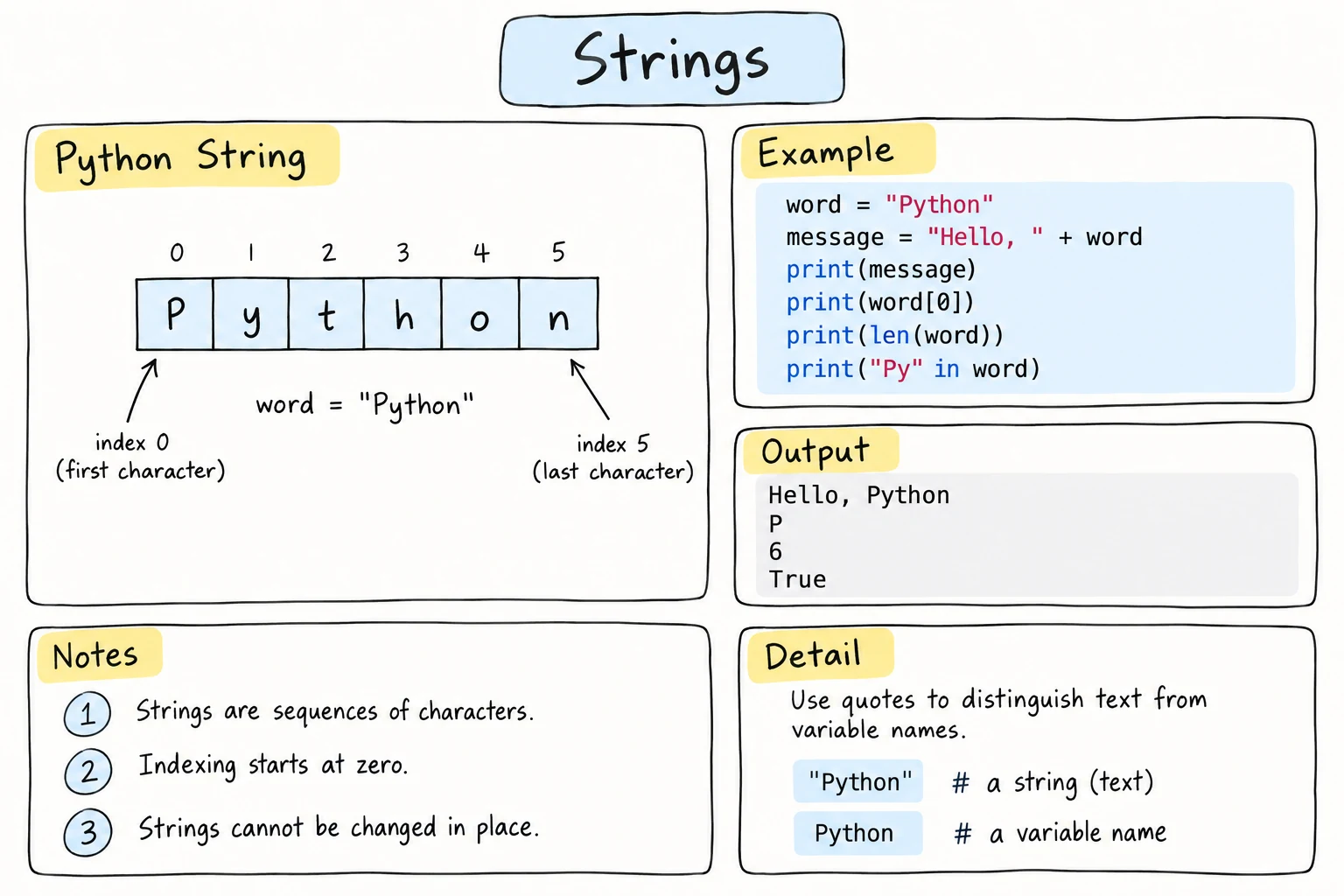
What you'll learn
- How to join strings with
+, repeat them with*, and count characters withlen() - How to get single characters with indexing, including negative indexes
- Why strings can't be changed in place (immutability)
- How to check whether text contains something with
in - How Python stores characters as Unicode, and what
bytesare
Why it matters
Names, messages, emails, file names, passwords, web pages: a huge amount of real-world data is text. In Python, text is stored as a string (str), a sequence of characters. You already know how to write strings from Hello, World! This lesson shows how to take them apart and put them together.
Joining strings: +
+ concatenates (joins) strings end to end:
first_name = "Aziza"
last_name = "Karimova"

full_name = first_name + " " + last_name
print(full_name)Aziza Karimova+ adds no space by itself, so you have to include one, as with " " above.
Repeating strings: *
Multiplying a string by a whole number repeats it:
print("ha" * 3)
print("-" * 20)hahaha
--------------------That's a quick way to draw lines and borders in text output.
Length: len()
The built-in len() function returns how many characters a string has. Spaces and punctuation count too:
password = "tea2go!"
print(len(password))
print(len("Hello, world!"))
print(len(""))7
13
0"" is the empty string: a string with no characters.
Indexing: getting one character
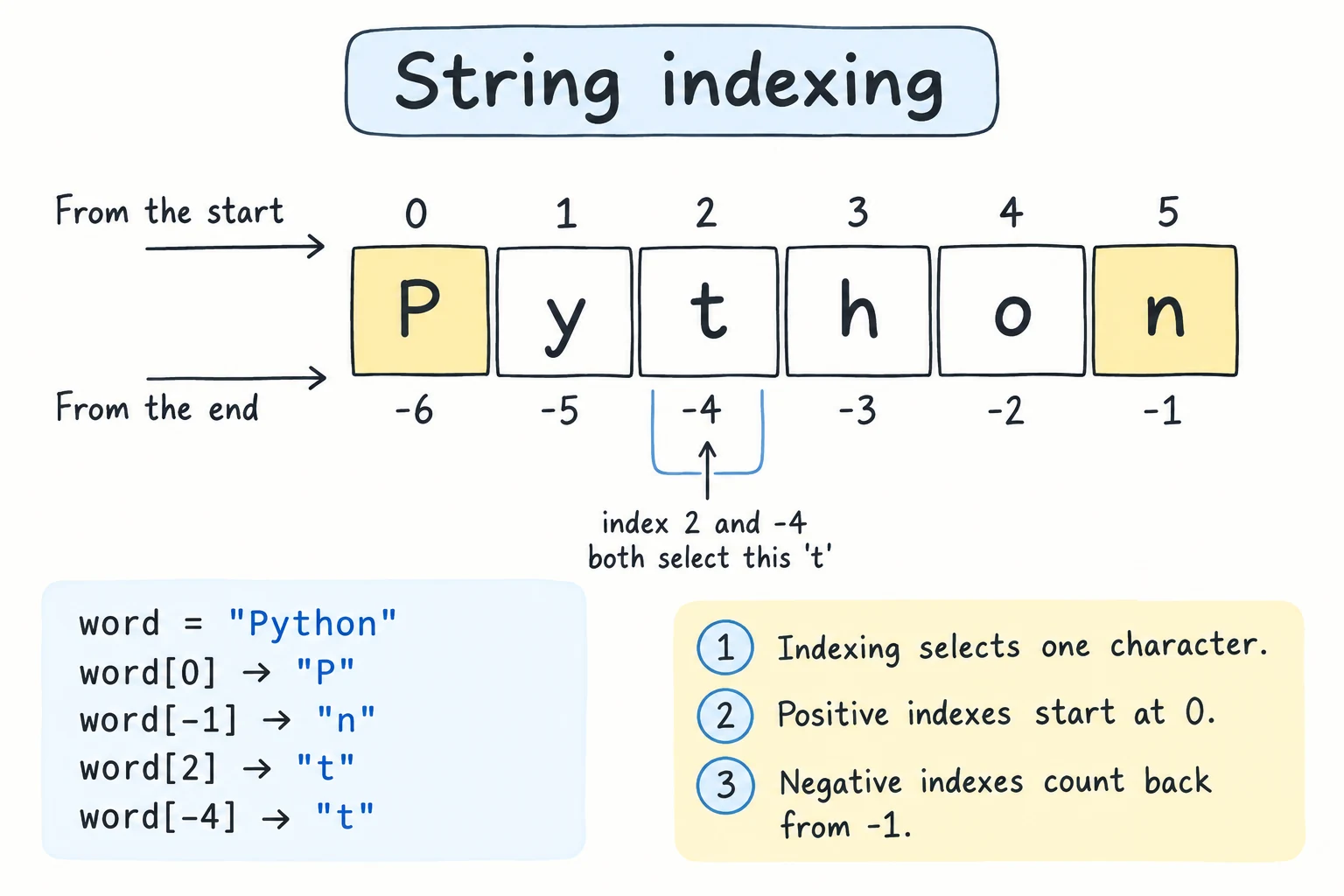
Every character in a string has a position number called an index. Indexes start at 0:
 P   y   t   h   o   n
 0   1   2   3   4   5     ← index from the start
-6  -5  -4  -3  -2  -1     ← index from the end
Put the index in square brackets to get that character:
word = "Python"

print(word[0])   # first character
print(word[1])
print(word[5]) # last characterP
y
nNegative indexes count from the end
-1 is the last character, -2 is the second-to-last, and so on. This is handy when you don't know the length:
word = "Python"
print(word[-1])
print(word[-2])n
oThe last index is always len(word) - 1, because counting starts at 0:
word = "Python"
print(word[len(word) - 1])   # same as word[-1]
Why start at 0?
Think of the index as "how many characters to skip from the start". To get the first character you skip 0. Most programming languages count this way, and you'll get used to it quickly.
In the next lesson you'll learn slicing, which gets several characters at once (like word[0:3] → "Pyt").
Strings can't be changed in place
Strings are immutable: once a string is created, its characters can't be changed.
word = "hello"
word[0] = "H"TypeError: 'str' object does not support item assignmentInstead, you build a new string and assign it to the variable:
word = "hello"
word = "H" + word[1:]   # "H" + "ello"
print(word)Hello(word[1:] means "from index 1 to the end". Slicing is explained in the next lesson.)
Immutability sounds limiting, but it makes strings safe to share: if two variables refer to the same string, neither can change it for the other.
Checking contents: in
in checks whether one string appears inside another. The result is True or False:
email = "aziza@example.com"

print("@" in email)
print("gmail" in email)
print("gmail" not in email)True
False
TrueThe check is case-sensitive: "Py" in "python" is False. You'll use True/False results with if statements in the Making Decisions module.
Strings and numbers don't mix automatically
+ means add for numbers and join for strings. Python refuses to guess what you want when you mix them:
age = 20
print("Age: " + age)TypeError: can only concatenate str (not "int") to strYou have three good options:
age = 20

print("Age:", age)          # 1. separate arguments to print()
print("Age: " + str(age))   # 2. convert the number with str()
print(f"Age: {age}")        # 3. an f-string (see the F-Strings lesson)
All three print Age: 20. The f-string is usually the clearest, and you'll learn it soon.
Text, Unicode and bytes
A computer only stores numbers, so every character has a number too. Python uses Unicode, a standard that gives a number called a code point to every character in almost every writing system: Latin, Cyrillic, Arabic, emoji and more. ord() gives a character's code point, and chr() goes back:
print(ord("A"), ord("ş"))
print(chr(65), chr(351))65 351
A şlen() counts code points, not what looks like a letter to you. In Uzbek Latin, oʻ is written with the letter o plus a separate modifier letter ʻ, so it counts as two characters:
print(len("oʻ"))
print(len("Oʻzbekiston"))
print(ord("ʻ"), ord("'"))2
11
699 39The last line shows that ʻ (code point 699) and the keyboard apostrophe ' (39) are different characters, even though they look alike. That matters when you search or compare text (see Common mistakes).
str and bytes
A str holds characters. When text is saved to a file or sent over the internet, it has to become bytes: plain numbers from 0 to 255. The rules for turning characters into bytes are called an encoding, and UTF-8 is the one to use. .encode() turns a string into bytes, and .decode() turns it back:
country = "Oʻzbekiston"
data = country.encode("utf-8")

print(data)
print(len(data))
print(data.decode("utf-8"))b'O\xca\xbbzbekiston'
12
OʻzbekistonA bytes value is shown with a b before the quotes. Plain English letters take one byte each, but ʻ takes two (\xca\xbb), so the bytes are longer than the string. You'll rarely call .encode() yourself. It matters when you read and write files, which Files and pathlib covers, including why you should always say encoding="utf-8".
Try it
Build a username from a first and last name: the first letter of the first name, plus the whole last name, plus the length of the full name.
Common mistakes
1. Index out of range
word = "cat"
print(word[3])IndexError: string index out of range"cat" has indexes 0, 1, and 2. Fix: remember the last index is len(word) - 1, or use word[-1].
2. Forgetting spaces when joining
city = "Tashkent"
print("I live in" + city)   # I live inTashkent
Fix: "I live in " + city, or print("I live in", city).
3. Adding numbers that are really strings
apples = "5"
pears = "5"
print(apples + pears)55No error, just a wrong answer: both values are strings, so + joins them. This often happens with values from input(). Fix: convert them to numbers first, as shown in Input and Type Conversion: int(apples) + int(pears) gives 10.
4. Searching with the wrong apostrophe
country = "Oʻzbekiston"
print("O'zbekiston" == country)
print("'" in country)False
FalseThe text was typed with the Uzbek letter ʻ, but the search uses the keyboard apostrophe '. They look alike but are different characters. Fix: use the same character in both places. If your data may contain both, replace one with the other first. You'll learn .replace() in the next lesson.
Practice
1. Greeting
Given name = "Bekzod", use + to print Hello, Bekzod!
Solution
name = "Bekzod"
print("Hello, " + name + "!")
2. First and last
For word = "Samarkand", print the first character, the last character, and the length.
Solution
word = "Samarkand"
print(word[0])
print(word[-1])
print(len(word))S
d
93. Initials
Given first = "aziza" and last = "karimova", print the initials a.k. using indexing and +.
Solution
first = "aziza"
last = "karimova"
print(first[0] + "." + last[0] + ".")
In the next lesson you'll learn .upper(), which turns this into A.K..
4. A framed title
Print a title inside a frame whose width automatically matches the text, using * and len():
+----------------+
| Python Journal |
+----------------+
Your code should still work if you change the title.
Solution
title = "Python Journal"
border = "+" + "-" * (len(title) + 2) + "+"

print(border)
print("| " + title + " |")
print(border)
len(title) + 2 accounts for the space on each side of the title.
5. The middle character
Print the middle character of a word. For an even-length word, print the character just after the middle. Store "python" (6 letters → h), "plov" (4 letters → o) and "tea" (3 letters → e) in three variables and print the middle character of each, one per line.
Solution
word1 = "python"
word2 = "plov"
word3 = "tea"

print(word1[len(word1) // 2])
print(word2[len(word2) // 2])
print(word3[len(word3) // 2])h
o
e"python":6 // 2 = 3, andword1[3]is"h"."plov":4 // 2 = 2, andword2[2]is"o"."tea":3 // 2 = 1, andword3[1]is"e".
Floor division // from the previous lesson gives a whole-number index for any length.
Recap
+joins strings and*repeats them. Add spaces yourself.len(text)counts characters, including spaces.text[i]gets one character. Indexes start at0, and-1is the last character.- Strings are immutable: build a new string instead of changing one.
"x" in textchecks for a substring and is case-sensitive. Don't+a string and a number: usestr(), commas inprint(), or an f-string.- Every character is a Unicode code point (
ord/chr), and.encode("utf-8")turns astrintobytes.