

Regular Expressions
What you'll learn
- When to use a regular expression instead of string methods, and why patterns are raw strings
- The main
refunctions:search,match,fullmatch,findall,finditer,sub,split - The building blocks of patterns: character classes, quantifiers, anchors, and groups
- Replacing with backreferences and functions, flags,
re.compile, andre.escape - Practical patterns for Uzbek phone numbers, dates, and prices
Why it matters
Say you have 5,000 customer messages and need every phone number. People write +998 90 123 45 67, +998901234567, and 90-123-45-67; with find() and split() you would write dozens of lines and still miss cases. A regular expression (regex) describes the shape of the text you want: "optional +998, then 9 digits with optional spaces". Regex is used in form validation, log analysis, data cleaning, and the search box of most code editors.
Regex is harder to read than string methods, so use the simplest tool that works: string methods for fixed text ("error" in text, name.endswith(".csv")), regex for a pattern ("some digits", "a date like dd.mm.yyyy").
Your first pattern
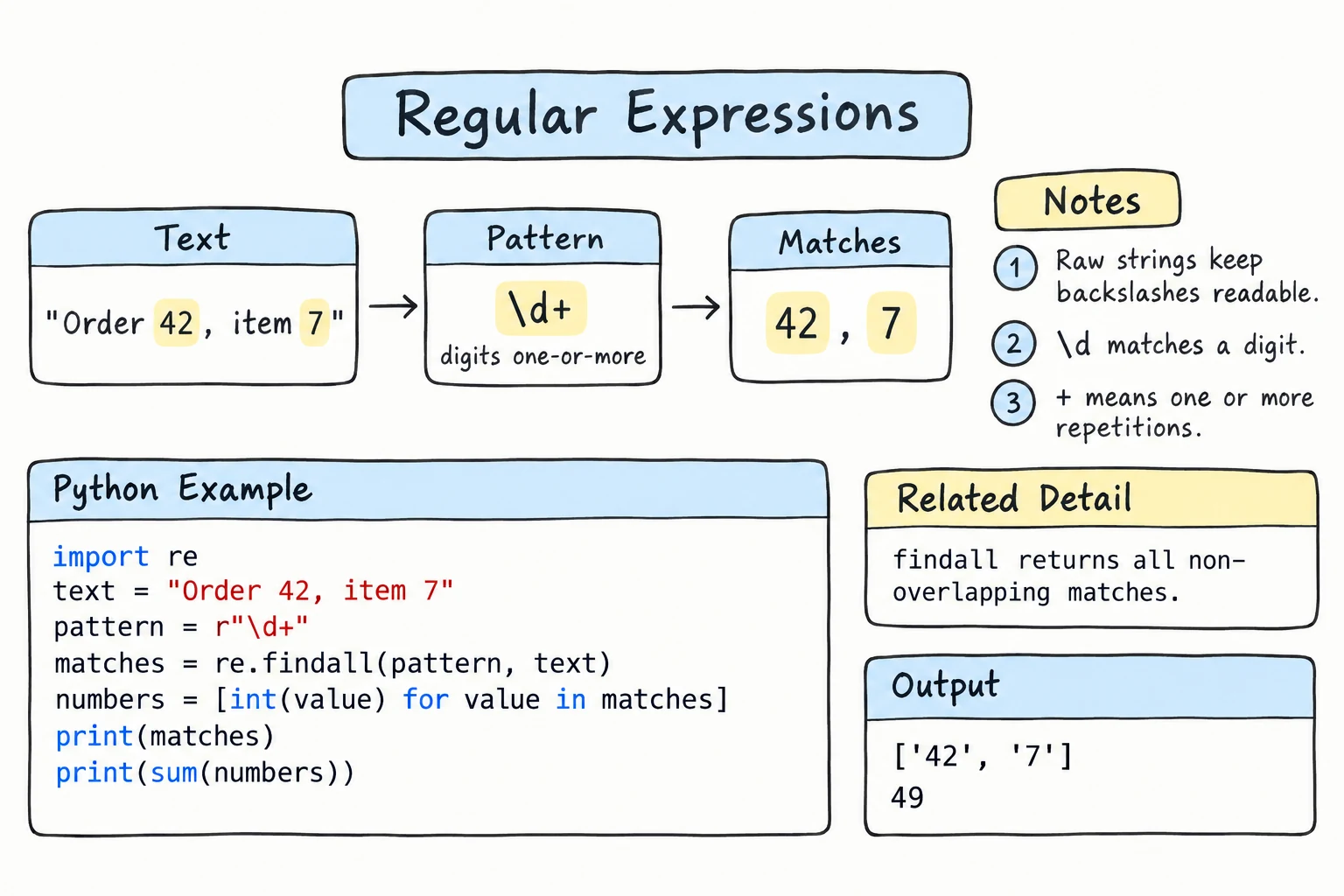
Everything lives in the re module. re.search(pattern, text) looks for the first place the pattern matches:
import re

message = "Order 5012 was delivered to Bukhara"

match = re.search(r"\d+", message)
if match:
    print("Found:", match.group())
print("Position:", match.start(), "to", match.end())Found: 5012
Position: 6 to 10\d means "a digit" and + means "one or more". re.search returns a match object when it finds something, and None otherwise, so always check before using it.
Raw strings: r"..."
Regex uses backslashes a lot, but normal strings also give backslashes a meaning (\n is a newline, \b a backspace). A raw string, with r before the quotes, keeps every backslash exactly as typed. Without it, Python 3.12+ warns about escapes it does not know, such as "\d":
SyntaxWarning: "\d" is an invalid escape sequence. Such sequences will not work in the future. Did you mean "\\d"? A raw string is also an option.Known escapes like "\b" give no warning at all and silently break the pattern (see Common mistakes). Always write patterns as raw strings.
The re functions
| Function | What it does | Returns |
|---|---|---|
re.search(p, s) | first match anywhere | match or None |
re.match(p, s) | match only at the start | match or None |
re.fullmatch(p, s) | the whole string must match | match or None |
re.findall(p, s) | all matches | list of strings (or tuples with 2+ groups) |
re.finditer(p, s) | all matches, one at a time | iterator of match objects |
re.sub(p, repl, s) | replace matches | new string |
re.split(p, s) | split on matches | list of strings |
import re

code = "AB-2026"
print(re.search(r"\d+", code))              # anywhere
print(re.match(r"\d+", code))               # must start at position 0
print(re.fullmatch(r"[A-Z]+-\d{4}", code))  # the whole string

text = "Tea 15000 som, samsa 8000 som"
print(re.findall(r"\d+", text))

print(re.split(r"\s*[,;]\s*", "python, regex;files ; json"))<re.Match object; span=(3, 7), match='2026'>
None
<re.Match object; span=(0, 7), match='AB-2026'>
['15000', '8000']
['python', 'regex', 'files', 'json']Use fullmatch for validation ("is this whole input a valid code?") and search, findall, or finditer for finding something inside text.
Pattern building blocks
Most characters match themselves: a matches "a". These have a special meaning:
| Pattern | Meaning | Example | Matches |
|---|---|---|---|
. | any character except newline | c.t | cat, c9t |
^ / $ | start / end of string (or line with MULTILINE) | ^Hi, som$ | "Hi there", "5000 som" |
* / + / ? | 0 or more / 1 or more / 0 or 1 of the previous item | colou?r | color, colour |
{m} / {m,n} | exactly m / between m and n | \d{2,3} | 12, 123 |
[abc] / [a-z] | one character from the set / range | [A-Z0-9] | K, 7 |
[^abc] | one character not in the set | [^0-9] | x, - |
a|b | a or b | tea|coffee | tea, coffee |
(...) | group | (ab)+ | ab, abab |
\d | a digit | \d\d | 42 |
\w | a word character (letter, digit, _) | \w+ | Aziza_1 |
\s | whitespace (space, tab, newline) | a\sb | "a b" |
\D \W \S | NOT a digit / word char / whitespace | \S+ | hello! |
\b | word boundary (edge of a word) | \btea\b | "tea" but not "steam" |
\. \+ \? | a literal . + ? | \+998 | +998 |
\d matches any Unicode digit (re.fullmatch(r"\d{2}", "١٢") succeeds), so for phone numbers or dates write [0-9] or pass flags=re.ASCII.
Quantifiers are greedy: they grab as much as they can. Add ? after one to make it non-greedy:
import re

html = "<b>Tashkent</b> and <b>Samarkand</b>"
print(re.findall(r"<b>.*</b>", html))    # greedy: one huge match
print(re.findall(r"<b>.*?</b>", html)) # non-greedy: two matches['<b>Tashkent</b> and <b>Samarkand</b>']
['<b>Tashkent</b>', '<b>Samarkand</b>']Groups
Parentheses create groups, which capture parts of the match separately. (?P<name>...) gives a group a name:
import re

m = re.search(r"(\w+): (\d+) points", "Aziza: 95 points")
print(m.group(), "|", m.group(1), "|", m.groups())

entry = "2026-09-15 ERROR Payment failed"
m = re.match(r"(?P<date>\S+) (?P<level>[A-Z]+) (?P<message>.+)", entry)
print(m["level"], m.groupdict())Aziza: 95 points | Aziza | ('Aziza', '95')
ERROR {'date': '2026-09-15', 'level': 'ERROR', 'message': 'Payment failed'}What findall returns depends on how many groups the pattern has:
import re

orders = "tea 2, coffee 3"

print(re.findall(r"(?:tea|coffee) \d+", orders))    # no groups: whole matches
print(re.findall(r"(?:tea|coffee) (\d+)", orders))  # one group: that group's text
print(re.findall(r"(tea|coffee) (\d+)", orders)) # several groups: tuples['tea 2', 'coffee 3']
['2', '3']
[('tea', '2'), ('coffee', '3')]The non-capturing group (?:...) groups tea|coffee without counting as a group, so it does not change what findall returns.
Replacing with sub
In a replacement string, \1 (or \g<name>) inserts what a group matched. The same backreference works inside a pattern: r"\b(\w+) \1\b" finds a doubled word like "pay pay". Instead of a string you can pass a function, which sub calls with each match object:
import re

note = "Call me at 901234567 or 935556677"
print(re.sub(r"\d{5}(\d{4})", r"*****\1", note))       # keep last 4 digits

def add_vat(m):
    return f"{int(m.group(1)) * 112 // 100} som"

print(re.sub(r"(\d+) som", add_vat, "Tea 15000 som, samsa 8000 som"))Call me at *****4567 or *****6677
Tea 16800 som, samsa 8960 somWhen a pattern comes from user input, re.escape() backslashes its special characters: re.escape("5.000 (cash)") gives 5\.000\ \(cash\), which matches only that exact text.
Flags and re.compile
re.IGNORECASE ignores case, re.MULTILINE makes ^ and $ match at the start and end of every line, and re.VERBOSE ignores spaces in the pattern and allows # comments. Combine flags with |:
import re

log = """INFO started
ERROR disk full
error timeout"""

print(re.findall(r"^ERROR (.+)$", log))
print(re.findall(r"^ERROR (.+)$", log, flags=re.MULTILINE | re.IGNORECASE))[]
['disk full', 'timeout']re.compile(pattern) turns a pattern into an object with the same methods (PHONE.fullmatch(text)); Python caches patterns anyway, so compiling is mostly about giving a pattern a readable name.
Practical example: Uzbek phone numbers
Uzbek mobile numbers are +998, a 2-digit operator code, and 7 digits. This verbose pattern accepts an optional +998 and optional spaces or dashes, then normalizes the number:
import re

PHONE = re.compile(r"""
    (?:\+?998[\s-]?)?     # optional country code
    ([0-9]{2})[\s-]?      # operator code, e.g. 90
    ([0-9]{3})[\s-]?      # 123
    ([0-9]{2})[\s-]?      # 45
    ([0-9]{2})            # 67
""", re.VERBOSE)

for s in ["+998 90 123 45 67", "998-93-555-66-77", "90 123 45 67", "12345"]:
    m = PHONE.fullmatch(s)
    if m:
        print(f"{s:<20} -> +998 {' '.join(m.groups())}")
    else:
print(f"{s:<20} -> invalid")+998 90 123 45 67 -> +998 90 123 45 67
998-93-555-66-77 -> +998 93 555 66 77
90 123 45 67 -> +998 90 123 45 67
12345 -> invalidShape is not validity
A pattern checks the shape only. r"([0-9]{2})\.([0-9]{2})\.([0-9]{4})" accepts 31.02.2026, so after fullmatch, convert the groups with int() and pass them to datetime(year, month, day) inside try/except ValueError to reject dates that don't exist. Note the \.: an unescaped . would also accept 15/09/2026.
Try it
Change the text or the patterns and see what gets extracted.
Common mistakes
1. Forgetting the raw string
import re

print(re.findall("\bsom\b", "5000 som"))    # \b became a backspace character
print(re.findall(r"\bsom\b", "5000 som"))[]
['som']No error, just silently wrong results. Fix: always write patterns as r"...".
2. Using match when you meant search
import re

text = "Total: 45000 som"
print(re.match(r"\d+", text))     # None: text does not START with a digit
print(re.search(r"\d+", text))None
<re.Match object; span=(7, 12), match='45000'>match only checks the beginning, and it still succeeds on "123abc"; use fullmatch for validation.
3. Using a match result without checking for None
import re

m = re.search(r"\d+", "no numbers here")
print(m.group())AttributeError: 'NoneType' object has no attribute 'group'Fix: if m: before calling m.group().
4. Unescaped + or .
import re

re.search(r"+998", "+998901234567")re.PatternError: nothing to repeat at position 0+ needs something to repeat. (Before Python 3.13 the error was named re.error, which still works.) An unescaped . fails silently instead: r"mail.uz" also matches "mailXuz". Fix: escape literal characters: r"\+998", r"mail\.uz", or use re.escape().
Practice
1. Find all years
From "Founded in 1998, renovated in 2015 and 2023, 150 rooms", extract all 4-digit numbers as integers.
Solution
import re

text = "Founded in 1998, renovated in 2015 and 2023, 150 rooms"
years = [int(y) for y in re.findall(r"\b\d{4}\b", text)]
print(years)[1998, 2015, 2023]\b on both sides prevents matching the first four digits of a longer number.
2. Hashtags
Extract all hashtags (without #) from "Visiting #Samarkand and #Bukhara! #travel_2026 #uz".
Solution
import re

post = "Visiting #Samarkand and #Bukhara! #travel_2026 #uz"
print(re.findall(r"#(\w+)", post))['Samarkand', 'Bukhara', 'travel_2026', 'uz']3. Car plate validator
Uzbek private car plates look like 01 A 123 BC: 2 digits, 1 letter, 3 digits, 2 letters. Write is_valid_plate(text) that accepts them with or without spaces, and test it with "01 A 123 BC", "10B456CD", "01 A 12 BC", and "1 A 123 BC".
Solution
import re

PLATE = re.compile(r"\d{2} ?[A-Z] ?\d{3} ?[A-Z]{2}")

def is_valid_plate(text):
    return PLATE.fullmatch(text) is not None

for plate in ["01 A 123 BC", "10B456CD", "01 A 12 BC", "1 A 123 BC"]:
print(f"{plate:<12} {is_valid_plate(plate)}")01 A 123 BC True
10B456CD True
01 A 12 BC False
1 A 123 BC False4. Log summary with named groups
For each line of this log, extract time, user, and amount with named groups and print the total amount per user.
09:15 user=aziza paid=15000
09:20 user=bekzod paid=8000
10:02 user=aziza paid=22000
Solution
import re

log = """09:15 user=aziza paid=15000
09:20 user=bekzod paid=8000
10:02 user=aziza paid=22000"""

pattern = re.compile(r"(?P<time>\d{2}:\d{2}) user=(?P<user>\w+) paid=(?P<amount>\d+)")

totals = {}
for m in pattern.finditer(log):
    user = m["user"]
    totals[user] = totals.get(user, 0) + int(m["amount"])

for user, total in totals.items():
print(f"{user}: {total:,} som")aziza: 37,000 som
bekzod: 8,000 som5. Date format converter
Write to_iso(text) that finds every dd.mm.yyyy date in a text and rewrites it as yyyy-mm-dd, leaving everything else unchanged. Use re.sub with named groups in the replacement (\g<name>).
Solution
import re

DATE = re.compile(r"\b(?P<day>\d{2})\.(?P<month>\d{2})\.(?P<year>\d{4})\b")

def to_iso(text):
    return DATE.sub(r"\g<year>-\g<month>-\g<day>", text)

note = "Exam on 20.06.2026, results by 01.07.2026. Room 3.14."
print(to_iso(note))
assert to_iso("no dates") == "no dates"Exam on 2026-06-20, results by 2026-07-01. Room 3.14.3.14 is untouched because it does not have the full date shape.
Recap
- Use string methods for fixed text and regex for shapes, always written as raw strings:
r"\d+". searchfinds anywhere,matchchecks the start,fullmatchvalidates the whole string;findall,finditer,sub, andsplithandle many matches.- Quantifiers are greedy (add
?for non-greedy); escape literal.,+,?, or usere.escape. - Groups
(...)and(?P<name>...)capture parts;findallreturns strings for zero or one group and tuples for more. subaccepts\1backreferences or a function; flags likeIGNORECASE,MULTILINE, andVERBOSEchange matching.