

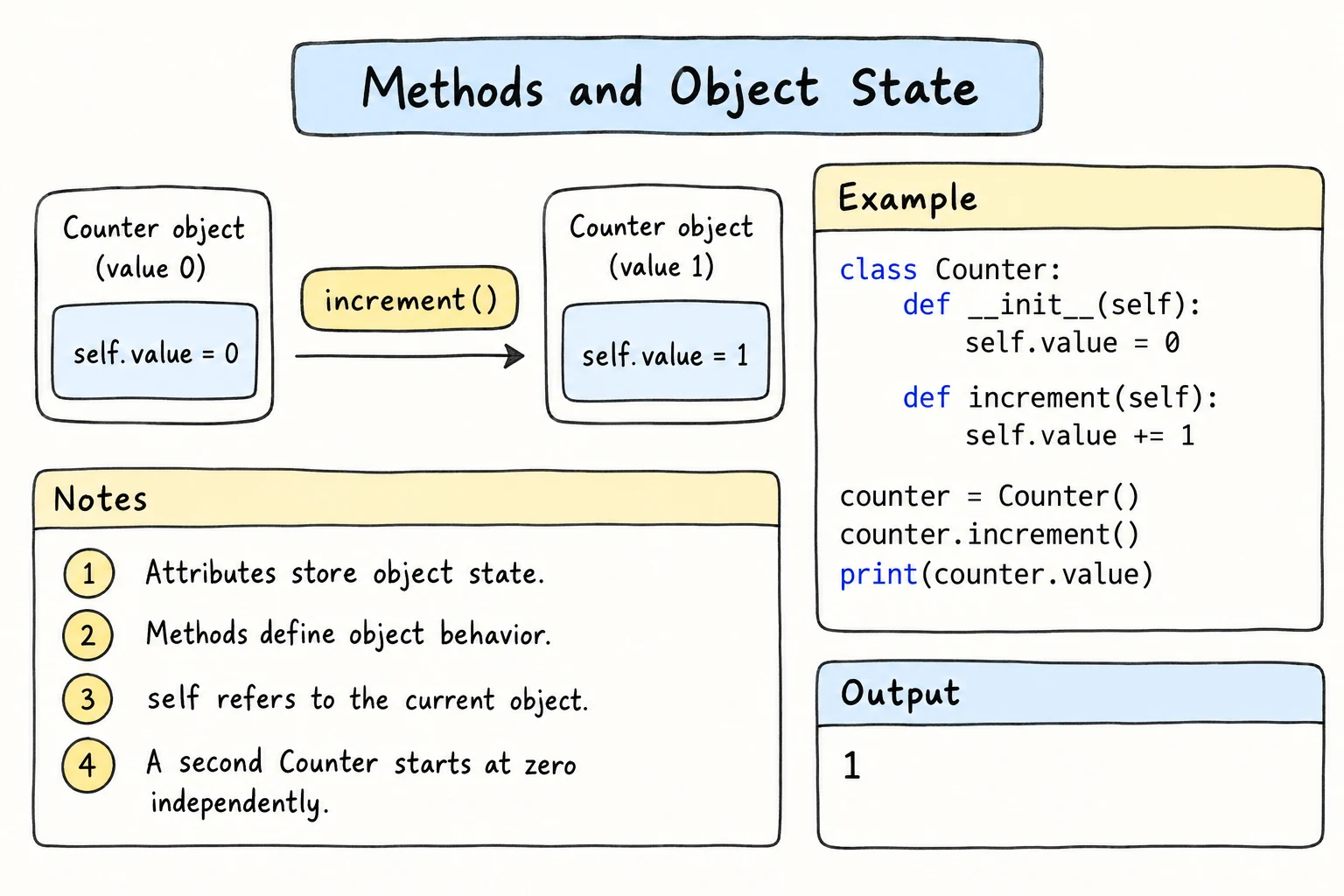
Methods and Object State
What you'll learn
- How methods read and change an object's state (its current attribute values)
- When a method should return a value and when it should change the object
- How methods call other methods through
self - How to validate changes and keep an object consistent
- Why all attributes belong in
__init__, including lists and other objects
Why it matters
An object's attributes at any moment are its state, such as a bus with 38 free seats. Programs are mostly about changing state correctly, and well-designed methods are the "official doors" into an object that check every change.
State: what an object knows right now
Every object starts in some state in __init__, and methods move it to new states:
class PhoneBattery:
    def __init__(self):
        self.percent = 100

    def use(self, minutes):
        self.percent = max(0, self.percent - minutes // 6)   # 1% per 6 minutes

    def charge(self, minutes):
        self.percent = min(100, self.percent + minutes // 2) # 1% per 2 minutes

battery = PhoneBattery()
battery.use(300)          # five hours of videos
battery.charge(40)
print(battery.percent)
battery.use(600)
print(battery.percent)70
0max(0, ...) and min(100, ...) keep the percentage between 0 and 100. The rule lives in one place, inside the methods.
Two kinds of methods: queries and commands
| Kind | What it does | Examples |
|---|---|---|
| query | reads state and returns an answer | is_empty(), total() |
| command | changes state, usually returns None | deposit(), reset() |
Many of Python's built-in tools follow this rule (pop() is a deliberate exception: it removes an item and returns it). sorted(items) is a query that returns a new list, while items.sort() is a command that changes the list and returns None. Keeping the two separate makes code predictable: calling a query twice gives the same answer and never has side effects.
Validating changes and keeping state consistent
A method is the place to reject bad input with raise ValueError(...). Check before changing anything, so a failed call leaves the object untouched.
An invariant is a rule that must be true for an object at all times, such as "never more passengers than seats". __init__ makes it true at the start, and every method must keep it true. The easiest way is to avoid storing the same fact twice. If a bus kept both a passengers list and a free counter, one forgotten self.free -= 1 would make them disagree. Store the passengers once and calculate the rest:
class Bus:
    def __init__(self, seats):
        self.seats = seats
        self.passengers = []

    def free_seats(self):
        return self.seats - len(self.passengers)

    def book(self, passenger):
        if passenger in self.passengers:
            raise ValueError(f"{passenger} already has a seat")
        if self.free_seats() == 0:
            raise ValueError("The bus is full")
        self.passengers.append(passenger)

bus = Bus(2)
for name in ["Aziza", "Farrukh", "Aziza", "Bekzod"]:
    try:
        bus.book(name)
        print(f"Booked {name}, free seats: {bus.free_seats()}")
    except ValueError as error:
        print("Refused:", error)
print(bus.passengers)Booked Aziza, free seats: 1
Booked Farrukh, free seats: 0
Refused: Aziza already has a seat
Refused: The bus is full
['Aziza', 'Farrukh']free_seats() can't disagree with the passenger list, because it's calculated from it. Notice that book() calls it as self.free_seats(): inside a method, you reach other methods of the same object through self, so logic is written once and reused. Both rules are checked in the only method that adds passengers, and refused calls change nothing.
Direct changes still bypass the rules
Nothing stops bus.passengers.append("Extra"). Methods protect the object only if everyone uses them; Properties and Encapsulation shows how to guard such changes.
Create all attributes in __init__
Python lets you add an attribute from any method, which causes bugs:
class Order:
    def __init__(self, customer):
        self.customer = customer

    def ship(self, tracking_code):
        self.tracking_code = tracking_code    # created only when ship() runs

order = Order("Dilnoza")
print(order.tracking_code) # not shipped yetAttributeError: 'Order' object has no attribute 'tracking_code'Whether the attribute exists depends on which methods ran earlier. Fix: create every attribute in __init__, using None, 0, or an empty list when there's no real value yet: self.tracking_code = None. Then status() can simply check if self.tracking_code is None: return "waiting".
Objects that hold lists and other objects
An attribute can be a list that grows as the object is used, or another object of your own class. An order has lines, and each line has a product:
class Product:
    def __init__(self, name, price):
        self.name = name
        self.price = price

class OrderLine:
    def __init__(self, product, quantity):
        self.product = product        # an attribute holding a Product object
        self.quantity = quantity

    def subtotal(self):
        return self.product.price * self.quantity

lines = [OrderLine(Product("Green tea", 15000), 2),    # a list of objects
         OrderLine(Product("Samsa", 8000), 5)]
for line in lines:
print(f"{line.product.name:<10} x{line.quantity} {line.subtotal():>6,}")Green tea x2 30,000
Samsa x5 40,000Read line.product.name left to right: an OrderLine, its Product, and that product's name. Composition vs. Inheritance explores this design later.
Try it
Here is the bus from above. Add a cancel(passenger) method, and check that free_seats() stays correct.
Common mistakes
1. Forgetting self. when calling another method
class GradeBook:
    def __init__(self):
        self.scores = [90, 80]

    def average(self):
        return sum(self.scores) / len(self.scores)

    def report(self):
        return f"Average: {average()}"

print(GradeBook().report())NameError: name 'average' is not defined. Did you mean: 'self.average'?Methods aren't global functions. Inside the class, reach them through the object: self.average().
2. Using the result of a command method
class TodoList:
    def __init__(self):
        self.tasks = []

    def add(self, task):
        self.tasks.append(task)

todo = TodoList().add("buy bread")
print(todo.tasks)AttributeError: 'NoneType' object has no attribute 'tasks'add() returns None, so todo is None. Fix: todo = TodoList(), then todo.add("buy bread") on its own line.
3. Giving a method and an attribute the same name
class Account:
    def __init__(self, balance):
        self.balance = balance

    def balance(self):
        return self.balance

acc = Account(5000)
print(acc.balance())TypeError: 'int' object is not callableThe attribute self.balance hides the method, so acc.balance is the number 5000. Fix: use different names.
Practice
1. Tally counter
Write a TallyCounter class for counting museum visitors in Bukhara, with a count attribute and methods click() (add one) and undo() (subtract one, never below zero). Click 5 times, undo twice, and print the count.
Solution
class TallyCounter:
    def __init__(self):
        self.count = 0

    def click(self):
        self.count += 1

    def undo(self):
        if self.count > 0:
            self.count -= 1

counter = TallyCounter()
for _ in range(5):
    counter.click()
counter.undo()
counter.undo()
print(counter.count)32. Temperature log
Write a TemperatureLog class. add(celsius) stores a reading and raises ValueError(f"Unrealistic temperature: {celsius}") outside -60 to 60. average() returns None when there are no readings. Add 12.5, 18.0, 9.5, and 99 (print Skipped: and the error for it), then print the average rounded to 1 decimal.
Solution
class TemperatureLog:
    def __init__(self):
        self.readings = []

    def add(self, celsius):
        if not -60 <= celsius <= 60:
            raise ValueError(f"Unrealistic temperature: {celsius}")
        self.readings.append(celsius)

    def average(self):
        if not self.readings:
            return None
        return sum(self.readings) / len(self.readings)

log = TemperatureLog()
for value in [12.5, 18.0, 9.5, 99]:
    try:
        log.add(value)
    except ValueError as error:
        print("Skipped:", error)

print(round(log.average(), 1))Skipped: Unrealistic temperature: 99
13.33. Parking lot
Write a ParkingLot(spaces) class with park(plate), leave(plate), and a calculated free_spaces(), so that this driver code prints the output below:
lot = ParkingLot(2)
for plate in ["01A123BC", "10B777AA", "30C555DD"]:
    try:
        lot.park(plate)
        print(f"Parked {plate}, free: {lot.free_spaces()}")
    except ValueError as error:
        print("Refused:", error)

lot.leave("01A123BC")
try:
    lot.leave("01A123BC")
except ValueError as error:
print("Refused:", error)Parked 01A123BC, free: 1
Parked 10B777AA, free: 0
Refused: The parking lot is full
Refused: 01A123BC is not in the lotSolution
class ParkingLot:
    def __init__(self, spaces):
        self.spaces = spaces
        self.cars = []

    def free_spaces(self):
        return self.spaces - len(self.cars)

    def park(self, plate):
        if self.free_spaces() == 0:
            raise ValueError("The parking lot is full")
        self.cars.append(plate)

    def leave(self, plate):
        if plate not in self.cars:
            raise ValueError(f"{plate} is not in the lot")
        self.cars.remove(plate)

lot = ParkingLot(2)
for plate in ["01A123BC", "10B777AA", "30C555DD"]:
    try:
        lot.park(plate)
        print(f"Parked {plate}, free: {lot.free_spaces()}")
    except ValueError as error:
        print("Refused:", error)

lot.leave("01A123BC")
try:
    lot.leave("01A123BC")
except ValueError as error:
    print("Refused:", error)
4. Design a class: a gym membership
Design a Membership class from this description:
A gym membership belongs to one member and has a number of visits (default 12).
check_in()uses one visit and raisesValueErrorwhen none remain ("Farrukh: no visits left").buy_visits(pack)adds visits, but only in packs of 4, 8, or 12 (otherwiseValueError("Packs come in 4, 8, or 12 visits")).status()returns a line likeFarrukh: 4 left, 1 used.
It must work with this driver code:
card = Membership("Farrukh", visits=1)
card.check_in()
try:
    card.check_in()
except ValueError as error:
    print("Refused:", error)
try:
    card.buy_visits(5)
except ValueError as error:
    print("Refused:", error)
card.buy_visits(4)
print(card.status())Refused: Farrukh: no visits left
Refused: Packs come in 4, 8, or 12 visits
Farrukh: 4 left, 1 usedSolution
class Membership:
    def __init__(self, member, visits=12):
        self.member = member
        self.visits_left = visits
        self.check_ins = 0

    def check_in(self):
        if self.visits_left == 0:
            raise ValueError(f"{self.member}: no visits left")
        self.visits_left -= 1
        self.check_ins += 1

    def buy_visits(self, pack):
        if pack not in (4, 8, 12):
            raise ValueError("Packs come in 4, 8, or 12 visits")
        self.visits_left += pack

    def status(self):
        return f"{self.member}: {self.visits_left} left, {self.check_ins} used"

card = Membership("Farrukh", visits=1)
card.check_in()
try:
    card.check_in()
except ValueError as error:
    print("Refused:", error)
try:
    card.buy_visits(5)
except ValueError as error:
    print("Refused:", error)
card.buy_visits(4)
print(card.status())
5. A playlist of songs
Write a Song class (title, seconds) and a Playlist class holding a list of Song objects that starts empty. Playlist needs add(song), which raises ValueError(f"Bad length for {song.title}") when seconds <= 0; total_minutes(), the whole minutes of all songs; and longest(), the title of the longest song or None for an empty playlist. Add Lazgi (245 s), Andijan Polka (190 s), Silk Road (312 s), and Glitch (0 s), printing Skipped: and the error for the bad one. Print the song count, total minutes, and longest title on one line, then longest() of an empty playlist.
Solution
class Song:
    def __init__(self, title, seconds):
        self.title = title
        self.seconds = seconds

class Playlist:
    def __init__(self):
        self.songs = []

    def add(self, song):
        if song.seconds <= 0:
            raise ValueError(f"Bad length for {song.title}")
        self.songs.append(song)

    def total_minutes(self):
        return sum(song.seconds for song in self.songs) // 60

    def longest(self):
        if not self.songs:
            return None
        return max(self.songs, key=lambda song: song.seconds).title

trip = Playlist()
for title, seconds in [("Lazgi", 245), ("Andijan Polka", 190), ("Silk Road", 312), ("Glitch", 0)]:
    try:
        trip.add(Song(title, seconds))
    except ValueError as error:
        print("Skipped:", error)
print(len(trip.songs), trip.total_minutes(), trip.longest())
print(Playlist().longest())Skipped: Bad length for Glitch
3 12 Silk Road
NoneRecap
- An object's state is the current values of its attributes. Methods move it from one valid state to another.
- Query methods return information and change nothing. Command methods change state and usually return
None. - Validate before changing anything. Keep invariants true by storing each fact once and calculating the rest with methods called through
self. - Create every attribute in
__init__. Attributes can hold lists and other objects.