

Hello, World!
What you'll learn
- How
print()works: calling a function with arguments - How to write text (strings) with single, double, and triple quotes
- How to print several values at once
- How to use
\n,\t, and other special characters - How to control spacing and line endings with
sepandend
Why it matters
Printing is how your program talks to you. Before you learn anything else, you need a reliable way to see what your code is doing. Programmers use print() their whole career, both to show results and to find bugs.
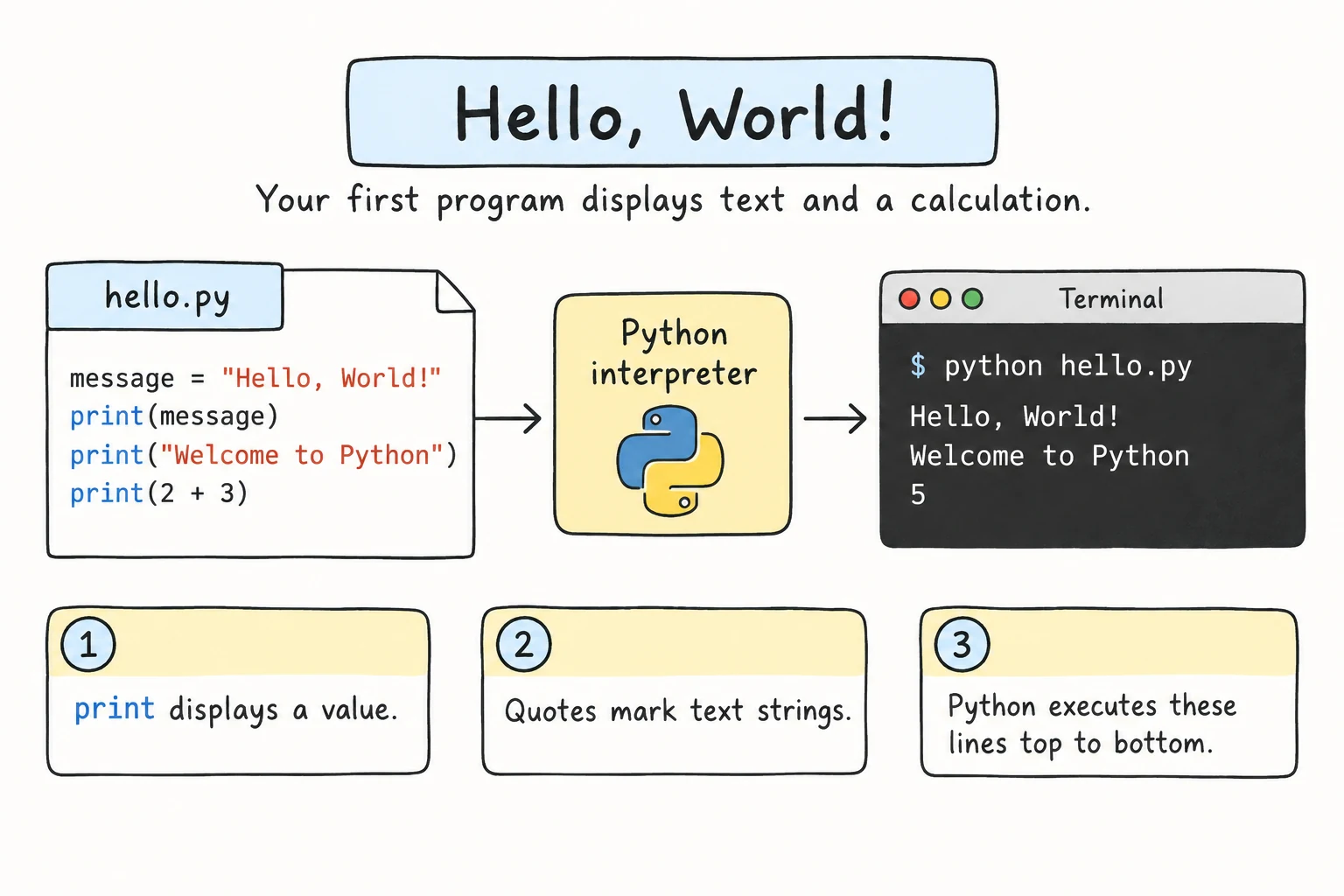
By tradition, the first program in a new language prints Hello, world!
print("Hello, world!")Hello, world!Anatomy of a function call
- 1
printthe function's name - 2
(opening parenthesis: "call this function" - 3
"Hello, world!"the argument: a string (text) value - 4
)closing parenthesis
- A function is a named piece of code that does a job.
printis built in: it's always available. - Calling a function means running it. You call a function by writing its name followed by parentheses.
- The value inside the parentheses is an argument: the input you give the function.
Every function call has this shape: name(arguments). You'll use hundreds of functions, and they all look like this.
Strings: writing text
A piece of text in Python is called a string. You create one by putting text inside quotes. Single and double quotes work the same way:
print("Double quotes work.")
print('Single quotes work too.')
Pick one style and use it consistently. This course uses double quotes. The other kind is handy when your text contains a quote character:
print("It's a sunny day.")
print('She said "hello" and left.')
Or you can put a backslash before a quote, so Python treats it as a normal character instead of the end of the string:
print("She said \"hello\" and left.")
print('It\'s a sunny day.')
Text across several lines
Triple quotes (""" or ''') let a string span multiple lines exactly as you type them:
print("""Shopping list:
- bread
- milk
- apples""")Shopping list:
- bread
- milk
- applesSpecial characters: escape sequences
A backslash followed by a letter makes a special character. These are called escape sequences:
| Sequence | Meaning |
|---|---|
\n | New line |
\t | Tab (a wide space, good for lining up columns) |
\\ | A real backslash |
\" and \' | A quote character |
print("Line one\nLine two")
print("Name:\tAziza")
print("Age:\t20")
print("Folder: C:\\Users\\aziza")Line one
Line two
Name: Aziza
Age: 20
Folder: C:\Users\azizaWindows paths and single backslashes
If you write a path with single backslashes, Python still reads each backslash as the start of an escape sequence. In "C:\new\data", the \n quietly becomes a new line. \d isn't a known escape sequence, so Python 3.12 and newer also print a warning:
print("Folder: C:\new\data")SyntaxWarning: "\d" is an invalid escape sequence. Such sequences will not work in the future. Did you mean "\\d"? A raw string is also an option.
Folder: C:
ew\dataEither double every backslash, or put r before the quotes to make a raw string. In a raw string, backslashes are just backslashes:
print(r"Folder: C:\new\data")Folder: C:\new\dataPrinting several values
Give print() several arguments, separated by commas. It prints them in order, with one space between each:
print("Python", "is", "fun")
print("Year:", 2026)
print("2 + 3 =", 2 + 3)Python is fun
Year: 2026
2 + 3 = 5Notice 2026 and 2 + 3 have no quotes. They're numbers, not text. Python calculates 2 + 3 first and then prints the result. You'll learn more about numbers soon.
Empty lines
print() with nothing inside prints a blank line, which is handy for spacing out your output:
print("Report")
print()
print("All systems OK")
Controlling the output: sep and end
print() has two optional settings, given as keyword arguments in the form name=value:
sep: what goes between values (the default is a space" ")end: what goes after the last value (the default is a new line"\n")
print("2026", "09", "15", sep="-")
print("a", "b", "c", sep="")
print("Loading", end="")
print("...", end="")
print(" done!")2026-09-15
abc
Loading... done!Because end="" removes the automatic new line, the next print() continues on the same line.
Programs run top to bottom
Python runs one line after another, in order. Each print() call finishes before the next one starts:
print("1. Wake up")
print("2. Make tea")
print("3. Learn Python")
Rearranging the lines changes the output. That sounds obvious, but "which line runs first?" is the question behind a lot of bugs.
Try it
Make a small "business card" for yourself. Try \t to line up the values.
"=" * 30 repeats the string 30 times. Try changing the number.
Common mistakes
1. Mismatched quotes
print("Hello')SyntaxError: unterminated string literal (detected at line 1)A string must start and end with the same kind of quote.
2. A quote inside a string
print('It's raining')SyntaxError: unterminated string literal (detected at line 1)Python thinks the string ends at the apostrophe in It's. Fix: print("It's raining") or print('It\'s raining').
3. Forgetting the comma between values
print("Total:" 42)SyntaxError: invalid syntax. Perhaps you forgot a comma?Python even suggests the fix. Arguments must be separated by commas: print("Total:", 42).
4. Quoting a calculation
print("7 * 6")   # prints the text 7 * 6
print(7 * 6)     # prints 42
Quotes make text. If you want Python to calculate something, leave the quotes off.
Practice
1. Three lines, one call
Print this using a single print() call:
Roses are red
Violets are blue
Python is fun
Solution
print("Roses are red\nViolets are blue\nPython is fun")A triple-quoted string also works.
2. Quotes in the text
Print exactly this line:
The teacher said: "Don't forget the colon!"Solution
print('The teacher said: "Don\'t forget the colon!"')or
print("The teacher said: \"Don't forget the colon!\"")3. Dates and times
Print the date 15/09/2026 and the time 08:30, giving the day, month, and year (and the hours and minutes) as separate values. Use sep instead of typing / and : yourself.
Solution
print(15, "09", 2026, sep="/")
print("08", "30", sep=":")
"09" and "08" are written as strings, because Python doesn't allow leading zeros like 09 in whole numbers (print(09) is a SyntaxError).
4. A tidy table
Print this table with \t so the columns line up:
Item	Qty	Price
Tea	2	3.00
Samsa	4	4.00
Solution
print("Item\tQty\tPrice")
print("Tea\t2\t3.00")
print("Samsa\t4\t4.00")
Or with sep:
print("Item", "Qty", "Price", sep="\t")
print("Tea", 2, "3.00", sep="\t")
print("Samsa", 4, "4.00", sep="\t")
5. Progress bar
Using several print() calls with end, produce this single line:
[#####] 100%Print the [, then each # with its own print() call, then the closing part.
Solution
print("[", end="")
print("#", end="")
print("#", end="")
print("#", end="")
print("#", end="")
print("#", end="")
print("] 100%")
Writing the same line five times is tedious. In the Loops module, you'll do this in two lines with a for loop.
Recap
print()is a built-in function. Call it withname(arguments).- Text values are strings, written in
"double",'single', or"""triple"""quotes. - Escape sequences:
\nfor a new line,\tfor a tab, and\"or\\for a quote or backslash. print(a, b, c)prints values separated by spaces.print()alone prints an empty line.sep=changes the separator andend=changes what's printed at the end.- Code runs top to bottom.