

Files and pathlib
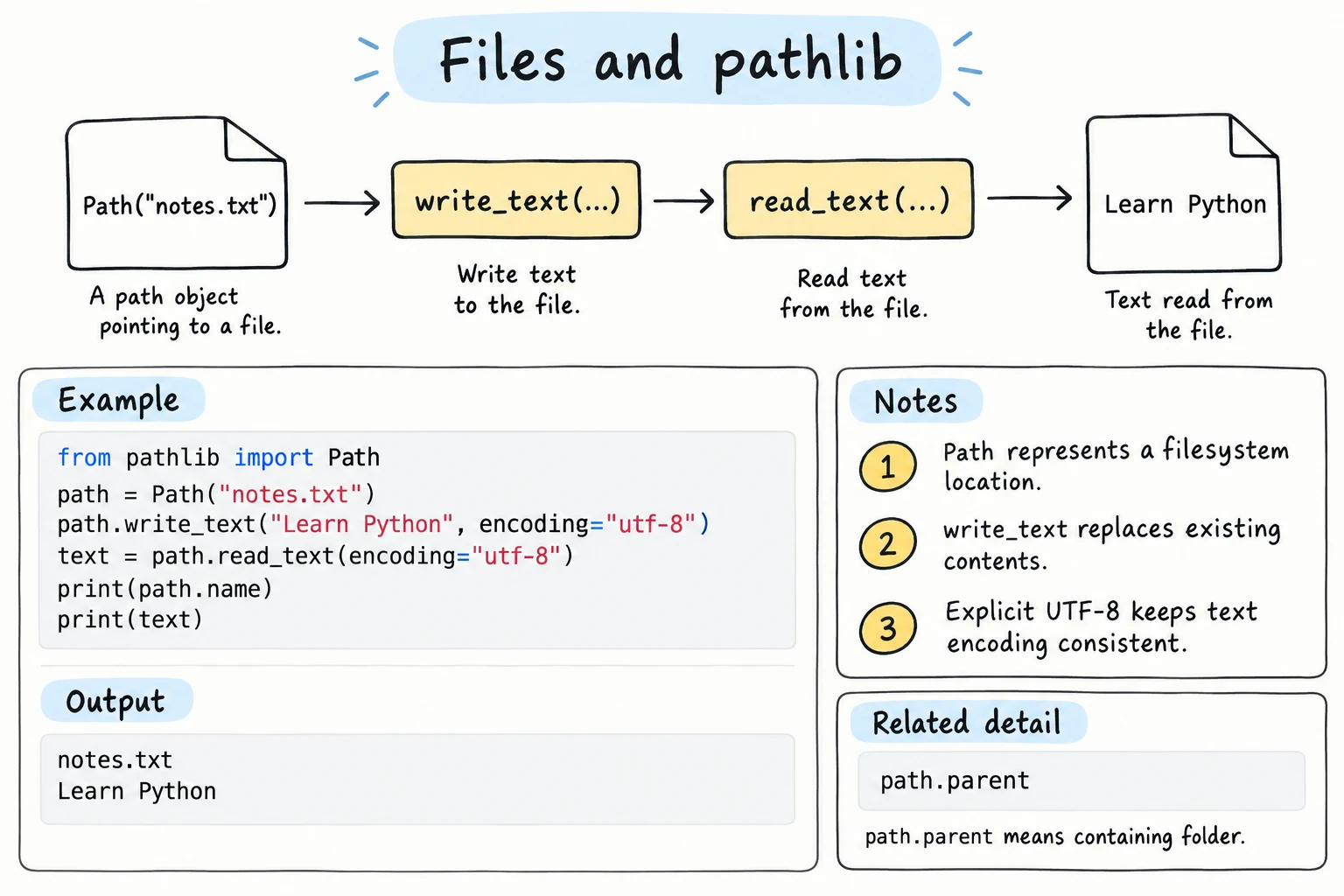
What you'll learn
- How to write and read text files with
open(), always insidewithand withencoding="utf-8" - The file modes
"r","w","a","x"and"b", and what happens to newlines - How to build paths, create folders and list files with
pathlib.Path - How to rename, delete and copy files
- How text becomes bytes, and why a wrong encoding raises
UnicodeDecodeError
Why it matters
Everything your programs have created so far disappears when they finish: a to-do list, a high score, the day's sales. Files let data outlive the program, and they are how programs share reports, logs and bank exports.
Files on this site
Code on this site runs in a temporary file system inside your browser tab. Files you create stay there between runs, until you reload the page or press Stop. On your own computer, files are saved to your disk.
Writing a text file
with open("shopping.txt", "w", encoding="utf-8") as file:
    file.write("tea\n")
    file.write("sugar\n")
    file.write("non (bread)\n")

print("Saved")SavedPiece by piece:
"w"opens the file for writing: a missing file is created, an existing one is erased.encoding="utf-8"says how characters become bytes. Always pass it (the encodings section below shows why).with ... as file:closes the file automatically when the block ends, even after an error (The with Statement explains how).write()does not add a newline, so add"\n"yourself, or useprint(..., file=file), which adds it for you.- In text mode,
"\n"is the only newline you need. On Windows, Python writes it to disk as\r\nand turns it back into"\n"when reading, so your code works the same everywhere.
Reading a text file
read() returns the whole file as one string. A file object also works in a for loop, giving one line at a time including its \n:
with open("scores.txt", "w", encoding="utf-8") as file:
    file.write("Aziza,92\nBekzod,78\n\nDilnoza,85\n")

with open("scores.txt", encoding="utf-8") as file:
    print(repr(file.read()))

total = 0
with open("scores.txt", encoding="utf-8") as file:
    for line in file:
        line = line.strip()
        if not line:              # skip empty lines
            continue
        name, score = line.split(",")
        total += int(score)

print(f"Total: {total}")'Aziza,92\nBekzod,78\n\nDilnoza,85\n'
Total: 255Without a mode, open() reads. strip() removes the newline; looping never loads a huge file at once. For a small file, file.read().splitlines() gives a list of lines without the \n.
File modes
| Mode | Meaning | If the file exists | If it does not exist |
|---|---|---|---|
"r" | read (default) | reads it | FileNotFoundError |
"w" | write | erases it first | creates it |
"a" | append | adds to the end | creates it |
"x" | exclusive create | FileExistsError | creates it |
"b" | binary, added to another mode: "rb", "wb" |
"a" suits logs. "x" protects a file from being overwritten:
with open("visits.log", "w", encoding="utf-8") as log:
    log.write("Aziza logged in\n")
with open("visits.log", "a", encoding="utf-8") as log:
    log.write("Bekzod logged in\n")

try:
    with open("visits.log", "x", encoding="utf-8") as log:
        log.write("New log\n")
except FileExistsError:
    print("visits.log already exists, not overwriting it")

with open("visits.log", encoding="utf-8") as log:
print(log.read(), end="")visits.log already exists, not overwriting it
Aziza logged in
Bekzod logged inImages, PDFs and zip files are not text. Open them in binary mode ("rb", "wb"), without encoding: you read and write bytes, and no newline translation happens.
Missing files
Reading a file that is not there raises FileNotFoundError. Catch it and decide what makes sense, for example starting with no data:
def load_notes(filename):
    try:
        with open(filename, encoding="utf-8") as file:
            return file.read().splitlines()
    except FileNotFoundError:
        print(f"{filename} not found, starting with no notes")
        return []

print(load_notes("no_such_notes.txt"))no_such_notes.txt not found, starting with no notes
[]Paths with pathlib
A path says where a file is. As strings, you would worry about / on macOS and Linux versus \ on Windows; pathlib.Path objects handle this. Join parts with /:
from pathlib import Path

report = Path("data") / "reports" / "sales_2026.txt"

print(report)
print(report.name, report.stem, report.suffix)
print(report.parent)
print(report.with_suffix(".csv"))data/reports/sales_2026.txt
sales_2026.txt sales_2026 .txt
data/reports
data/reports/sales_2026.csvOn Windows, print(report) shows backslashes; your code stays the same.
Checking, creating and listing
from pathlib import Path

folder = Path("homework") / "9A"
print(folder.exists())
folder.mkdir(parents=True, exist_ok=True)

for name in ["aziza.txt", "bekzod.txt", "notes.md"]:
    (folder / name).write_text("...", encoding="utf-8")

print(folder.is_dir(), sorted(p.name for p in folder.iterdir()))
print(sorted(p.name for p in folder.glob("*.txt")))False
True ['aziza.txt', 'bekzod.txt', 'notes.md']
['aziza.txt', 'bekzod.txt']parents=Truealso creates the missing parent folderhomework;exist_ok=Truemeans "no error if it already exists". On a second run, the first line printsTrue, andmkdirstill succeeds.write_text()andread_text()open, write or read, and close in one step;Path.open()works likeopen().iterdir()lists everything in a folder;glob("*.txt")lists only matching names (rglobsearches subfolders too). Their order depends on the system, so wrap them insorted().
os.path in older code
Before pathlib, Python code used the os.path module, and you will still see it: os.path.join("data", "a.txt") is Path("data") / "a.txt", os.path.exists(p) is Path(p).exists(), and os.path.basename(p) is Path(p).name.
Renaming, deleting and copying
import shutil
from pathlib import Path

draft = Path("draft.txt")
draft.write_text("Sales report\n", encoding="utf-8")

shutil.copy(draft, "backup.txt")            # copy: both files exist
final = draft.replace("report.txt")         # rename: draft.txt is gone
print(final, draft.exists(), Path("backup.txt").exists())

Path("backup.txt").unlink()                 # delete
Path("backup.txt").unlink(missing_ok=True)  # already gone: no error
print(Path("backup.txt").exists())report.txt False True
Falsereplace() renames or moves a file and overwrites the target if it exists. (rename() does the same on Linux and macOS but raises FileExistsError on Windows.) unlink() deletes a file: there is no Recycle Bin, so the file is gone for good. shutil.copy() copies a file's content.
Encodings: str vs bytes
In Strings you saw that text becomes bytes through an encoding. Files store bytes, so every text file was written with some encoding. read_bytes() shows the raw bytes, and .decode() turns bytes back into text:
from pathlib import Path

data = "Oʻzbekiston".encode("utf-8")
print(len("Oʻzbekiston"), len(data), data.decode("utf-8"))

old = Path("old_export.txt")
old.write_bytes("Тошкент".encode("cp1251"))    # like an old Windows program
print(old.read_bytes())

try:
    old.read_text(encoding="utf-8")
except UnicodeDecodeError as e:
    print("UnicodeDecodeError:", e)
print(old.read_text(encoding="cp1251"))11 12 Oʻzbekiston
b'\xd2\xee\xf8\xea\xe5\xed\xf2'
UnicodeDecodeError: 'utf-8' codec can't decode byte 0xd2 in position 0: invalid continuation byte
ТошкентDecoding with the wrong encoding raises UnicodeDecodeError or shows garbled text like OÊ»zbekiston. Without encoding=, Python uses the computer's default, which differs between systems, so code that works on your laptop can fail on a Windows PC. encoding="utf-8" everywhere avoids that.
Relative and absolute paths
A relative path like Path("notes.txt") is looked up from the current working directory, the folder the program runs in. An absolute path starts at the root of the disk, like C:\Users\Aziza\notes.txt. Path.cwd() shows the working directory and path.resolve() gives the absolute path. That is why a script can read data.txt from its own folder, but raise FileNotFoundError when started elsewhere.
Finding files next to your script
In a script file, Path(__file__).parent / "data.txt" finds data.txt next to the script, no matter where the program was started from.
Try it
Add your own diary entries, then change the code to print only the lines that contain a certain word.
Common mistakes
1. Opening with "w" when you meant "a"
with open("log.txt", "w", encoding="utf-8") as f:
    f.write("first entry\n")
with open("log.txt", "w", encoding="utf-8") as f:
    f.write("second entry\n")

with open("log.txt", encoding="utf-8") as f:
print(f.read(), end="")second entry"w" erased the first entry. Use "a" to add to a file.
2. Forgetting the newline
with open("names.txt", "w", encoding="utf-8") as f:
    for name in ["Aziza", "Bekzod", "Dilnoza"]:
        f.write(name)

with open("names.txt", encoding="utf-8") as f:
print(f.read())AzizaBekzodDilnozawrite() writes exactly what you give it. Use f.write(name + "\n") or print(name, file=f).
3. Writing something that is not a string
with open("total.txt", "w", encoding="utf-8") as f:
f.write(125000)TypeError: write() argument must be str, not intConvert first: f.write(f"{total}\n").
Practice
1. Write and count
Write the five working days to days.txt, one per line, then read the file back and print its number of lines.
Solution
days = ["Monday", "Tuesday", "Wednesday", "Thursday", "Friday"]

with open("days.txt", "w", encoding="utf-8") as file:
    for day in days:
        file.write(day + "\n")

with open("days.txt", encoding="utf-8") as file:
    lines = file.read().splitlines()

print(len(lines))52. Temperature log
Create temps.txt with the lines 31, 34, 29, 36, 33 (Tashkent in July). Read it line by line and print the average and maximum temperature.
Solution
with open("temps.txt", "w", encoding="utf-8") as file:
    file.write("31\n34\n29\n36\n33\n")

temps = []
with open("temps.txt", encoding="utf-8") as file:
    for line in file:
        temps.append(int(line))

print(f"Average: {sum(temps) / len(temps):.1f}")
print(f"Max: {max(temps)}")Average: 32.6
Max: 363. Organize by extension
Create a folder downloads with the files cv.pdf, photo1.jpg, photo2.jpg, notes.txt, and budget.pdf (the content does not matter). Then build and print a dictionary that maps each extension to a sorted list of file names: {'.jpg': [...], '.pdf': [...], '.txt': [...]}.
Solution
from pathlib import Path

downloads = Path("downloads")
downloads.mkdir(exist_ok=True)
for name in ["cv.pdf", "photo1.jpg", "photo2.jpg", "notes.txt", "budget.pdf"]:
    (downloads / name).write_text("", encoding="utf-8")

by_extension = {}
for path in sorted(downloads.iterdir()):
    if path.is_file():
        by_extension.setdefault(path.suffix, []).append(path.name)

print(dict(sorted(by_extension.items()))){'.jpg': ['photo1.jpg', 'photo2.jpg'], '.pdf': ['budget.pdf', 'cv.pdf'], '.txt': ['notes.txt']}4. Safe line counter
Write count_lines(path) that returns the number of non-empty lines in a text file, or None if the file does not exist. Test it on a file you create and on "missing.txt".
Solution
from pathlib import Path

def count_lines(path):
    try:
        text = Path(path).read_text(encoding="utf-8")
    except FileNotFoundError:
        return None
    return sum(1 for line in text.splitlines() if line.strip())

Path("poem.txt").write_text("Line one\n\nLine two\nLine three\n", encoding="utf-8")
print(count_lines("poem.txt"))
print(count_lines("missing.txt"))3
None5. Student report files
For grades = {"Aziza": [90, 85, 97], "Bekzod": [72, 64, 80]}, create the folder reports/9A and write one file per student, like aziza.txt, whose last line is Average: 90.67. Then, using only the files, print the name of the file with the highest average.
Solution
from pathlib import Path

grades = {"Aziza": [90, 85, 97], "Bekzod": [72, 64, 80]}

folder = Path("reports") / "9A"
folder.mkdir(parents=True, exist_ok=True)

for name, scores in grades.items():
    with (folder / f"{name.lower()}.txt").open("w", encoding="utf-8") as file:
        print(f"Student: {name}", file=file)
        print(f"Average: {sum(scores) / len(scores):.2f}", file=file)

best_file, best_average = None, -1.0
for path in sorted(folder.glob("*.txt")):
    last_line = path.read_text(encoding="utf-8").splitlines()[-1]
    average = float(last_line.split(":")[1])
    if average > best_average:
        best_file, best_average = path.name, average

print(best_file, best_average)aziza.txt 90.67Recap
- Open text files with
with open(path, mode, encoding="utf-8") as f:so they are always closed and read the same everywhere. - Modes:
"r"read,"w"overwrite,"a"append,"x"create only; add"b"for binary files. for line in fgives lines with\n;write()adds no newline,print(..., file=f)does.Pathjoins with/, and has.name,.suffix,exists(),mkdir(),read_text(),glob(),replace()andunlink().- Text is stored as bytes: a wrong encoding raises
UnicodeDecodeError. Relative paths start from the working directory.