

Project: Expense Tracker
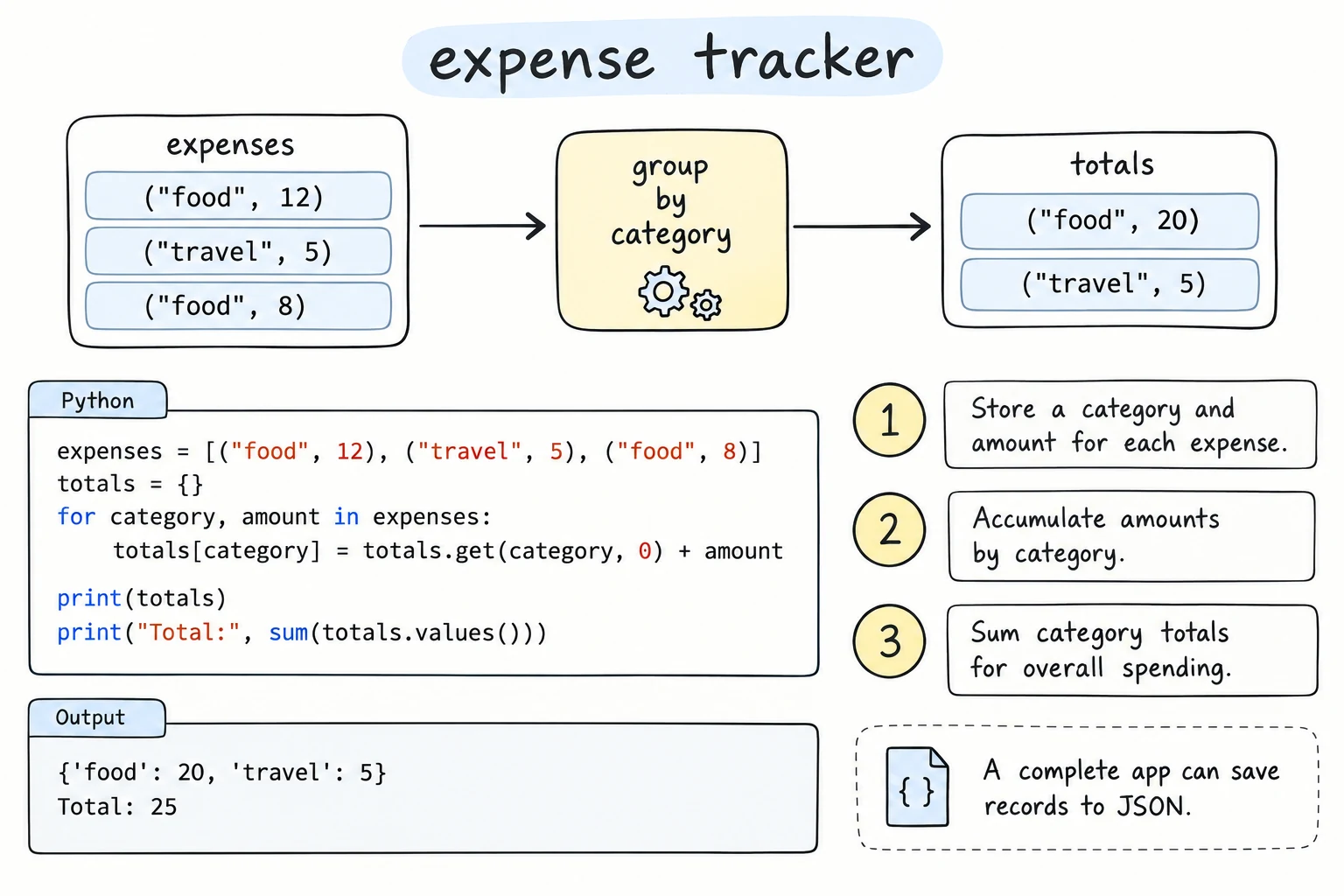
What you'll learn
- How to validate user input with small functions and a custom exception
- How to save data to JSON, load it back, and survive a missing or corrupted file
- How to export the same data to CSV for a spreadsheet
- How to summarize money by month and category with
defaultdictandCounter - How to structure a menu program so most of the code is pure and testable
Why it matters
"Where did my money go this month?" Banking apps answer that question with charts and categories, but under the hood they do simple things: store records, validate them, group them, and compare totals with limits. In this project you build that core yourself.
It is also your first program that remembers data between runs. That brings a new kind of problem: files that are missing, half-written, or edited by hand. A program people rely on must handle those calmly instead of crashing and losing everything.
Goal and features
A menu-driven program that records expenses in som and reports on them:
1) Add  2) List  3) Monthly summary  4) Export CSV  0) Exit
Choose: 3
Month (YYYY-MM, empty = this month): 2026-09
Summary for 2026-09: 3 expenses, 5,320,000 som
  rent          3,500,000 som
  food          1,700,000 som
  transport       120,000 som
Almost there: food 1,700,000 / 2,000,000 som (85%)
OVER BUDGET: rent 3,500,000 / 3,000,000 som (117%)
Features:
| Feature | Tools you will use |
|---|---|
| Add an expense: amount, category, date, note | input(), validation functions |
| Reject bad input with clear messages | a custom ExpenseError, raise, try / except |
| Save and load all expenses | json, pathlib, with open(...) |
| Survive a missing or corrupted file | FileNotFoundError, json.JSONDecodeError, UnicodeDecodeError |
| Export to a spreadsheet | csv.DictWriter |
| Monthly totals by category, top categories | defaultdict, Counter.most_common() |
| Budget warnings | a dictionary of limits |
| Menu that runs until you exit | while True, break |
Design
One expense is a plain dictionary. Dates are stored as ISO strings ("2026-09-03"), because JSON has no date type, and ISO strings sort correctly as text:
{"amount": 45000, "category": "food", "date": "2026-09-03", "note": "Plov"}The functions form three layers:
- menutalks to the user
main()add_expense()list_expenses()show_month()
- validationpure
parse_amount(text)parse_category(text)parse_date(text, today)make_expense(...)raise ExpenseError
- reportspure
expenses_for_month(...)totals_by_category(...)top_categories(...)budget_warnings(...)format_month_report(...)
- files
load_expenses(path)save_expenses(path, ...)export_csv(path, ...)
Only the top layer uses input() and print(). The validation and report functions take values and return values, so they can be tested with assert. Even "today" is passed in as a parameter instead of calling date.today() inside, so tests do not depend on the real date.
Step 1: Validate input with a custom exception
Each parser checks one field and either returns a clean value or raises ExpenseError. Making it a child of ValueError fits, because the problem is a bad value.
from datetime import date

CATEGORIES = {"food", "transport", "rent", "utilities", "health", "fun", "other"}


class ExpenseError(ValueError):
    """Raised when user input cannot become a valid expense."""


def parse_amount(text):
    cleaned = text.replace(",", "").replace(" ", "").replace("_", "")
    if not cleaned.isdecimal():
        raise ExpenseError(f"amount must be a whole number of som, got '{text}'")
    amount = int(cleaned)
    if amount == 0:
        raise ExpenseError("amount must be greater than 0")
    return amount


def parse_category(text):
    category = text.strip().lower()
    if category not in CATEGORIES:
        options = ", ".join(sorted(CATEGORIES))
        raise ExpenseError(f"unknown category '{text}'. Choose from: {options}")
    return category


def parse_date(text, today):
    text = text.strip()
    if not text:
        return today
    try:
        day = date.fromisoformat(text)
    except ValueError:
        raise ExpenseError(f"date must look like 2026-09-15, got '{text}'") from None
    if day > today:
        raise ExpenseError("date cannot be in the future")
    return day


def make_expense(amount, category, day, note):
    return {"amount": amount, "category": category,
            "date": day.isoformat(), "note": note.strip()}


today = date(2026, 9, 15)
print(parse_amount("1,700,000"), parse_amount("45 000"))
print(parse_category(" Food "), parse_date("", today))
print(make_expense(45000, "food", date(2026, 9, 3), " Plov with friends "))

for amount, category, day in [("-5", "food", ""), ("0", "food", ""),
                              ("9000", "coffee", ""), ("9000", "fun", "15.09.2026"),
                              ("9000", "fun", "2026-10-01")]:
    try:
        parse_amount(amount)
        parse_category(category)
        parse_date(day, today)
    except ExpenseError as error:
print("Error:", error)1700000 45000
food 2026-09-15
{'amount': 45000, 'category': 'food', 'date': '2026-09-03', 'note': 'Plov with friends'}
Error: amount must be a whole number of som, got '-5'
Error: amount must be greater than 0
Error: unknown category 'coffee'. Choose from: food, fun, health, other, rent, transport, utilities
Error: date must look like 2026-09-15, got '15.09.2026'
Error: date cannot be in the futureThings to notice:
parse_amountaccepts1,700,000and45 000, because people type money that way. It removes separators first, then checksisdecimal(), which rejects-5,12.5, and empty text.isdecimal()accepts exactly the digitsint()understands;isdigit()would also accept characters like², and thenint("²")would crash with a plainValueError.parse_dateturns the low-levelValueErrorfromdate.fromisoformat()into a friendlyExpenseError.from Nonehides the original error from the traceback, because the new message already says everything.- The loop at the bottom shows why one exception type is useful: a single
except ExpenseErrorhandles every validation problem.
Step 2: Save and load JSON safely
Loading must handle three situations: the file does not exist yet (first run), the file is fine, and the file is broken.
import json
from pathlib import Path


def load_expenses(path):
    """Return the saved expenses, or [] if the file is missing or broken."""
    try:
        with open(path, encoding="utf-8") as file:
            data = json.load(file)
    except FileNotFoundError:
        return []
    except (json.JSONDecodeError, UnicodeDecodeError) as error:
        backup = path.with_name(path.name + ".bak")
        path.replace(backup)
        print(f"Warning: {path} is corrupted ({error}).")
        print(f"It was moved to {backup}. Starting with an empty list.")
        return []
    if not isinstance(data, list):
        print(f"Warning: {path} does not contain a list. Starting empty.")
        return []
    return data


def save_expenses(path, expenses):
    with open(path, "w", encoding="utf-8") as file:
        json.dump(expenses, file, indent=2, ensure_ascii=False)


path = Path("expenses.json")
print("Missing file:", load_expenses(path))

expenses = [
    {"amount": 45000, "category": "food", "date": "2026-09-03", "note": "Plov"},
    {"amount": 3000000, "category": "rent", "date": "2026-09-01", "note": "Flat"},
]
save_expenses(path, expenses)
print("Round trip OK:", load_expenses(path) == expenses)

path.write_text('[{"amount": 45000,\n  "category": "food",\n  oops', encoding="utf-8")
print("Corrupted file:", load_expenses(path))
print("Files now:", sorted(p.name for p in Path(".").glob("expenses*")))Missing file: []
Round trip OK: True
Warning: expenses.json is corrupted (Expecting property name enclosed in double quotes: line 3 column 3 (char 43)).
It was moved to expenses.json.bak. Starting with an empty list.
Corrupted file: []
Files now: ['expenses.json.bak']The corrupted file is moved to expenses.json.bak instead of being overwritten. If the user edited the file by hand and made a typo, their data is still there to fix. The JSONDecodeError message includes the line and column, so it tells them where to look.
The same clause also catches UnicodeDecodeError. That one happens when the file is not UTF-8 text, for example a file saved by an old Windows editor in another encoding. It is a ValueError, not a JSONDecodeError, so without it in the tuple the program would crash on start-up.
ensure_ascii=False keeps notes like Fargʻona bozori or Cyrillic text readable in the file. indent=2 makes it easy to inspect.
Why check isinstance(data, list)?
A file containing valid JSON such as {"amount": 5} would load without error but break the rest of the program, which expects a list. Checking the shape of loaded data is part of validation too.
Step 3: Export to CSV
JSON is great for the program. People who want to open their expenses in a spreadsheet need CSV:
import csv
from pathlib import Path


def export_csv(path, expenses):
    with open(path, "w", newline="", encoding="utf-8") as file:
        writer = csv.DictWriter(file, fieldnames=["date", "category", "amount", "note"])
        writer.writeheader()
        writer.writerows(sorted(expenses, key=lambda e: e["date"]))
    return len(expenses)


expenses = [
    {"amount": 45000, "category": "food", "date": "2026-09-03", "note": "Plov, salad"},
    {"amount": 3000000, "category": "rent", "date": "2026-09-01", "note": "Flat"},
]
count = export_csv(Path("expenses.csv"), expenses)
print(f"Exported {count} expenses")
print(Path("expenses.csv").read_text(encoding="utf-8"))Exported 2 expenses
date,category,amount,note
2026-09-01,rent,3000000,Flat
2026-09-03,food,45000,"Plov, salad"DictWriter takes the dictionaries directly, and fieldnames decides the column order. The note Plov, salad contains a comma, so the csv module wrapped it in quotes automatically. Always open CSV files with newline="", or you may get blank lines between rows on Windows.
Step 4: Monthly summary by category
Three small functions: filter one month, add up amounts per category, and rank them.
from collections import Counter, defaultdict

expenses = [
    {"amount": 3000000, "category": "rent", "date": "2026-08-01", "note": "Flat"},
    {"amount": 250000, "category": "fun", "date": "2026-08-20", "note": "Cinema"},
    {"amount": 3000000, "category": "rent", "date": "2026-09-01", "note": "Flat"},
    {"amount": 45000, "category": "food", "date": "2026-09-03", "note": "Plov"},
    {"amount": 60000, "category": "transport", "date": "2026-09-04", "note": "Taxi"},
    {"amount": 1200000, "category": "food", "date": "2026-09-07", "note": "Bazaar"},
    {"amount": 380000, "category": "transport", "date": "2026-09-10", "note": "Train to Samarkand"},
]


def expenses_for_month(expenses, year, month):
    prefix = f"{year}-{month:02d}-"
    return [e for e in expenses if e["date"].startswith(prefix)]


def totals_by_category(expenses):
    totals = defaultdict(int)
    for expense in expenses:
        totals[expense["category"]] += expense["amount"]
    return dict(totals)


def top_categories(totals, n=3):
    return Counter(totals).most_common(n)


september = expenses_for_month(expenses, 2026, 9)
print(len(september), "expenses in September")

totals = totals_by_category(september)
print(totals)
print("Total:", f"{sum(totals.values()):,} som")
print("Top 2:", top_categories(totals, n=2))5 expenses in September
{'rent': 3000000, 'food': 1245000, 'transport': 440000}
Total: 4,685,000 som
Top 2: [('rent', 3000000), ('food', 1245000)]expenses_for_monthuses the ISO date format: every September 2026 date starts with2026-09-. The:02dformat turns9into09.defaultdict(int)starts every new category at0, so there is noif category not in totalscheck.dict(totals)returns a normal dictionary, which prints and compares more cleanly.Counter(totals).most_common(n)sorts categories by amount, largest first.
Step 5: Budget warnings
Budgets are just another dictionary. The function returns messages instead of printing them:
BUDGETS = {"food": 2_000_000, "transport": 400_000, "rent": 3_000_000, "fun": 500_000}


def budget_warnings(totals, budgets):
    warnings = []
    for category, limit in sorted(budgets.items()):
        spent = totals.get(category, 0)
        percent = spent / limit * 100
        if spent > limit:
            warnings.append(f"OVER BUDGET: {category} {spent:,} / {limit:,} som ({percent:.0f}%)")
        elif percent >= 80:
            warnings.append(f"Almost there: {category} {spent:,} / {limit:,} som ({percent:.0f}%)")
    return warnings


totals = {"rent": 3000000, "food": 1245000, "transport": 440000, "health": 90000}
for line in budget_warnings(totals, BUDGETS):
    print(line)

print(budget_warnings({"food": 100}, BUDGETS))Almost there: rent 3,000,000 / 3,000,000 som (100%)
OVER BUDGET: transport 440,000 / 400,000 som (110%)
[]Rent at exactly 100% is "almost there", not "over": the check is spent > limit. Categories without a budget (health) are ignored, and a category with a budget but no spending counts as 0 thanks to totals.get(category, 0).
Step 6: The menu
The menu functions connect everything. add_expense wraps all three parsers in one try block, so the first invalid field stops the process with a clear message:
def add_expense(expenses, today):
    try:
        amount = parse_amount(input("Amount (som): "))
        category = parse_category(input("Category: "))
        day = parse_date(input("Date (YYYY-MM-DD, empty = today): "), today)
    except ExpenseError as error:
        print(f"  Not saved: {error}")
        return
    note = input("Note: ")
    expenses.append(make_expense(amount, category, day, note))
    save_expenses(DATA_FILE, expenses)
    print(f"  Saved: {amount:,} som for {category} on {day}")
It saves right after every successful add. If the program is closed unexpectedly, nothing already confirmed is lost.
The main loop reads a choice and calls one function per option:
def main():
    today = date.today()
    expenses = load_expenses(DATA_FILE)
    while True:
        print("\n1) Add  2) List  3) Monthly summary  4) Export CSV  0) Exit")
        choice = input("Choose: ").strip().lower()
        if choice == "1":
            add_expense(expenses, today)
        ...
        elif choice in ("0", "quit", "q"):
            break
date.today() is called in exactly one place, at the top of main(), and passed down.
The full program
Save it as expenses.py. It creates expenses.json and expenses.csv in the folder you run it from.
Running it on this page
The menu keeps calling input() until you choose 0. Each question appears in the output and waits for your answer. For example, type these answers one at a time to add one expense, list it, and exit: 1, 45000, food, 2026-09-03, Plov, 2, 0. The files the program writes stay in this tab until you reload the page or press Stop, so a second run starts with Expense Tracker - 1 expenses loaded.
import csv
import json
from collections import Counter, defaultdict
from datetime import date
from pathlib import Path

DATA_FILE = Path("expenses.json")
CSV_FILE = Path("expenses.csv")
CATEGORIES = {"food", "transport", "rent", "utilities", "health", "fun", "other"}
BUDGETS = {"food": 2_000_000, "transport": 400_000, "rent": 3_000_000, "fun": 500_000}


# ---------- Step 1: validation ----------

class ExpenseError(ValueError):
    """Raised when user input cannot become a valid expense."""


def parse_amount(text):
    cleaned = text.replace(",", "").replace(" ", "").replace("_", "")
    if not cleaned.isdecimal():
        raise ExpenseError(f"amount must be a whole number of som, got '{text}'")
    amount = int(cleaned)
    if amount == 0:
        raise ExpenseError("amount must be greater than 0")
    return amount


def parse_category(text):
    category = text.strip().lower()
    if category not in CATEGORIES:
        options = ", ".join(sorted(CATEGORIES))
        raise ExpenseError(f"unknown category '{text}'. Choose from: {options}")
    return category


def parse_date(text, today):
    text = text.strip()
    if not text:
        return today
    try:
        day = date.fromisoformat(text)
    except ValueError:
        raise ExpenseError(f"date must look like 2026-09-15, got '{text}'") from None
    if day > today:
        raise ExpenseError("date cannot be in the future")
    return day


def make_expense(amount, category, day, note):
    return {"amount": amount, "category": category,
            "date": day.isoformat(), "note": note.strip()}


# ---------- Step 2: save and load ----------

def load_expenses(path):
    """Return the saved expenses, or [] if the file is missing or broken."""
    try:
        with open(path, encoding="utf-8") as file:
            data = json.load(file)
    except FileNotFoundError:
        return []
    except (json.JSONDecodeError, UnicodeDecodeError) as error:
        backup = path.with_name(path.name + ".bak")
        path.replace(backup)
        print(f"Warning: {path} is corrupted ({error}).")
        print(f"It was moved to {backup}. Starting with an empty list.")
        return []
    if not isinstance(data, list):
        print(f"Warning: {path} does not contain a list. Starting empty.")
        return []
    return data


def save_expenses(path, expenses):
    with open(path, "w", encoding="utf-8") as file:
        json.dump(expenses, file, indent=2, ensure_ascii=False)


# ---------- Step 3: export CSV ----------

def export_csv(path, expenses):
    with open(path, "w", newline="", encoding="utf-8") as file:
        writer = csv.DictWriter(file, fieldnames=["date", "category", "amount", "note"])
        writer.writeheader()
        writer.writerows(sorted(expenses, key=lambda e: e["date"]))
    return len(expenses)


# ---------- Step 4: summaries ----------

def expenses_for_month(expenses, year, month):
    prefix = f"{year}-{month:02d}-"
    return [e for e in expenses if e["date"].startswith(prefix)]


def totals_by_category(expenses):
    totals = defaultdict(int)
    for expense in expenses:
        totals[expense["category"]] += expense["amount"]
    return dict(totals)


def top_categories(totals, n=3):
    return Counter(totals).most_common(n)


# ---------- Step 5: budget warnings ----------

def budget_warnings(totals, budgets):
    warnings = []
    for category, limit in sorted(budgets.items()):
        spent = totals.get(category, 0)
        percent = spent / limit * 100
        if spent > limit:
            warnings.append(f"OVER BUDGET: {category} {spent:,} / {limit:,} som ({percent:.0f}%)")
        elif percent >= 80:
            warnings.append(f"Almost there: {category} {spent:,} / {limit:,} som ({percent:.0f}%)")
    return warnings


def format_month_report(expenses, year, month, budgets):
    items = expenses_for_month(expenses, year, month)
    if not items:
        return f"No expenses in {year}-{month:02d}."
    totals = totals_by_category(items)
    lines = [f"Summary for {year}-{month:02d}: {len(items)} expenses, "
             f"{sum(totals.values()):,} som"]
    for category, amount in top_categories(totals, n=len(totals)):
        lines.append(f"  {category:<10} {amount:>12,} som")
    lines.extend(budget_warnings(totals, budgets))
    return "\n".join(lines)


# ---------- Step 6: the menu ----------

def add_expense(expenses, today):
    try:
        amount = parse_amount(input("Amount (som): "))
        category = parse_category(input("Category: "))
        day = parse_date(input("Date (YYYY-MM-DD, empty = today): "), today)
    except ExpenseError as error:
        print(f"  Not saved: {error}")
        return
    note = input("Note: ")
    expenses.append(make_expense(amount, category, day, note))
    save_expenses(DATA_FILE, expenses)
    print(f"  Saved: {amount:,} som for {category} on {day}")


def list_expenses(expenses):
    if not expenses:
        print("  No expenses yet.")
    for number, e in enumerate(sorted(expenses, key=lambda e: e["date"]), start=1):
        print(f"  {number:>2}. {e['date']}  {e['category']:<10} {e['amount']:>10,} som  {e['note']}")


def show_month(expenses, today):
    text = input("Month (YYYY-MM, empty = this month): ").strip()
    try:
        if text:
            year_text, month_text = text.split("-")
            year, month = int(year_text), int(month_text)
            if not 1 <= month <= 12:
                raise ValueError
        else:
            year, month = today.year, today.month
    except ValueError:
        print(f"  '{text}' is not a month like 2026-09.")
        return
    print(format_month_report(expenses, year, month, BUDGETS))


def main():
    today = date.today()
    expenses = load_expenses(DATA_FILE)
    print(f"Expense Tracker - {len(expenses)} expenses loaded")
    while True:
        print("\n1) Add  2) List  3) Monthly summary  4) Export CSV  0) Exit")
        choice = input("Choose: ").strip().lower()
        if choice == "1":
            add_expense(expenses, today)
        elif choice == "2":
            list_expenses(expenses)
        elif choice == "3":
            show_month(expenses, today)
        elif choice == "4":
            count = export_csv(CSV_FILE, expenses)
            print(f"  Exported {count} expenses to {CSV_FILE}")
        elif choice in ("0", "quit", "q"):
            print("Goodbye!")
            break
        else:
            print("  Please choose 0-4.")


if __name__ == "__main__":
    main()
A real session: three valid expenses, two rejected ones, a list, a summary, and an export.
Expense Tracker - 0 expenses loaded

1) Add  2) List  3) Monthly summary  4) Export CSV  0) Exit
Choose: 1
Amount (som): 3 500 000
Category: rent
Date (YYYY-MM-DD, empty = today): 2026-09-01
Note: Flat in Chilonzor
  Saved: 3,500,000 som for rent on 2026-09-01

1) Add  2) List  3) Monthly summary  4) Export CSV  0) Exit
Choose: 1
Amount (som): 1,700,000
Category: Food
Date (YYYY-MM-DD, empty = today): 2026-09-10
Note: Korzinka and bazaar
  Saved: 1,700,000 som for food on 2026-09-10

1) Add  2) List  3) Monthly summary  4) Export CSV  0) Exit
Choose: 1
Amount (som): abc
  Not saved: amount must be a whole number of som, got 'abc'

1) Add  2) List  3) Monthly summary  4) Export CSV  0) Exit
Choose: 1
Amount (som): 120000
Category: transport
Date (YYYY-MM-DD, empty = today): 2026-09-12
Note: Metro and taxi
  Saved: 120,000 som for transport on 2026-09-12

1) Add  2) List  3) Monthly summary  4) Export CSV  0) Exit
Choose: 1
Amount (som): 85000
Category: coffee
  Not saved: unknown category 'coffee'. Choose from: food, fun, health, other, rent, transport, utilities

1) Add  2) List  3) Monthly summary  4) Export CSV  0) Exit
Choose: 2
   1. 2026-09-01  rent        3,500,000 som  Flat in Chilonzor
   2. 2026-09-10  food        1,700,000 som  Korzinka and bazaar
   3. 2026-09-12  transport     120,000 som  Metro and taxi

1) Add  2) List  3) Monthly summary  4) Export CSV  0) Exit
Choose: 3
Month (YYYY-MM, empty = this month): 2026-09
Summary for 2026-09: 3 expenses, 5,320,000 som
  rent          3,500,000 som
  food          1,700,000 som
  transport       120,000 som
Almost there: food 1,700,000 / 2,000,000 som (85%)
OVER BUDGET: rent 3,500,000 / 3,000,000 som (117%)

1) Add  2) List  3) Monthly summary  4) Export CSV  0) Exit
Choose: 4
  Exported 3 expenses to expenses.csv

1) Add  2) List  3) Monthly summary  4) Export CSV  0) Exit
Choose: 0
Goodbye!
Run the program again and the first line says Expense Tracker - 3 expenses loaded, because every add was saved to expenses.json.
Notice:
Foodwas saved asfood:parse_categorynormalizes case.abcstopped at the amount, andcoffeestopped at the category. The note was never asked, and nothing was saved.- In
show_month,raise ValueErrorfor a month like2026-13reuses the sameexceptbranch as a failedint()orsplit(), so all bad month input gets one message.
Testing the pure functions
The validation and report functions never touch files or the keyboard, so they are simple to test. A helper checks that a call raises ExpenseError:
from collections import Counter, defaultdict
from datetime import date

CATEGORIES = {"food", "transport", "rent", "utilities", "health", "fun", "other"}


class ExpenseError(ValueError):
    pass


def parse_amount(text):
    cleaned = text.replace(",", "").replace(" ", "").replace("_", "")
    if not cleaned.isdecimal():
        raise ExpenseError(f"amount must be a whole number of som, got '{text}'")
    amount = int(cleaned)
    if amount == 0:
        raise ExpenseError("amount must be greater than 0")
    return amount


def parse_date(text, today):
    text = text.strip()
    if not text:
        return today
    try:
        day = date.fromisoformat(text)
    except ValueError:
        raise ExpenseError(f"date must look like 2026-09-15, got '{text}'") from None
    if day > today:
        raise ExpenseError("date cannot be in the future")
    return day


def expenses_for_month(expenses, year, month):
    prefix = f"{year}-{month:02d}-"
    return [e for e in expenses if e["date"].startswith(prefix)]


def totals_by_category(expenses):
    totals = defaultdict(int)
    for expense in expenses:
        totals[expense["category"]] += expense["amount"]
    return dict(totals)


def top_categories(totals, n=3):
    return Counter(totals).most_common(n)


def budget_warnings(totals, budgets):
    warnings = []
    for category, limit in sorted(budgets.items()):
        spent = totals.get(category, 0)
        percent = spent / limit * 100
        if spent > limit:
            warnings.append(f"OVER BUDGET: {category} {spent:,} / {limit:,} som ({percent:.0f}%)")
        elif percent >= 80:
            warnings.append(f"Almost there: {category} {spent:,} / {limit:,} som ({percent:.0f}%)")
    return warnings


def raises_expense_error(func, *args):
    try:
        func(*args)
    except ExpenseError:
        return True
    return False


def test_parse_amount():
    assert parse_amount("45000") == 45000
    assert parse_amount("1,700,000") == 1700000
    assert parse_amount(" 3 500 000 ") == 3500000
    for bad in ["", "abc", "-5", "12.5", "0"]:
        assert raises_expense_error(parse_amount, bad), bad

def test_parse_date():
    today = date(2026, 9, 15)
    assert parse_date("", today) == today
    assert parse_date("2026-09-01", today) == date(2026, 9, 1)
    assert raises_expense_error(parse_date, "2026-02-30", today)
    assert raises_expense_error(parse_date, "2026-09-16", today)

def test_expenses_for_month():
    data = [{"date": "2026-09-30"}, {"date": "2026-10-01"}, {"date": "2025-09-05"}]
    assert expenses_for_month(data, 2026, 9) == [{"date": "2026-09-30"}]
    assert expenses_for_month([], 2026, 9) == []

def test_totals_and_top():
    data = [{"category": "food", "amount": 100},
            {"category": "rent", "amount": 500},
            {"category": "food", "amount": 50}]
    totals = totals_by_category(data)
    assert totals == {"food": 150, "rent": 500}
    assert top_categories(totals, n=1) == [("rent", 500)]

def test_budget_warnings():
    budgets = {"food": 1000}
    assert budget_warnings({"food": 799}, budgets) == []
    assert budget_warnings({"food": 800}, budgets)[0].startswith("Almost there")
    assert budget_warnings({"food": 1001}, budgets)[0].startswith("OVER BUDGET")
    assert budget_warnings({}, budgets) == []


tests = [test_parse_amount, test_parse_date, test_expenses_for_month,
         test_totals_and_top, test_budget_warnings]
for test in tests:
    test()
print("passed:", test.__name__)passed: test_parse_amount
passed: test_parse_date
passed: test_expenses_for_month
passed: test_totals_and_top
passed: test_budget_warningsThe tests check boundaries on purpose: 799 versus 800 for the 80% warning, 2026-09-30 versus 2026-10-01 for the month filter, and an impossible date, 2026-02-30. Passing today as a parameter is what makes test_parse_date work on any day of the year.
Try it
A compact, in-memory version: run it, type lines like 45000 food when it asks, and finish with done. Then add a "top category" line to the report.
Common mistakes
1. Loading an empty or broken JSON file without a try
import json
from pathlib import Path

Path("expenses.json").write_text("", encoding="utf-8")   # an empty, broken file
with open("expenses.json", encoding="utf-8") as file:
expenses = json.load(file)json.decoder.JSONDecodeError: Expecting value: line 1 column 1 (char 0)An empty file is not valid JSON. This happens more than you think, for example when a program crashes while writing. Fix: catch json.JSONDecodeError (and FileNotFoundError), keep a backup of the broken file, and start with an empty list.
2. Putting date objects into JSON
import json
from datetime import date

expense_date = date(2026, 9, 3)
text = json.dumps(expense_date)TypeError: Object of type date is not JSON serializableJSON only knows strings, numbers, booleans, null, lists, and objects. Fix: store day.isoformat() and convert back with date.fromisoformat() when you need a real date.
3. Adding numbers read from CSV
import csv
from pathlib import Path

Path("expenses.csv").write_text("date,category,amount\n2026-09-03,food,45000\n", encoding="utf-8")
total = 0
with open("expenses.csv", newline="", encoding="utf-8") as file:
    for row in csv.DictReader(file):
total += row["amount"]TypeError: unsupported operand type(s) for +=: 'int' and 'str'Every value from csv.DictReader is a string, even 45000. Fix: convert with int(row["amount"]), and validate it like any other user input, because a CSV file can be edited by hand.
4. Catching everything
try:
    amount = parse_amount(input("Amount: "))
except Exception:            # Bad: also hides your own bugs
print("Invalid amount")Invalid amountIf parse_amount has a typo like cleaned.isdecimall(), this prints "Invalid amount" for every input, even 45000, and you never see the real AttributeError. Fix: catch the specific exception you expect, here ExpenseError.
Challenges
Try each one before opening the hints.
1. Delete an expense
Add menu option 5) Delete: show the numbered list, ask for a number, confirm, remove that expense, and save.
Hints
- Number the sorted list the same way
list_expensesdoes, and remove that exact dictionary withexpenses.remove(item). - Validate the number with
isdecimal()and a range check.
2. Import from CSV
Add 6) Import CSV that reads expenses.csv and adds its rows, skipping invalid rows with a message that includes the line number.
Hints
- Reuse
parse_amount,parse_category, andparse_datefor each row, insidetry/except ExpenseError. enumerate(reader, start=2)gives line numbers that match the file (line 1 is the header).
3. Budgets in a file
Move BUDGETS into budgets.json, and add a menu option to set the budget for a category.
Hints
- Write
load_budgets(path)with the same missing/corrupted handling asload_expenses, but expect a dictionary. - Validate the new limit with
parse_amountand the category withparse_category.
4. Compare two months
Show this month next to last month for every category, with the difference, for example food 1,245,000 980,000 +265,000.
Hints
- Get last month with plain arithmetic: if
month == 1, it is December ofyear - 1. - Combine the category names with a set union:
set(this_totals) | set(last_totals). - Format the sign with
f"{diff:+,}".
5. Safe saving
If the program crashes in the middle of json.dump, the file is left half-written. Make saving safe: write to expenses.json.tmp first, then replace the real file in one step. Add a test that proves a failed save leaves the old file intact.
Hints
Path.replace(target)renames a file over another one in a single operation.- To simulate a crash in a test, try to save data that JSON cannot handle (like a
date) and catch theTypeError. - After the failed save, load the original file and
assertit still has the old expenses.
Recap
- Split input handling into small parsers that return clean values or raise one custom exception, so one
excepthandles every validation problem. - Store dates as ISO strings in JSON, and convert with
isoformat()anddate.fromisoformat(). - Loading must survive a missing file (
FileNotFoundError) and a corrupted file (json.JSONDecodeErrororUnicodeDecodeError). Keep a backup instead of silently destroying data. csv.DictWriterexports dictionaries directly. Values read back from CSV are always strings.defaultdict(int)totals by category, andCounter.most_common()ranks the results.- Keep calculations pure (pass in things like
today), keepinput(),print()and files in a thin outer layer, and test the boundaries.