

Debugging and Logging
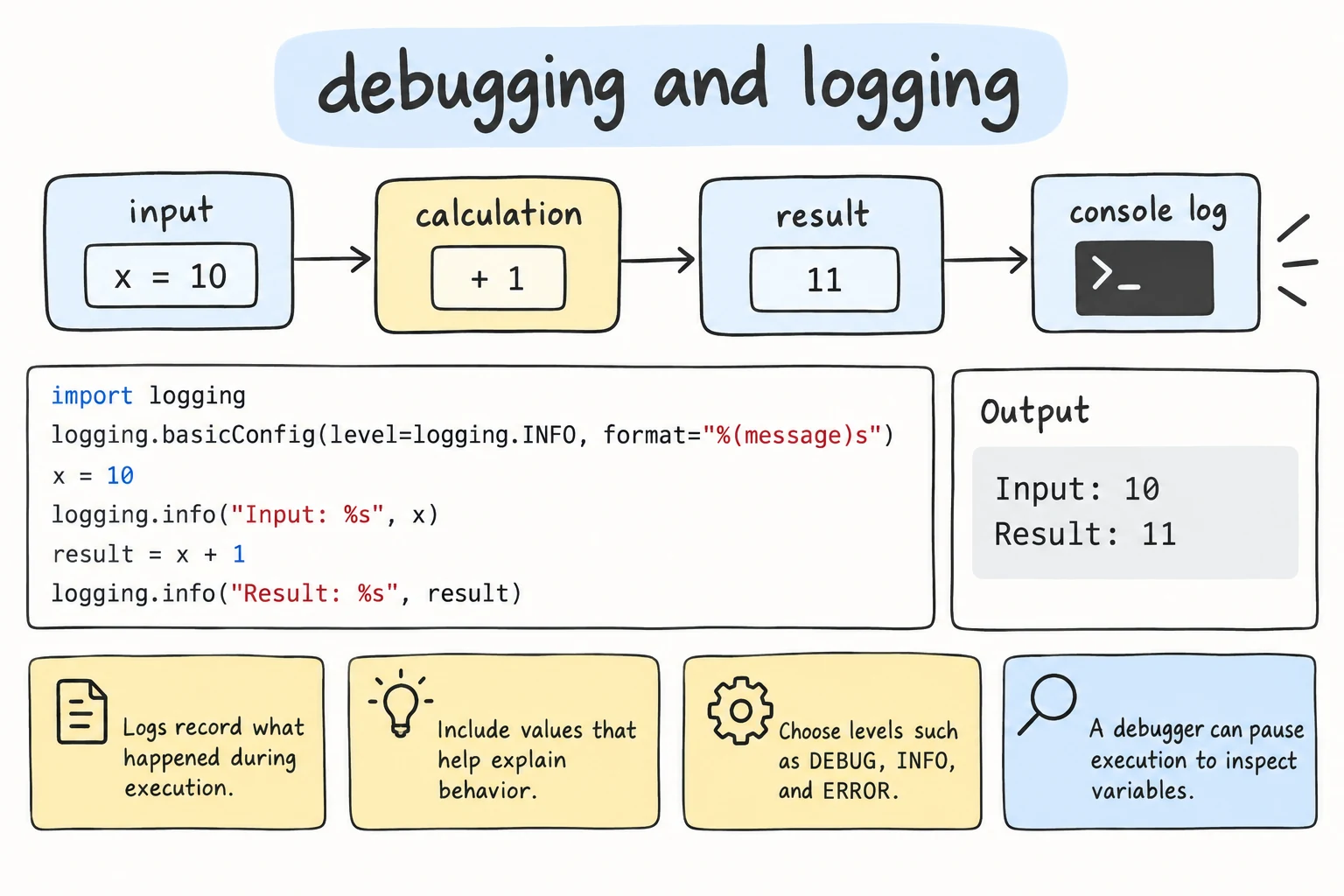
What you'll learn
- A step-by-step workflow for finding bugs instead of guessing
- Quick print debugging with
f"{x=}", and how to read tracebacks with several frames - How to pause a program with
breakpoint()and inspect it withpdb - How to use
logginginstead ofprint: levels,basicConfig, formats, and named loggers - How to log exceptions with their tracebacks
Why it matters
Tests tell you that something is broken. Debugging finds out why. Experienced developers do not write fewer bugs; they find them faster, with a method instead of random changes.
When a program runs on a server in Namangan, you cannot watch it. A log records what happened, so you can learn later why an order failed at 3 a.m.
A debugging workflow
- Reproduce. Find inputs that trigger the bug every time, ideally as a failing test.
- Isolate. Narrow down the function, line, and value. Shrink the program to a minimal example, or explain it out loud, line by line.
- Hypothesize. Make a specific guess: "
totalis overwritten inside the loop." - Test the hypothesis. Print the value or use the debugger. Wrong guess? Back to step 2.
- Fix and confirm. Fix the cause, then run all tests.
Changing code at random until the error disappears skips steps 2 to 4 and often hides the bug instead of fixing it.
Print debugging with f"{x=}"
The quickest tool is still print. Add = after an expression inside an f-string, and Python prints both the expression and its value:
def average_price(prices):
    total = 0
    for price in prices:
        total = price
        print(f"{price=} {total=}")
    return total / len(prices)

print(average_price([12000, 8000, 25000]))price=12000 total=12000
price=8000 total=8000
price=25000 total=25000
8333.333333333334The bug is visible at once: total is replaced instead of growing. The fix is total += price. The = works with any expression, such as f"{len(cart)=}".
Reading multi-frame tracebacks
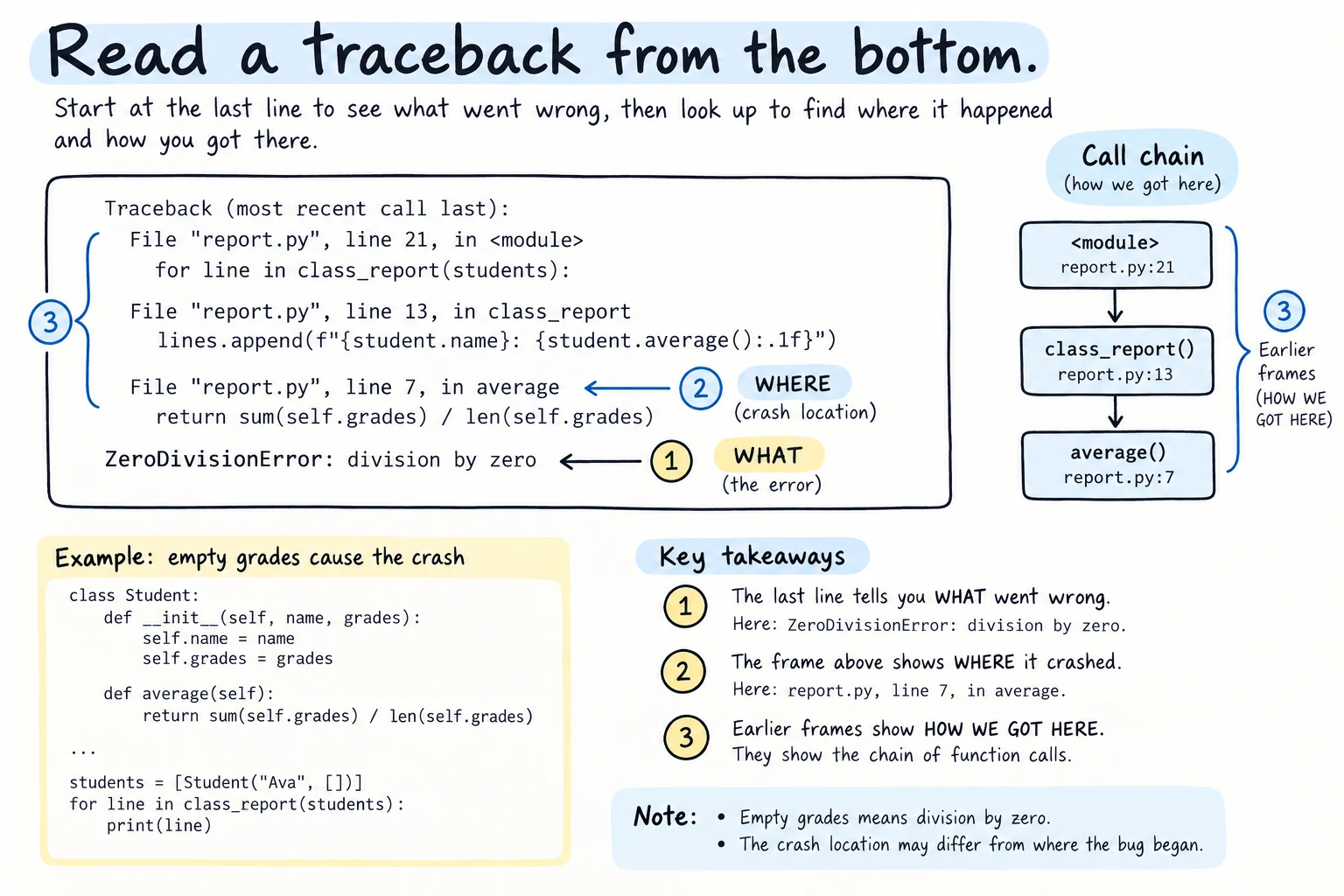
A traceback lists every call that led to an error. Each File ... line ... in ... entry is one frame. Save this as report.py and run it:
def average(grades):
    return sum(grades) / len(grades)


def print_report(students):
    for name, grades in students.items():
        print(f"{name}: {average(grades):.1f}")


print_report({"Aziza": [90, 85, 97], "Bekzod": []})Aziza: 90.7
Traceback (most recent call last):
File "report.py", line 10, in <module>
print_report({"Aziza": [90, 85, 97], "Bekzod": []})
~~~~~~~~~~~~^^^^^^^^^^^^^^^^^^^^^^^^^^^^^^^^^^^^^^^
File "report.py", line 7, in print_report
print(f"{name}: {average(grades):.1f}")
~~~~~~~^^^^^^^^
File "report.py", line 2, in average
return sum(grades) / len(grades)
~~~~~~~~~~~~^~~~~~~~~~~~~
ZeroDivisionError: division by zero"Most recent call last": the frames go from the outside in. The last line says what went wrong, the last frame where it crashed (line 2, in average), and the frames above how the program got there (<module>, the top level, called print_report, which called average).
The crash is in average, but the bug may be higher up: what should the report show for a student with no grades?
The debugger: breakpoint()
A debugger pauses your program so you can inspect variables and run one line at a time. Python's built-in one is pdb. breakpoint() marks where to pause. Save this as prices.py:
def average_price(prices):
    total = 0
    for price in prices:
        total = price
    breakpoint()
    return total / len(prices)


print(average_price([12000, 8000, 25000]))
pdb needs a terminal
The debugger waits for typed commands, so it does not work in this site's editor. Run the file in a terminal (python prices.py) or your code editor.
At breakpoint(), Python shows a (Pdb) prompt for commands:
> /home/aziza/prices.py(5)average_price()
-> breakpoint()
(Pdb) p total
25000
(Pdb) n
> /home/aziza/prices.py(6)average_price()
-> return total / len(prices)
(Pdb) c
8333.333333333334
-> shows the line that runs next; since Python 3.13, pdb first stops on the breakpoint() line itself. p total printed only the last price, confirming the hypothesis.
The essential commands are n (next line), s (step into a called function), c (continue), p expr (print), l (list code), and q (quit). Editors like VS Code have graphical debuggers with the same ideas. Remove every breakpoint() when done, or the program freezes waiting for commands.
Logging: print for grown-up programs
Debug prints cannot be turned off without editing code. The logging module fixes this. Every message has a level: DEBUG (details for bug-hunting), INFO (normal events), WARNING (a surprise the program survives), ERROR (an operation failed), and CRITICAL (the program cannot continue). Call logging.basicConfig once, at the start, to configure it:
import logging
import sys

logging.basicConfig(
    level=logging.WARNING,
    stream=sys.stdout,
    format="%(levelname)-8s %(message)s",
)

logging.info("order 1043 created")          # below WARNING: hidden
logging.warning("coupon code expired")
logging.error("delivery to Samarkand failed")WARNING coupon code expired
ERROR delivery to Samarkand failedlevelis a filter: lower messages are ignored, sodebuglines can stay in the code, switched on with one setting.stream=sys.stdoutsends lines whereprintwrites, instead of the error output (sys.stderr) logging uses by default;filename="shop.log"sends them to a file.formatfills in placeholders:%(levelname)s(-8pads it),%(message)s,%(name)s,%(asctime)s(date and time), and%(funcName)s. The default looks likeWARNING:root:coupon code expired.
Named loggers
Give each module its own logger, so every message shows where it came from:
import logging
import sys

logging.basicConfig(level=logging.INFO, stream=sys.stdout,
                    format="%(levelname)s [%(name)s] %(message)s")

logger = logging.getLogger(__name__)
payments = logging.getLogger("shop.payments")

logger.info("program started")
payments.error("card declined")INFO [__main__] program started
ERROR [shop.payments] card declined__name__ is the module's name ("__main__" for the file you run), so logger = logging.getLogger(__name__) at the top of every module is the standard pattern.
Logging exceptions
Inside except, logger.exception() logs an ERROR and the full traceback, without crashing:
import logging
import sys

logging.basicConfig(level=logging.INFO, stream=sys.stdout,
                    format="%(levelname)s %(name)s: %(message)s")
logger = logging.getLogger("payments")

def charge(amount_text):
    try:
        amount = int(amount_text)
    except ValueError:
        logger.exception(f"could not parse amount {amount_text!r}")
        return None
    logger.info(f"charged {amount} som")
    return amount

charge("50000")
charge("fifty")
print("program keeps running")INFO payments: charged 50000 som
ERROR payments: could not parse amount 'fifty'
Traceback (most recent call last):
File "payments.py", line 10, in charge
amount = int(amount_text)
ValueError: invalid literal for int() with base 10: 'fifty'
program keeps runningThe log keeps the exact error and line, and the program continues. logger.exception(msg) is short for logger.error(msg, exc_info=True); exc_info=True works with any level, e.g. logger.warning("retrying", exc_info=True) in an except block.
Try it
Use the debug messages to find and fix the bug in order_total.
Common mistakes
1. Logging below the configured level
import logging

logging.info("order created")
logging.warning("stock is low")WARNING:root:stock is lowWithout basicConfig the level is WARNING, so info is silently dropped. Fix: call logging.basicConfig(level=logging.INFO) once at the start.
2. Calling basicConfig too late
import logging
import sys

logging.warning("starting")
logging.basicConfig(level=logging.DEBUG, stream=sys.stdout)
logging.debug("this is ignored")WARNING:root:startingThe first logging.warning quietly set up a default handler, and basicConfig does nothing once the root logger has handlers, so the debug line was dropped. Fix: configure first, then log. To replace an existing setup, pass force=True, which removes the old handlers first.
3. Using logger.exception outside except
import logging

logging.exception("something went wrong")ERROR:root:something went wrong
NoneType: NoneWith no active exception, NoneType: None replaces the traceback. Fix: use logger.error(...) outside except blocks.
Practice
1. Find the bug with =
This function should count the vowels in a word, but count_vowels("Andijan") returns 2 instead of 3. Use f"{...=}" prints to find the bug, fix it, and print the result for "Andijan".
def count_vowels(word):
    count = 0
    for letter in word:
        if letter in "aeiou":
            count += 1
    return count
Solution
def count_vowels(word):
    count = 0
    for letter in word.lower():
        if letter in "aeiou":
            count += 1
    return count

print(count_vowels("Andijan"))3A debug print shows letter='A' count=0: "A" is not in "aeiou".
2. Read a traceback
Which function crashes, and which call started it? Fix it so a missing product counts as 0 in stock.
def stock_of(inventory, product):
    return inventory[product]

def restock_list(inventory, products):
    return [p for p in products if stock_of(inventory, p) < 5]

print(restock_list({"tea": 3, "sugar": 20}, ["tea", "sugar", "rice"]))
Solution
def stock_of(inventory, product):
    return inventory.get(product, 0)

def restock_list(inventory, products):
    return [p for p in products if stock_of(inventory, p) < 5]

print(restock_list({"tea": 3, "sugar": 20}, ["tea", "sugar", "rice"]))['tea', 'rice']The last frame is stock_of (KeyError: 'rice'), called from restock_list, called from the print line.
3. Replace prints with logging
Rewrite withdraw with a logger named "bank": INFO for the withdrawal, WARNING for a low balance, format %(levelname)s %(name)s: %(message)s on sys.stdout. Call withdraw(50000, 20000) and withdraw(30000, 25000).
def withdraw(balance, amount):
    print(f"withdrawing {amount} som")
    balance -= amount
    if balance < 10000:
        print(f"low balance: {balance} som")
    return balance
Solution
import logging
import sys

logging.basicConfig(level=logging.INFO, stream=sys.stdout,
                    format="%(levelname)s %(name)s: %(message)s")
logger = logging.getLogger("bank")

def withdraw(balance, amount):
    logger.info(f"withdrawing {amount} som")
    balance -= amount
    if balance < 10000:
        logger.warning(f"low balance: {balance} som")
    return balance

withdraw(50000, 20000)
withdraw(30000, 25000)INFO bank: withdrawing 20000 som
INFO bank: withdrawing 25000 som
WARNING bank: low balance: 5000 som4. Log bad data
Convert the scores ["85", "90", "abc", "", "77"] to int. Log each invalid one with logger.warning (format %(levelname)s %(message)s), then log the average of the valid ones at INFO.
Solution
import logging
import sys

logging.basicConfig(level=logging.INFO, stream=sys.stdout,
                    format="%(levelname)s %(message)s")
logger = logging.getLogger("grades")

scores = []
for text in ["85", "90", "abc", "", "77"]:
    try:
        scores.append(int(text))
    except ValueError:
        logger.warning(f"skipping {text!r}: not a number")

logger.info(f"average of {len(scores)} scores: {sum(scores) / len(scores):.1f}")WARNING skipping 'abc': not a number
WARNING skipping '': not a number
INFO average of 3 scores: 84.0Bad values are expected, so a warning fits better than a traceback per line.
5. A debug switch
When a variable DEBUG is True, set the logging level to DEBUG; otherwise set it to INFO. Write find_cheapest(products) (a dictionary of names to prices) that logs each item at DEBUG and returns the cheapest name; log it at INFO. Use the format %(levelname)-5s %(funcName)s: %(message)s and {"tea": 12000, "non": 5000, "plov": 35000}.
Solution
import logging
import sys

DEBUG = True

logging.basicConfig(
    level=logging.DEBUG if DEBUG else logging.INFO,
    stream=sys.stdout,
    format="%(levelname)-5s %(funcName)s: %(message)s",
)
logger = logging.getLogger(__name__)

def find_cheapest(products):
    cheapest = None
    for name, price in products.items():
        logger.debug(f"checking {name} at {price} som")
        if cheapest is None or price < products[cheapest]:
            cheapest = name
    return cheapest

products = {"tea": 12000, "non": 5000, "plov": 35000}
logger.info(f"cheapest item: {find_cheapest(products)}")DEBUG find_cheapest: checking tea at 12000 som
DEBUG find_cheapest: checking non at 5000 som
DEBUG find_cheapest: checking plov at 35000 som
INFO <module>: cheapest item: nonWith DEBUG = False, only the last line appears.
Recap
- Debug with a method: reproduce, isolate, hypothesize, test, then fix and confirm.
print(f"{x=}")shows an expression and its value. In a traceback, the last line says what, the last frame where.breakpoint()opens pdb in a terminal:nnext,sstep into,ccontinue,pprint.logginglevels go fromDEBUGtoCRITICAL;basicConfigsets level, format, and destination once.- Use
logging.getLogger(__name__)in each module andlogger.exception(orexc_info=True) insideexcept.