

Working with CSV
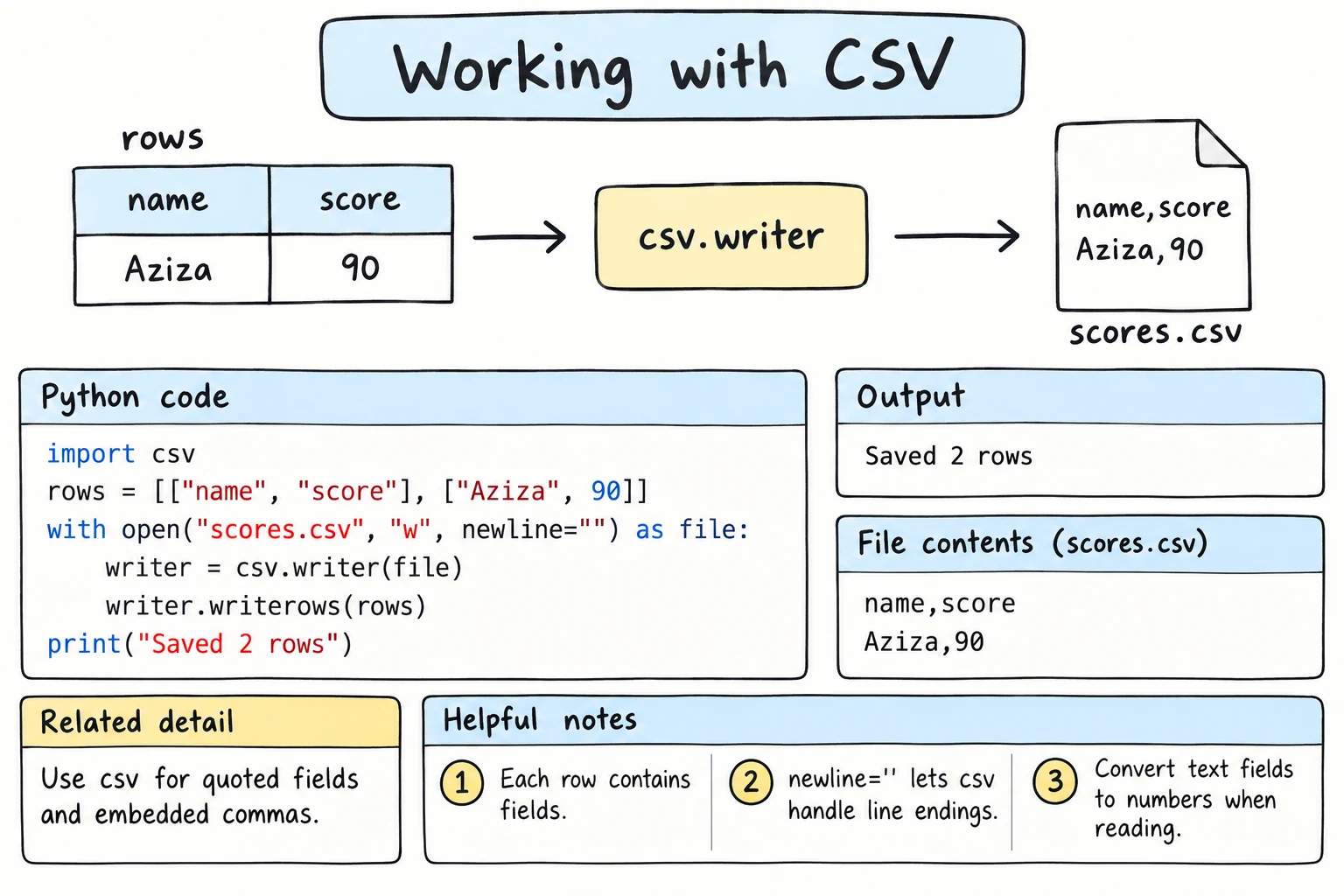
What you'll learn
- What a CSV file is and why it is everywhere
- How to write and read rows with
csv.writerandcsv.reader, and why you open files withnewline="" - How
DictReaderandDictWriterlet you work with column names instead of positions - How to convert text values to numbers, and handle other delimiters and quoted fields
- How to summarize a sales file with
defaultdict
Why it matters
CSV ("comma-separated values") is the simplest way to store a table in a text file. Spreadsheets export it, banks send statements in it, and open-data portals publish in it. With CSV in Python you can automate spreadsheet chores: add up a month of sales, clean a class list, or produce a report for Excel.
What a CSV file looks like
A CSV file is plain text: each line is a row, commas separate the fields, and the first row is usually a header:
date,city,product,quantity,price
2026-09-01,Tashkent,tea,3,15000
2026-09-01,Samarkand,samsa,10,8000
2026-09-02,Tashkent,plov,2,45000
You could try line.split(","), but what about a product called Notebook, A5? The csv module handles such cases correctly.
Writing rows with csv.writer
import csv

rows = [
    ["date", "city", "product", "quantity", "price"],
    ["2026-09-01", "Tashkent", "tea", 3, 15000],
    ["2026-09-01", "Samarkand", "samsa", 10, 8000],
    ["2026-09-02", "Tashkent", "plov", 2, 45000],
]

with open("sales.csv", "w", newline="", encoding="utf-8") as file:
    writer = csv.writer(file)
    writer.writerows(rows)

with open("sales.csv", encoding="utf-8") as file:
print(file.read(), end="")date,city,product,quantity,price
2026-09-01,Tashkent,tea,3,15000
2026-09-01,Samarkand,samsa,10,8000
2026-09-02,Tashkent,plov,2,45000csv.writer(file) wraps an open file. writerow(row) writes one list as one line, writerows(rows) writes many, and numbers become text automatically.
Always use newline=""
Open CSV files with newline="" whenever the csv module reads or writes them. The module handles line endings itself; without it, newline translation (see Files and pathlib) adds an empty line after every row on Windows. To just print a file's text, as these examples do, a plain open() is fine.
Files for Excel
Excel on Windows may show UTF-8 letters like ʻ as garbage unless the file starts with a special marker (a BOM). Write files meant for Excel with encoding="utf-8-sig", which adds it; reading with "utf-8-sig" removes it again.
Reading rows with csv.reader
csv.reader gives you each row as a list of strings, even 3 and 15000. Convert what you need to calculate with:
import csv

with open("sales.csv", "w", newline="", encoding="utf-8") as file:
    file.write("date,city,product,quantity,price\n")
    file.write("2026-09-01,Tashkent,tea,3,15000\n")
    file.write("2026-09-01,Samarkand,samsa,10,8000\n")
    file.write("2026-09-02,Tashkent,plov,2,45000\n")

total = 0
with open("sales.csv", newline="", encoding="utf-8") as file:
    reader = csv.reader(file)
    header = next(reader)            # take the first row
    print("Columns:", header)
    for row in reader:               # the remaining rows
        print(row)
        date, city, product, quantity, price = row
        total += int(quantity) * int(price)

print(f"Total: {total:,} som")Columns: ['date', 'city', 'product', 'quantity', 'price']
['2026-09-01', 'Tashkent', 'tea', '3', '15000']
['2026-09-01', 'Samarkand', 'samsa', '10', '8000']
['2026-09-02', 'Tashkent', 'plov', '2', '45000']
Total: 215,000 somnext(reader) reads just one row, a neat way to take the header off before the loop. Unpacking a row into named variables is readable, and fails loudly with ValueError if a row has the wrong number of fields.
DictReader: rows as dictionaries
Positions like row[3] are hard to read and break when a column is added. csv.DictReader gives each row as a dictionary keyed by the header:
import csv

with open("students.csv", "w", newline="", encoding="utf-8") as file:
    file.write("name,group,math,english\nAziza,9A,92,88\nBekzod,9B,75,81\nDilnoza,9A,86,95\n")

with open("students.csv", newline="", encoding="utf-8") as file:
    reader = csv.DictReader(file)
    print(reader.fieldnames)
    for row in reader:
        average = (int(row["math"]) + int(row["english"])) / 2
print(f"{row['name']:<8} {row['group']} {average:.1f}")['name', 'group', 'math', 'english']
Aziza 9A 90.0
Bekzod 9B 78.0
Dilnoza 9A 90.5DictReader reads the header itself (no next()), and reader.fieldnames holds the column names. A handy pattern is to load all rows into a list and convert the types once, so the rest of the program works with clean data, as in Nested Data.
DictWriter: writing dictionaries
csv.DictWriter needs the column names (fieldnames). Call writeheader() once, then write the dictionaries:
import csv

orders = [
    {"id": 101, "customer": "Aziza", "total": 125000, "city": "Tashkent"},
    {"id": 102, "customer": "Farrukh", "total": 48000, "city": "Bukhara"},
]

with open("orders.csv", "w", newline="", encoding="utf-8") as file:
    writer = csv.DictWriter(file, fieldnames=["id", "customer", "city", "total"])
    writer.writeheader()
    writer.writerows(orders)

with open("orders.csv", encoding="utf-8") as file:
print(file.read(), end="")id,customer,city,total
101,Aziza,Tashkent,125000
102,Farrukh,Bukhara,48000The columns follow the order of fieldnames, not the order of keys in each dictionary. A key that is not in fieldnames raises ValueError (pass extrasaction="ignore" to skip it). A field missing from a dictionary is silently written as an empty value; restval="unknown" writes that text instead.
Quoting: commas inside fields
What if a value contains a comma? csv.writer puts quotes around it automatically, and csv.reader removes them again:
import csv

products = [
    ["name", "price"],
    ["Notebook, A5", 12000],
    ['Pen "Classic"', 3000],
    ["Tea", 15000],
]

with open("products.csv", "w", newline="", encoding="utf-8") as file:
    csv.writer(file).writerows(products)

with open("products.csv", encoding="utf-8") as file:
    print(file.read(), end="")

with open("products.csv", newline="", encoding="utf-8") as file:
    for row in csv.reader(file):
print(row)name,price
"Notebook, A5",12000
"Pen ""Classic""",3000
Tea,15000
['name', 'price']
['Notebook, A5', '12000']
['Pen "Classic"', '3000']
['Tea', '15000']Quotes inside a quoted field are doubled (""); the csv module handles this for you.
Other delimiters
Where the comma is the decimal sign (12,5), Excel saves CSV with a semicolon. Pass delimiter:
import csv

with open("prices_eu.csv", "w", newline="", encoding="utf-8") as file:
    file.write("product;price_usd\n")
    file.write("Laptop;799,90\n")
    file.write("Mouse;12,50\n")

with open("prices_eu.csv", newline="", encoding="utf-8") as file:
    for row in csv.DictReader(file, delimiter=";"):
        price = float(row["price_usd"].replace(",", "."))
print(row["product"], price)Laptop 799.9
Mouse 12.5For tab-separated files (often .tsv), use delimiter="\t".
CSV without a file: io.StringIO
io.StringIO makes a string behave like an open file, handy for tests or CSV text from elsewhere:
import csv
import io

text = """city,temperature
Tashkent,34
Nukus,38
Samarkand,31
"""

reader = csv.DictReader(io.StringIO(text))
hottest = max(reader, key=lambda row: int(row["temperature"]))
print(hottest["city"], hottest["temperature"])Nukus 38Summarizing a sales file
A realistic task: total revenue per city, saved as a new CSV file anyone can open in a spreadsheet. defaultdict from collections and itertools keeps the counting simple:
import csv
from collections import defaultdict

with open("sales.csv", "w", newline="", encoding="utf-8") as file:
    writer = csv.writer(file)
    writer.writerow(["date", "city", "product", "quantity", "price"])
    writer.writerows([
        ["2026-09-01", "Tashkent", "tea", 3, 15000],
        ["2026-09-01", "Samarkand", "samsa", 10, 8000],
        ["2026-09-01", "Bukhara", "plov", 4, 40000],
        ["2026-09-02", "Tashkent", "plov", 2, 45000],
        ["2026-09-03", "Tashkent", "samsa", 12, 9000],
    ])

revenue_by_city = defaultdict(int)
with open("sales.csv", newline="", encoding="utf-8") as file:
    for row in csv.DictReader(file):
        revenue_by_city[row["city"]] += int(row["quantity"]) * int(row["price"])

with open("city_totals.csv", "w", newline="", encoding="utf-8") as file:
    writer = csv.writer(file)
    writer.writerow(["city", "revenue"])
    writer.writerows(sorted(revenue_by_city.items()))

with open("city_totals.csv", encoding="utf-8") as file:
print(file.read(), end="")city,revenue
Bukhara,160000
Samarkand,80000
Tashkent,243000Try it
Add sales rows, or count sales per day instead of per city.
Common mistakes
1. Calculating with strings
import csv, io

rows = csv.DictReader(io.StringIO("name,score\nAziza,92\nBekzod,78\n"))
total = sum(row["score"] for row in rows)TypeError: unsupported operand type(s) for +: 'int' and 'str'Every CSV value is a string. Convert: sum(int(row["score"]) for row in rows). (Sorting too: "100" < "95" is True.)
2. Splitting lines by comma yourself
line = '"Notebook, A5",12000'
print(line.split(","))['"Notebook', ' A5"', '12000']The quoted comma split the name in two. csv.reader gives ['Notebook, A5', '12000'].
3. Wrong keys in DictWriter
import csv, io

writer = csv.DictWriter(io.StringIO(), fieldnames=["name", "score"])
writer.writerow({"name": "Aziza", "points": 92})ValueError: dict contains fields not in fieldnames: 'points'The key points is not in fieldnames. Make them agree, or pass extrasaction="ignore" on purpose.
Practice
1. Write a class list
Write class.csv with the header name,age and Aziza 15, Bekzod 16, Dilnoza 15. Read it back with csv.reader and print each row.
Solution
import csv

with open("class.csv", "w", newline="", encoding="utf-8") as file:
    writer = csv.writer(file)
    writer.writerow(["name", "age"])
    writer.writerows([["Aziza", 15], ["Bekzod", 16], ["Dilnoza", 15]])

with open("class.csv", newline="", encoding="utf-8") as file:
    for row in csv.reader(file):
print(row)['name', 'age']
['Aziza', '15']
['Bekzod', '16']
['Dilnoza', '15']2. Average price
Using io.StringIO, read this CSV with DictReader and print the average price:
product,price
tea,15000
coffee,32000
juice,12000
Solution
import csv
import io

text = "product,price\ntea,15000\ncoffee,32000\njuice,12000\n"

prices = [int(row["price"]) for row in csv.DictReader(io.StringIO(text))]
print(f"Average price: {sum(prices) / len(prices):,.0f} som")Average price: 19,667 som3. Filter and save
Create employees.csv with columns name,city,salary and the five rows in the solution. Write tashkent.csv with only the Tashkent employees and the same header, then print it.
Solution
import csv

with open("employees.csv", "w", newline="", encoding="utf-8") as file:
    writer = csv.writer(file)
    writer.writerow(["name", "city", "salary"])
    writer.writerows([
        ["Aziza", "Tashkent", 9500000],
        ["Bekzod", "Samarkand", 7200000],
        ["Dilnoza", "Tashkent", 11000000],
        ["Farrukh", "Bukhara", 6800000],
        ["Kamola", "Tashkent", 8300000],
    ])

with open("employees.csv", newline="", encoding="utf-8") as source:
    reader = csv.DictReader(source)
    with open("tashkent.csv", "w", newline="", encoding="utf-8") as target:
        writer = csv.DictWriter(target, fieldnames=reader.fieldnames)
        writer.writeheader()
        for row in reader:
            if row["city"] == "Tashkent":
                writer.writerow(row)

with open("tashkent.csv", encoding="utf-8") as file:
print(file.read(), end="")name,city,salary
Aziza,Tashkent,9500000
Dilnoza,Tashkent,11000000
Kamola,Tashkent,8300000The inner with writes while the outer one is still reading. Reusing reader.fieldnames keeps the columns identical.
4. Semicolon grades
Write grades.csv with semicolons: name;math;physics, then Aziza;5;4, Bekzod;3;4, Dilnoza;5;5. Read it, add an average column, and save grades_with_average.csv with commas. Print the result.
Solution
import csv

with open("grades.csv", "w", newline="", encoding="utf-8") as file:
    file.write("name;math;physics\nAziza;5;4\nBekzod;3;4\nDilnoza;5;5\n")

rows = []
with open("grades.csv", newline="", encoding="utf-8") as file:
    for row in csv.DictReader(file, delimiter=";"):
        row["average"] = (int(row["math"]) + int(row["physics"])) / 2
        rows.append(row)

with open("grades_with_average.csv", "w", newline="", encoding="utf-8") as file:
    writer = csv.DictWriter(file, fieldnames=["name", "math", "physics", "average"])
    writer.writeheader()
    writer.writerows(rows)

with open("grades_with_average.csv", encoding="utf-8") as file:
print(file.read(), end="")name,math,physics,average
Aziza,5,4,4.5
Bekzod,3,4,3.5
Dilnoza,5,5,5.05. Monthly report
Write payments.csv with columns date,category,amount and the rows shown in the solution (payments across two months, one with the amount n/a). For each month (YYYY-MM), print the total per category, sorted by name, and the month's total. Skip rows with an invalid amount, printing a warning with the line number.
Solution
import csv
from collections import defaultdict

with open("payments.csv", "w", newline="", encoding="utf-8") as file:
    writer = csv.writer(file)
    writer.writerow(["date", "category", "amount"])
    writer.writerows([
        ["2026-08-02", "food", 85000],
        ["2026-08-05", "transport", 12000],
        ["2026-08-14", "food", 140000],
        ["2026-09-01", "food", 76000],
        ["2026-09-03", "transport", "n/a"],
        ["2026-09-07", "transport", 15000],
    ])

report = defaultdict(lambda: defaultdict(int))

with open("payments.csv", newline="", encoding="utf-8") as file:
    for line_number, row in enumerate(csv.DictReader(file), start=2):
        try:
            amount = int(row["amount"])
        except ValueError:
            print(f"Warning: line {line_number} has a bad amount {row['amount']!r}")
            continue
        month = row["date"][:7]
        report[month][row["category"]] += amount

for month in sorted(report):
    categories = report[month]
    print(month)
    for category in sorted(categories):
        print(f"  {category:<10} {categories[category]:>8,}")
print(f" {'TOTAL':<10} {sum(categories.values()):>8,}")Warning: line 6 has a bad amount 'n/a'
2026-08
food 225,000
transport 12,000
TOTAL 237,000
2026-09
food 76,000
transport 15,000
TOTAL 91,000defaultdict(lambda: defaultdict(int)) creates an inner counter for each new month. start=2 matches the file's line numbers, because line 1 is the header.
Recap
- A CSV file is a table in plain text; use the
csvmodule, notsplit(","), so quotes and commas inside fields work. - Open CSV files with
newline=""andencoding="utf-8"("utf-8-sig"for Excel). csv.readergives lists andcsv.DictReadergives dictionaries;csv.writerandcsv.DictWriterwrite them.- All values you read are strings: convert them with
int()orfloat(). - Use
delimiter=";"for semicolon files,io.StringIOfor CSV text in memory, anddefaultdictfor summaries.